
Opis
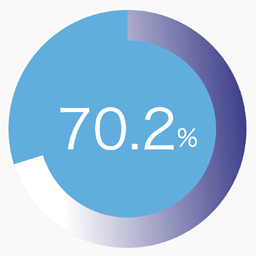
SPW Pie Chart adds a simple shortcode for displaying a single percentage-based pie chart with gradient colors, optional label text, and entry animation.
Features:
- Render a single pie chart with the
[spw_pie_chart]shortcode. - Control the percentage, size, thickness, colors, stops, angle, and label.
- Enable or disable animation when the chart becomes visible.
- Generate shortcode parameters from the admin screen under
Settings > Pie Chart.
Example shortcode:
[spw_pie_chart percent="75" label="Sample" colors="#3d3e8e,#009ef9,#affffb" stops="0,50,100" angle="135"]
Zrzuty ekranu

The shortcode generator screen in the WordPress admin area. You can configure the label, percentage, size, thickness, angle, text color, track color, and gradient colors while checking the live preview. 
A shortcode inserted into the WordPress block editor. The generated shortcode can be copied from the admin screen and pasted into a Shortcode block. 
Pie charts displayed on the frontend. The shortcode output supports customized colors, percentages, labels, and animated circular chart rendering.
Instalacja
- Upload the plugin files to the
/wp-content/plugins/spw-pie-chartdirectory, or install the plugin through the WordPress plugins screen. - Activate the plugin through the
Pluginsscreen in WordPress. - Open
Settings > Pie Chartto generate a shortcode. - Paste the shortcode into a post, page, or widget area that supports shortcodes.
Najczęściej zadawane pytania
-
How do I add a chart?
-
Add the
[spw_pie_chart]shortcode to any post or page. -
Which shortcode attributes are supported?
-
Supported attributes are:
percentorvaluelabelsizethicknessdurationanimatecolorsstopsangletrack_colortext_color
-
Does the plugin store any settings permanently?
-
No. The shortcode generator is a helper UI and does not save persistent plugin options.
Recenzje
Wtyczka nie ma jeszcze żadnej recenzji.
Kontrybutorzy i deweloperzy
„SPW Pie Chart” jest oprogramowaniem open source. Poniższe osoby miały wkład w rozwój wtyczki.
Zaangażowani
Przetłumacz wtyczkę “SPW Pie Chart” na swój język.
Interesuje cię rozwój wtyczki?
Przeglądaj kod, sprawdź repozytorium SVN lub czytaj dziennik rozwoju przez RSS.
Rejestr zmian
1.0.0
- Initial public release.