

Opis
This is the official WordPress client for SpeedyMessaging, a paid transactional email service. It is not a general SMTP configuration plugin: it does not connect to arbitrary mail hosts, and it has no server/port/encryption fields. It speaks one service’s API, and it exists to make sending from that account correct rather than merely possible.
Routes wp_mail() through the SpeedyMessaging API so every email your site sends — WooCommerce receipts, Contact Form 7 submissions, password resets — goes out through your own mailbox, without changing any of those plugins.
What this does that a mail-configuration plugin does not
Sending here costs money per message, and the account can run out. That makes the hard problems different from „which host do I point at”, and it is where this plugin does its work:
- You are never charged twice. Every paid call carries an
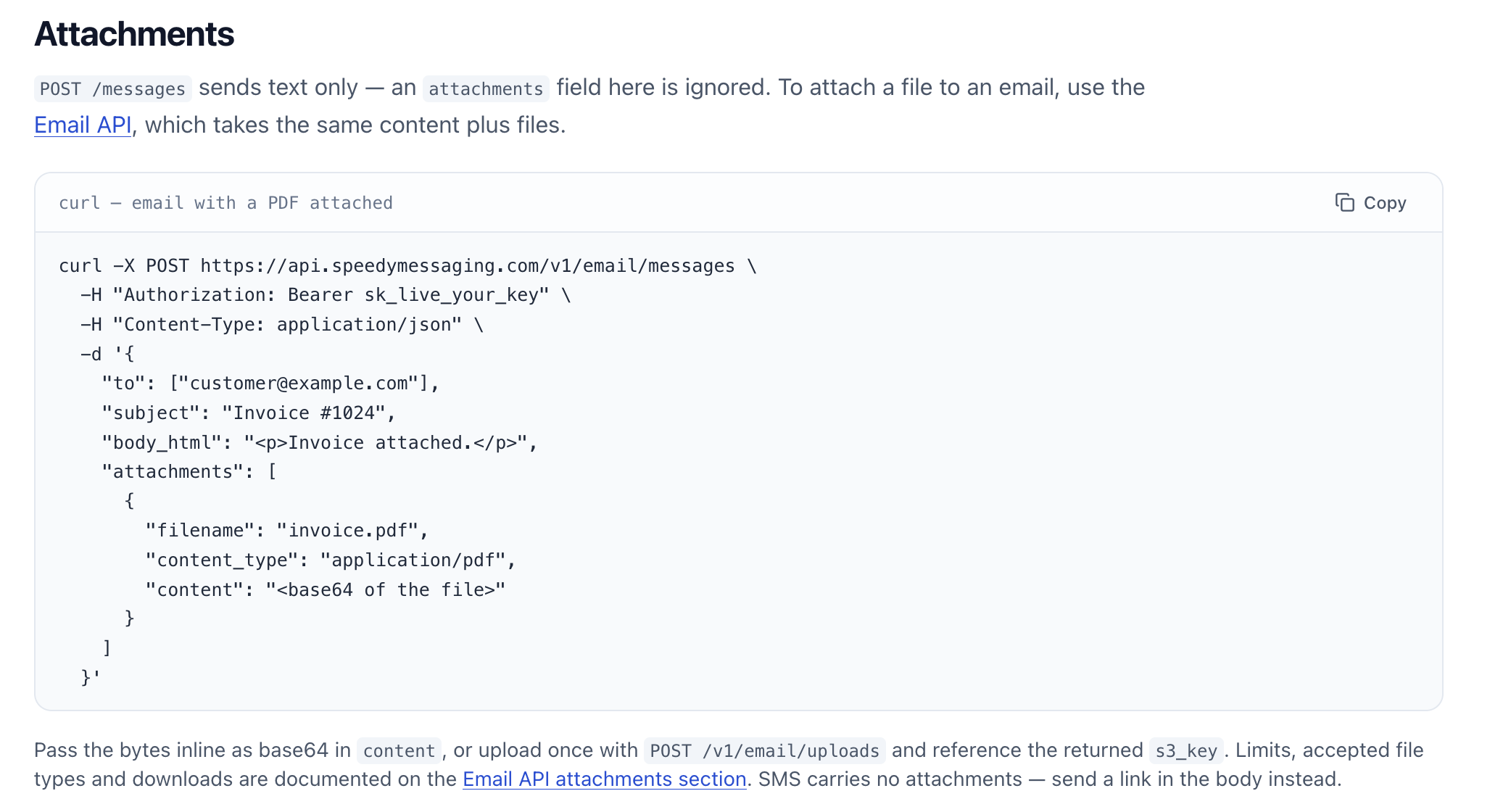
Idempotency-Key, so a plugin that fireswp_mail()twice, or two overlapping cron runs, produce one delivery and one charge — not two. Retrying a paid send is normally the thing you cannot safely do; here it is safe by construction. - Attachments arrive openable, or not at all. Every file is uploaded first and sent by reference. Testing against the live API showed that passing a file inline is accepted and then never stored — the recipient gets a message claiming an attachment nobody can open. This plugin never sends that way, and if a file cannot be uploaded it hands the message to your normal mail rather than delivering it gutted.
- Running out of credit holds mail, it does not lose it. Queued messages wait, an admin notice appears, and they send once the account is topped up. Nothing is discarded.
- Consent is tracked and enforced. A do-not-contact list is checked on every send, with signed one-click unsubscribe links that cannot be edited to suppress somebody else. Privacy exporters and erasers are registered, so a GDPR request covers what the plugin stores.
- It stays out of your way. The plugin’s screen lives under Settings. The only notices raised elsewhere mean mail is not being delivered right now — they are dismissible, and they never appear while you are writing a post.
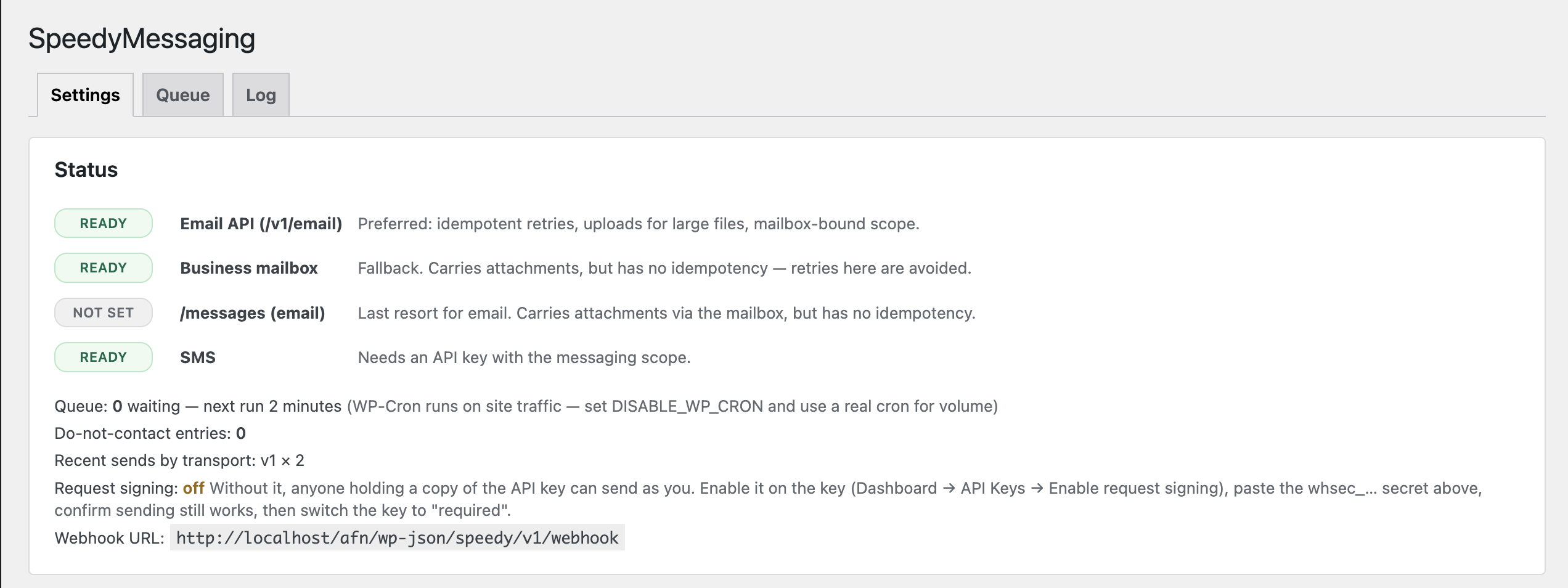
Nothing is ever silently lost. Email tries each configured transport in turn and falls back to this site’s normal mail if none of them work, so a mistyped credential degrades delivery rather than stopping it:
POST /v1/email/messages— preferred: idempotent retries, uploads for attachments, mailbox-bound scope checksPOST /business-email/send— fallbackPOST /messages— last resort- This site’s normal
wp_mail()/ SMTP
Also included
- A durable queue with claiming, exponential backoff and a per-minute rate budget
- An SMS helper for theme and plugin code,
speedy_send_sms( $to, $body ), for sites whose account also has SMS enabled — a secondary convenience in this release, not its focus - A do-not-contact list, checked on every send, with signed one-click unsubscribe links
- Privacy exporters and erasers, so a data request covers what this plugin stores
- Optional HMAC request signing
- A delivery log with recipients masked at write time
External service
This plugin sends your site’s email and SMS through SpeedyMessaging, a third-party messaging service operated by Helloworld Technologies Limited. The plugin is not useful without it — an account and API credentials are required.
What is sent, and when. When your site sends an email or SMS through this plugin, the following is transmitted to https://api.speedymessaging.com:
- the recipient’s email address or phone number
- the subject and body of the message
- any attached files
- your API credentials, for authentication
This happens at the moment a message is sent — that is, whenever WordPress would otherwise have sent the email itself, or when your code calls one of this plugin’s functions. Queued messages are sent on WP-Cron. The plugin makes no other outbound requests: it does not phone home, report usage, or transmit anything on front-end page views.
What is not sent. The plugin does not transmit visitor analytics, site content, user accounts, or anything unrelated to a message you asked it to deliver.
Service terms and privacy policy:
- Terms of Service: https://speedymessaging.com/legal/terms
- Privacy Policy: https://speedymessaging.com/legal/privacy
- Service homepage and API documentation: https://speedymessaging.com/docs
By configuring this plugin with your credentials you agree to that service’s terms. Deactivating the plugin stops all transmission immediately.
Zrzuty ekranu
Instalacja
- Upload the plugin and activate it. Activation creates two database tables, for the send queue and the delivery log.
- Create an API key in the SpeedyMessaging dashboard under Developer API keys, scoped
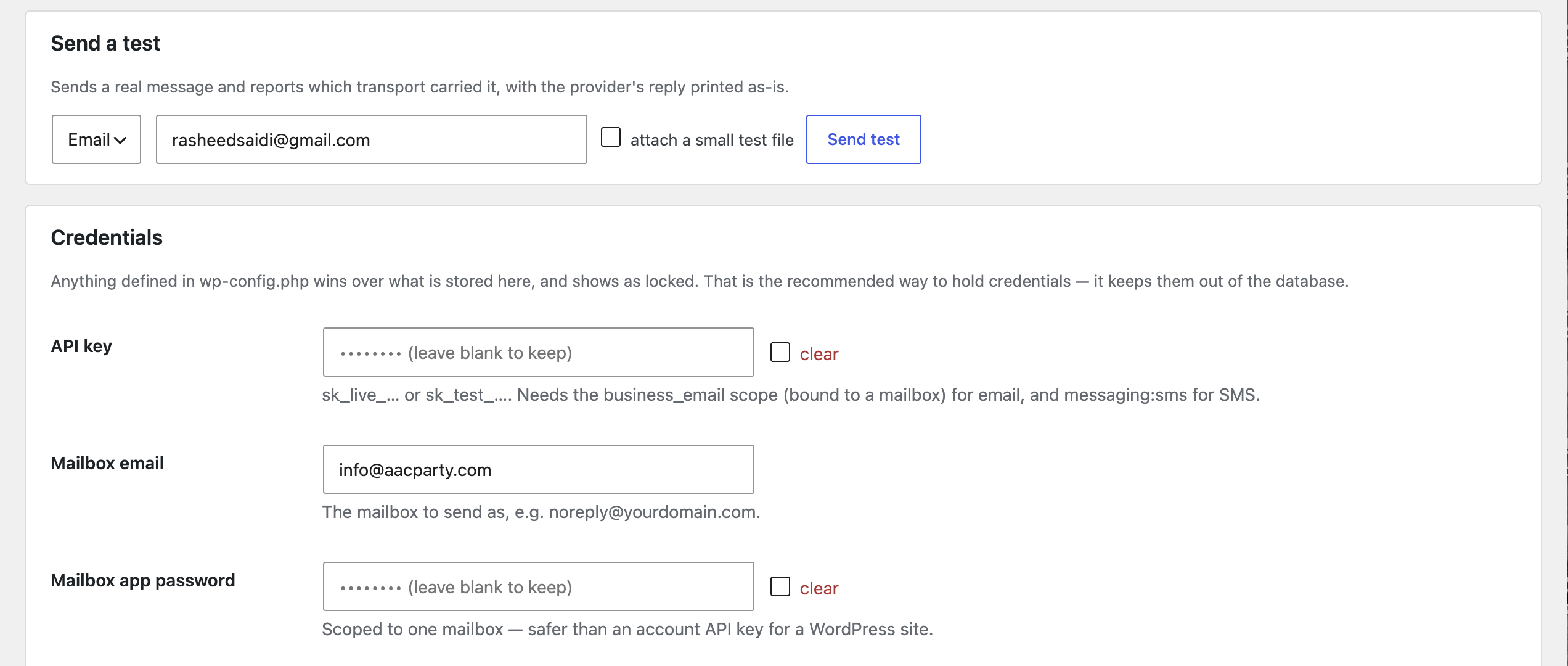
business_emailand bound to your mailbox (addmessaging:smsfor SMS). Start with ansk_test_key, which never debits credits. Enter your credentials under Settings SpeedyMessaging, or — preferred — define them in
wp-config.phpso they stay out of the database:define( 'SPEEDY_API_KEY’, 'sk_live_…’ ); define( 'SPEEDY_MAILBOX_EMAIL’, 'noreply@yourdomain.com’ ); define( 'SPEEDY_MAILBOX_APP_PASSWORD’, '…’ );
Check the status badges and use Send a test to confirm delivery. Then swap the test key for a live one.
If your site sends in volume, disable traffic-driven cron so the queue drains on time:
define( 'DISABLE_WP_CRON’, true );
and add a system cron entry running wp cron event run --due-now every minute.
Najczęściej zadawane pytania
-
Do I need a SpeedyMessaging account?
-
Yes. This plugin is a client for that service and does nothing without credentials for it. See the „External service” section above for exactly what is transmitted.
-
I already use an SMTP plugin. What happens?
-
Whichever plugin hooks
wp_mail()first handles a given message. The settings screen names any other mail plugin it detects and tells you which one is in charge. Running one at a time makes delivery predictable. -
Why did some emails not go through SpeedyMessaging?
-
The settings screen counts them by reason. Messages with CC/BCC or a Reply-To header, and messages whose attachment fails the size or type check, are handed to your site’s normal mail. They are still delivered — just not by this plugin.
-
What happens when the account runs out of credit?
-
Queued messages are held, not failed, and an admin notice appears. They send once the account is topped up. Nothing is discarded.
-
Does the plugin slow down my site?
-
Front-end page views do no work at all. Sending happens when WordPress sends mail, and bulk sending happens on cron.
-
Is any customer data stored?
-
The queue stores recipients and message bodies until delivery, then drops the bodies after 30 days. The delivery log masks recipients at write time and never stores message content. Privacy exporters and erasers are registered so a data request covers all of it.
Recenzje
Wtyczka nie ma jeszcze żadnej recenzji.
Kontrybutorzy i deweloperzy
„SpeedyMessaging” jest oprogramowaniem open source. Poniższe osoby miały wkład w rozwój wtyczki.
Zaangażowani
Przetłumacz wtyczkę “SpeedyMessaging” na swój język.
Interesuje cię rozwój wtyczki?
Przeglądaj kod, sprawdź repozytorium SVN lub czytaj dziennik rozwoju przez RSS.
Rejestr zmian
1.0.0
- Initial release.
- Email transport ladder with fallback to the site’s normal mail.
wp_mail()takeover, including attachments.- SMS with E.164 normalisation and GSM-7 segment counting.
- Durable queue with claiming, backoff, rate budget and idempotency.
- Do-not-contact list, one-click unsubscribe, privacy exporters and erasers.
- Optional HMAC request signing; delivery-receipt webhook endpoint.