

Opis
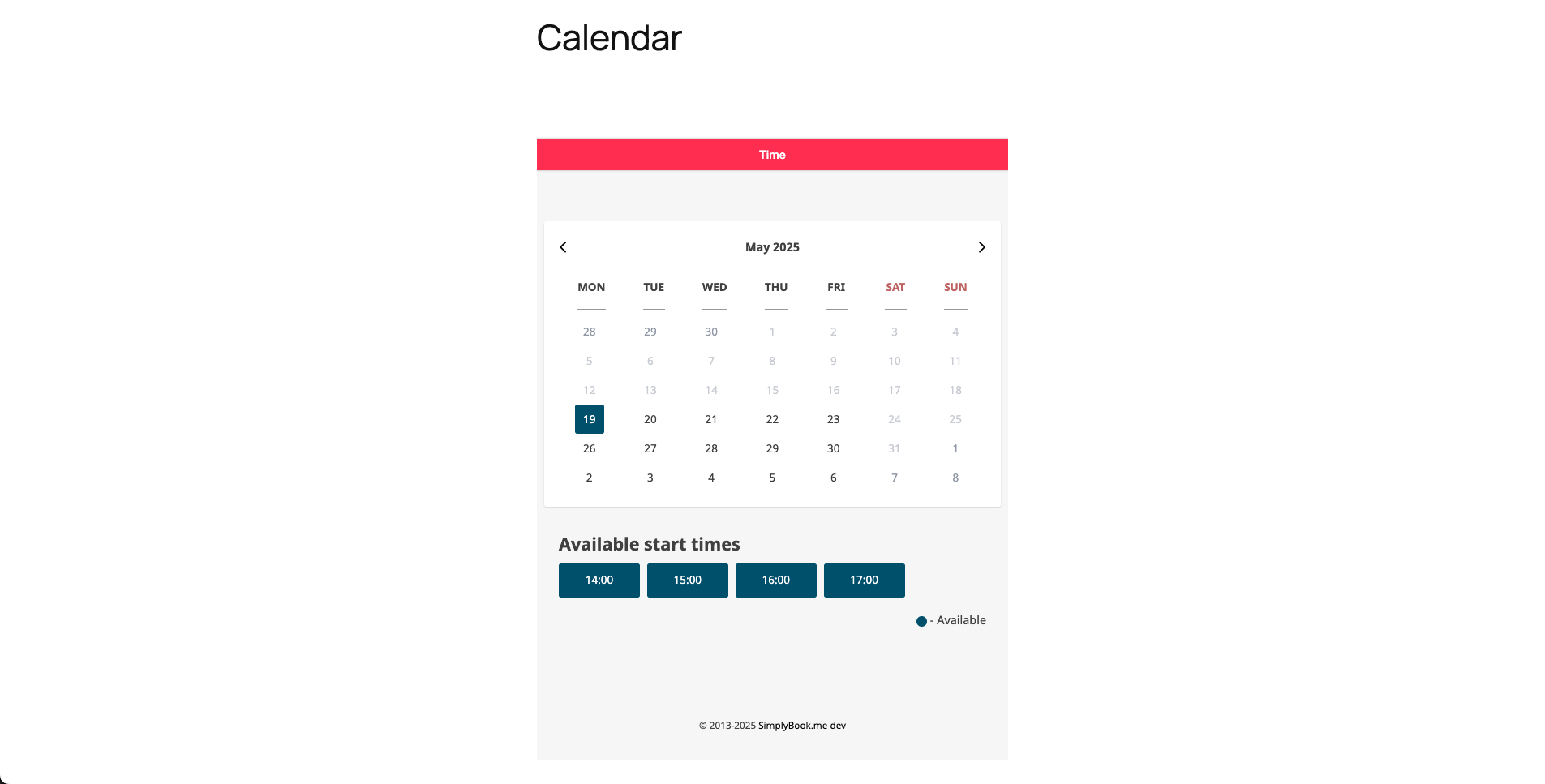
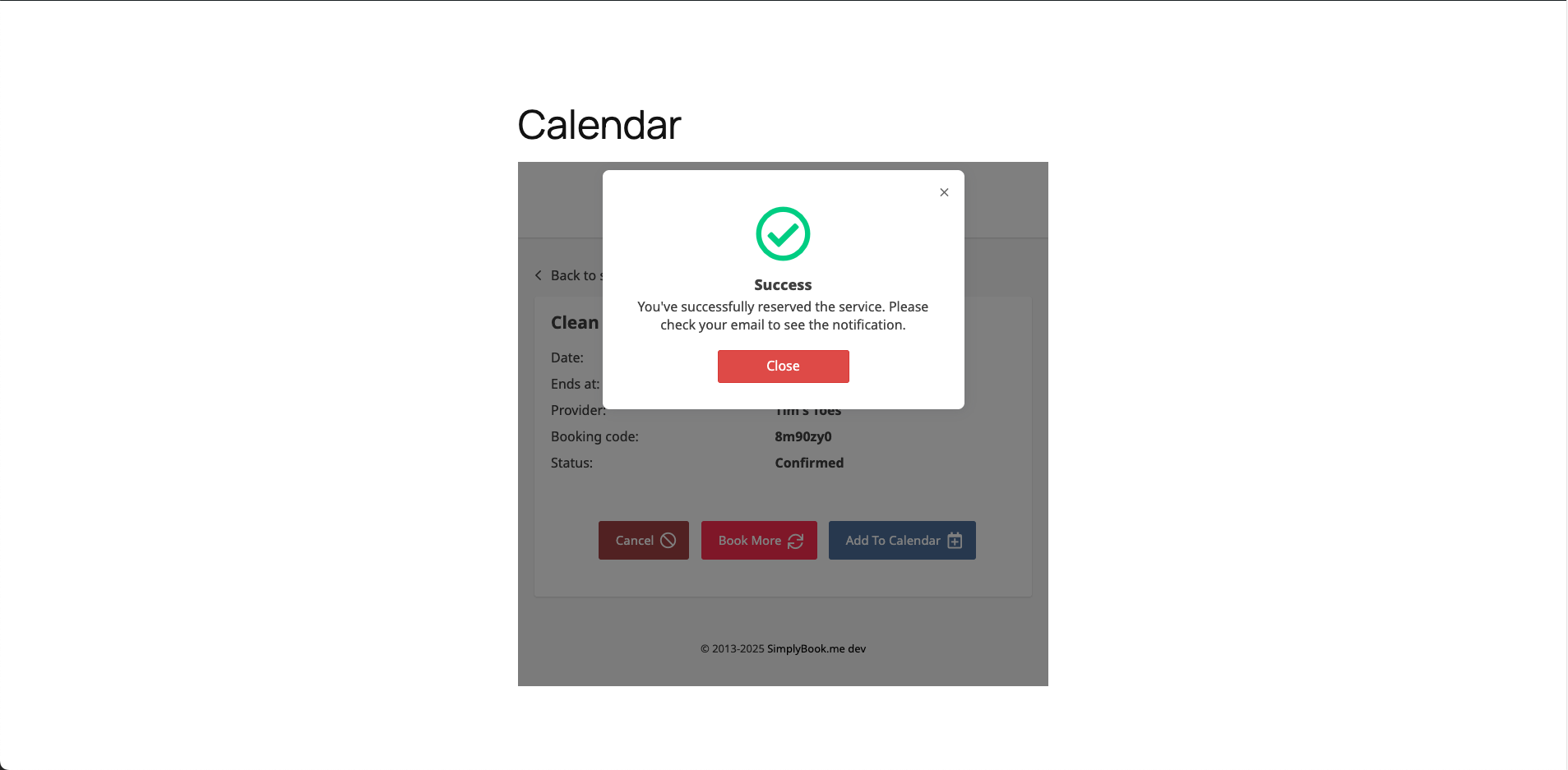
SimplyBook.me to najprostszy sposób na rozpoczęcie zbierania rezerwacji na Twojej stronie WordPress. Wtyczka pozwoli Ci założyć darmowe konto i natychmiast opublikować kalendarz rezerwacji w interfejsie Twojej witryny. Za pomocą kilku kliknięć możesz łatwo dodać swoje usługi i dostawców usług oraz zaprojektować najpiękniejszy widżet rezerwacji. Będziesz zbierać rezerwacje i spotkania w mgnieniu oka!
- Łatwe planowanie wizyt
- Proste wdrażanie i konfiguracja wtyczki
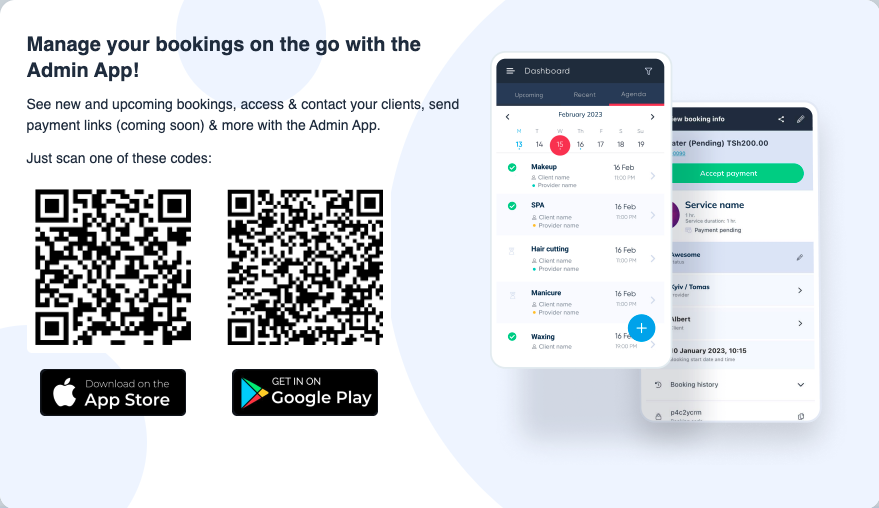
- Zarządzaj swoim kalendarzem i rezerwacjami za pomocą wydajnej aplikacji mobilnej (iOS i Android)
- Akceptuj płatności bezdotykowe za pośrednictwem aplikacji w kasie na miejscu
- Wysoka dostarczalność wiadomości e-mail z potwierdzeniami rezerwacji i przypomnieniami o spotkaniach.
- Utwórz wiele usług, dostawców, kategorii i lokalizacji
- Wysyłaj powiadomienia e-mail i SMS do swoich klientów dotyczące rezerwacji
- Dodaj przyciski „Zarezerwuj teraz” na swoim profilu na Instagramie, Facebooku i Google Business Profile
- Sprzedawaj członkostwa, pakiety i karty podarunkowe
- Zarządzaj rezerwacjami na zajęcia i wydarzenia
- Zwiększ sprzedaż, oferując produkty i usługi dodatkowe w procesie rezerwacji
- Kampanie marketingowe za pośrednictwem wiadomości e-mail i powiadomień push
- Listy oczekujących i funkcje „Spraw, żebym wyglądał na zajętego”
- Oferuj kupony i system lojalnościowy, aby zwiększyć lojalność wobec marki
- Wgląd i statystyki dotyczące rezerwacji, rezerwacji, anulowań, obciążenia pracą i przychodów
- Dostosuj ustawienia strefy czasowej, jeśli masz klientów w różnych strefach czasowych
- Utwórz indywidualne harmonogramy dla obsługi
- Utwórz wielu użytkowników powiązanych z dostawcami
- Akceptowanie płatności i/lub depozytów w celu potwierdzenia rezerwacji w procesie rezerwacji
- Easily implement your booking widget with a block in the Block Editor, an Elementor widget or a shortcode
SimplyBook.me can be used for free up to 50 appointments per month. In addition, you can use one of the Special features for free! After creating an account, you will automatically be signed up for a Free 14-day trial, which allows you to test the Special Features without any restrictions, including advanced scheduling tools. When the trial ends, you can select the Free plan on the Plans & Prices page and keep using SimplyBook.me for free.
Dlaczego SimplyBook.me?
SimplyBook.me is the online booking system behind the plugin. Your clients book your services on your site at any time. You manage the bookings in the plugin dashboard, the SimplyBook.me admin panel or the mobile app.
- Fewer no-shows. SimplyBook.me sends automatic email and SMS reminders for every booking.
- No double bookings. Services, providers and schedules live in one calendar. Clients only see free time slots.
- Insight into your business. See statistics on bookings, cancellations, workload and revenue.
- More revenue per booking. Offer service add-ons, products, memberships, packages and gift cards during booking.
- Fill quiet days. Send email campaigns and offer coupons or loyalty points to your clients.
- Manage on the go. Accept, move or cancel bookings in the mobile app for iOS and Android.
Thousands of businesses all over the world use SimplyBook.me. Read more at SimplyBook.me.
This is the official SimplyBook.me plugin. SimplyBook.me and Really Simple Plugins develop it together. SimplyBook.me is ISO 27001 certified. The plugin stores your settings, bookings and client data on SimplyBook.me through its API. Read the External services section below for each service the plugin connects to, the data it sends, and the privacy policy and terms of each service.
What the plugin does for you
The plugin brings SimplyBook.me into your WordPress dashboard. You do not need to leave WordPress to get started.
- Start in minutes. Register a free SimplyBook.me account from the plugin onboarding, or log in with an existing account. Custom domains and 2FA are supported.
- Place the widget anywhere. Add the booking calendar with the SimplyBook.me block in the Block Editor, with the SimplyBook.me widget in Elementor, or with a shortcode in any page, post or template.
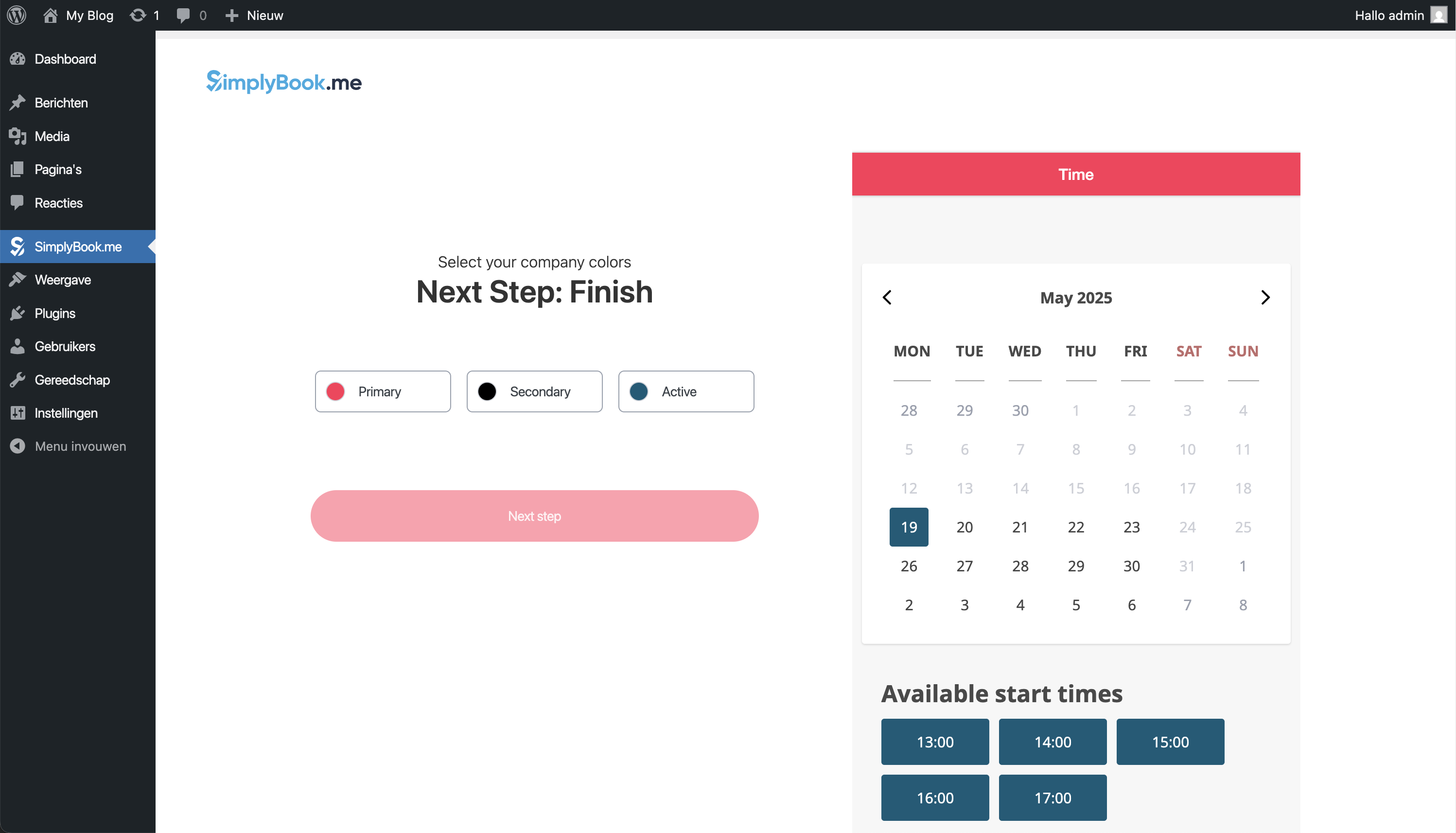
- Match your theme. The plugin reads your theme colors and uses them as the default widget style. Adjust colors and layout in the settings.
- Manage services in WordPress. Create and edit services, service providers and their details from the plugin.
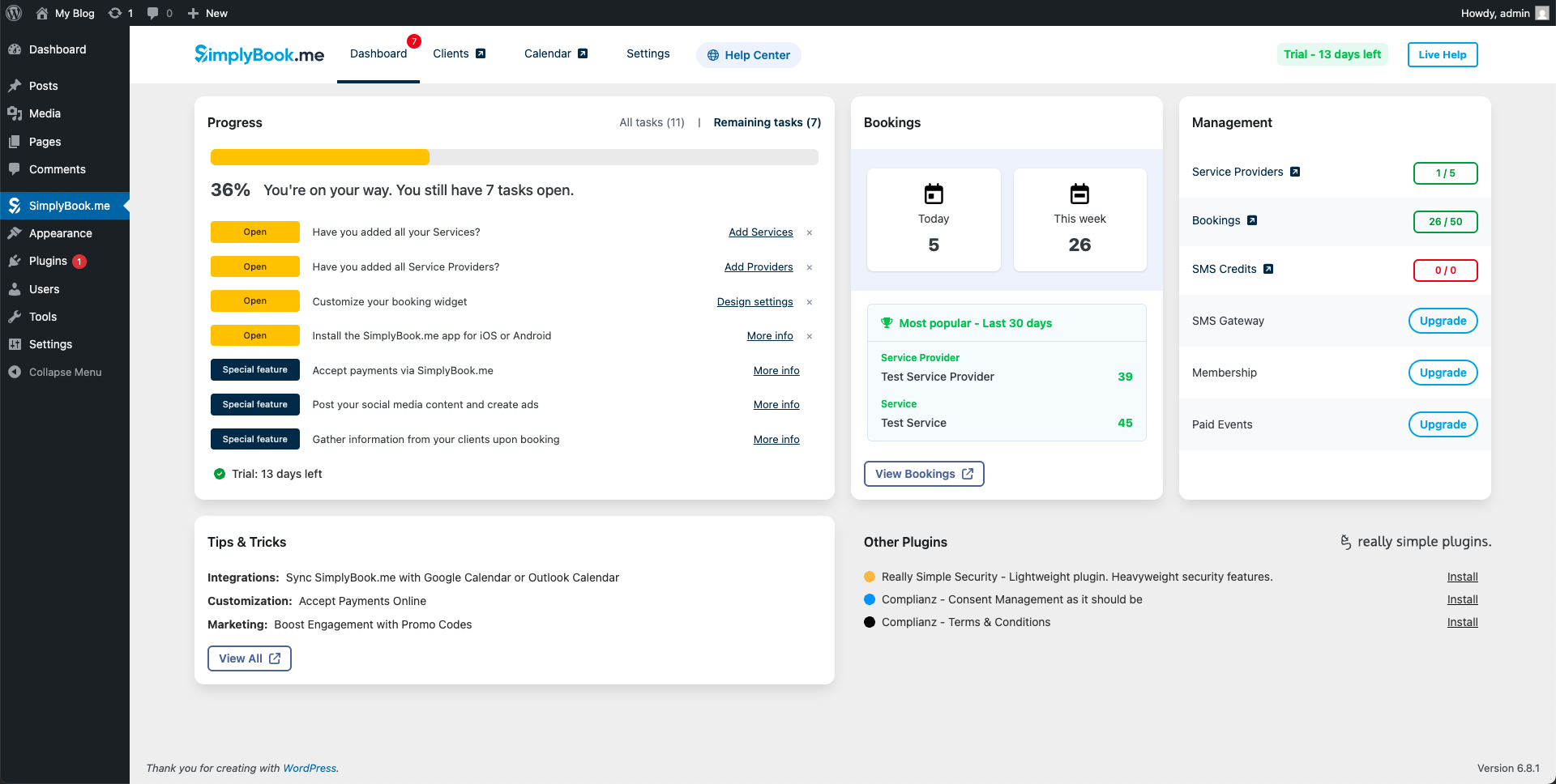
- Keep track. The plugin dashboard shows your recent bookings and open setup tasks.
External services
This plugin is a bridge between your WordPress site and your SimplyBook.me booking system. It connects to the SimplyBook.me API to log you in, to save your company settings, and to load your bookings and statistics in the plugin dashboard. With each request it sends your site URL and the plugin, WordPress and PHP version to SimplyBook.me. The Plans & Prices page loads a subscription script from SimplyBook.me.
The booking widget shows the booking form to your visitors. It sends the IP address of the visitor when a page with the widget loads, and the booking data when the visitor books. Without a connected account, a demo widget on demowidgetwpplugin.simplybook.it receives the IP address instead.
During onboarding, the plugin can create a SimplyBook.me account for you. It sends your site URL and plugin installation data to the Really Simple Plugins account service (simplybook.rsp-auth.com) together with your account details when you submit the account form. Google reCAPTCHA Enterprise protects this form and receives the IP address and browser data of the admin. The same step shows a tutorial video from YouTube, which receives your IP address and browser data. No cookies are set before you play the video.
For more information:
- SimplyBook.me: Terms and Conditions & Privacy Policy
- Really Simple Plugins: Terms of Use & Privacy Statement
- Google reCAPTCHA: Terms of Service & Privacy Policy
- YouTube: Terms of Service & Privacy Policy
Source code
This plugin contains compiled JavaScript in react/build/ and assets/block/build/. The uncompiled source code is publicly available at https://github.com/Really-Simple-Plugins/simplybook. The source of the admin app is located in react/src/ and the source of the block is located in assets/block/src/.
To build the admin app, run npm install and npm run build in the react/ directory. To build the block, run npm install and npm run build in the assets/block/ directory.
About Really Simple Plugins
Really Simple Plugins is the creator of several widely used plugins, including Really Simple Security and Complianz. With a total of ~5 million installs, we focus on making the most user-friendly and easy-to-use plugins. We work with SimplyBook.me to make the most powerful booking system available directly in your WordPress dashboard.
Zrzuty ekranu
Bloki
Wtyczka dodaje 1 blok.
- SimplyBook.me Booking Widget Let visitors book your services online with SimplyBook.me.
Instalacja
You can find detailed instructions with photos on the SimplyBook.me website.
Najczęściej zadawane pytania
-
Czy korzystanie z SimplyBook.me jest bezpłatne?
-
Yes. The plugin is free and SimplyBook.me offers a free plan. You do not need to enter credit card details to create an account. On the Free plan you can publish the booking widget, manage your bookings in the SimplyBook.me mobile app for iOS and Android, and accept up to 50 bookings per month. You can also use one of the SimplyBook.me Special Features on the Free plan.
-
Can I try the Special Features before subscribing?
-
Yes. Every new account automatically gets a 14-day trial with all Special Features, unlimited service providers and unlimited bookings. After the trial you can select the Free plan on the Plans & Prices page in the plugin, or choose a paid plan if you want to use more Special Features or need more than 50 bookings per month.
-
Czy muszę zakładać konto?
-
Yes. Your bookings are processed through the SimplyBook.me API, so the plugin needs to connect your site to a SimplyBook.me account. This is what makes features like the mobile app, email and SMS reminders and payment collection possible. The plugin guides you through a short onboarding, or you can register at SimplyBook.me first.
-
What if I already have a SimplyBook.me account?
-
Skip the onboarding and log in with your existing credentials. Custom SimplyBook.me domains and email two-factor authentication (2FA) are supported at login.
-
How do I add the booking calendar to my site?
-
The plugin creates a „Book now” page for you during onboarding. You can also place the booking widget anywhere on your site with the SimplyBook.me block in the Block Editor, the SimplyBook.me Elementor widget or a shortcode.
-
Will the booking widget match my theme?
-
Yes. The plugin reads your theme colors and uses them as the default widget style. You can change the colors and layout at any time in the plugin settings.
-
Where do I manage my bookings?
-
Wherever suits you. The plugin dashboard in WordPress shows your recent bookings and open setup tasks. You can also manage everything in the SimplyBook.me admin or accept, move and cancel bookings on the go in the mobile app for iOS and Android.
-
Can I manage my services and staff from WordPress?
-
Yes. You can create and edit services, service providers and their details directly in the plugin. More advanced options, such as multiple locations, categories and individual staff schedules, are available in the SimplyBook.me admin.
-
Can I accept payments or deposits?
-
Yes. You can require full payment or a deposit to confirm a booking, and you can sell products and service add-ons during the booking process. Payments are handled by SimplyBook.me and can be configured in your SimplyBook.me account.
-
Does SimplyBook.me send reminders to my clients?
-
Yes. SimplyBook.me sends automatic email and SMS confirmations and reminders for every booking, which helps reduce no-shows. You can also run email and push notification campaigns to your client base.
-
Can I take bookings for classes, events, memberships or gift cards?
-
Yes. SimplyBook.me supports classes and events with multiple attendees, and lets you sell memberships, packages and gift cards. These are part of the Special Features. You can use one Special Feature on the Free plan, or more on a paid plan.
-
My clients are in different time zones. Will the booking times be correct?
-
Yes. SimplyBook.me includes time zone settings so clients in other time zones see the available times in their local time.
-
Why do I see a demo widget on my site?
-
The plugin shows a demo widget until your site is connected to a SimplyBook.me account. Complete the onboarding or log in with an existing account and the demo widget is replaced by your own booking calendar.
-
What are the requirements for this plugin?
-
The plugin requires WordPress 6.6 or higher and PHP 7.4 or higher. The WordPress REST API must be enabled, as the plugin uses it to communicate with your site. The plugin will show a notice if the REST API is disabled.
-
Where is my booking data stored?
-
Your settings, bookings and client data are stored in your SimplyBook.me account through the SimplyBook.me API, not in your WordPress database. SimplyBook.me is ISO 27001 certified. See the External services section on this page for each service the plugin connects to and the data it sends.
-
Where can I get help?
-
Step-by-step instructions with screenshots are available in the SimplyBook.me help center. For questions about the plugin, you can post in the support forum on WordPress.org.
Recenzje

Kontrybutorzy i deweloperzy
„SimplyBook.me – Rezerwacja i kalendarz rezerwacji” jest oprogramowaniem open source. Poniższe osoby miały wkład w rozwój wtyczki.
Zaangażowani


Wtyczka „SimplyBook.me – Rezerwacja i kalendarz rezerwacji” została przetłumaczona na 19 języków. Podziękuj tłumaczom za ich wkład.
Przetłumacz wtyczkę “SimplyBook.me – Rezerwacja i kalendarz rezerwacji” na swój język.
Interesuje cię rozwój wtyczki?
Przeglądaj kod, sprawdź repozytorium SVN lub czytaj dziennik rozwoju przez RSS.
Rejestr zmian
3.5.0 – 2026-09-29
- Security: Hardened the booking widget on your site against script injection.
- Security: Blocked direct browser access to plugin files that could run code when opened directly.
- Security: All REST API routes now explicitly check user permissions.
- Security: The Plans & Prices page now loads the payment widget only from trusted SimplyBook.me sources.
- Fixed: Console errors in the block editor on WordPress 7.1.
- Fixed: Account creation now validates the exact email address you entered instead of a sanitized value.
- Fixed: The plugin now stores its version correctly after an update.
- Fixed: The provider limit message was shown twice in the Service Providers settings.
- Added: kellydekker is added as contributor.
- Added: „Remind me tomorrow” and „Don’t show again” buttons to the trial expiration notice.
- Added: Documentation of the external services the plugin uses in the readme.
- Added: A link to the public source code on GitHub in the readme.
- Added: A README.md with setup, installation and contribution instructions.
- Added: An error message with a retry button when the Plans & Prices page could not load.
- Changed: The Plans & Prices page is now only shown after your site is connected to SimplyBook.me.
- Changed: The block can now be added only once per page.
- Changed: The buttons in the review and onboarding notices no longer reload the page.
- Changed: The onboarding video now loads from youtube-nocookie.com.
- Changed: Improved the wording of texts in the plugin.
- Changed: Rewrote the plugin description and added more questions to the FAQ.
- Changed: The marketing consent checkbox in the account setup is now unchecked by default.
- Changed: The trial expiration notice is no longer shown on the plugin dashboard.
- Changed: Installing a plugin from the „Other plugins” section no longer affects other WordPress behavior.
- Changed: Made previously untranslated texts translatable.
- Changed: Updated third-party libraries to their latest versions.
- Removed: The seasonal promotions from the dashboard.
- Removed: The „Live Help” button and the third-party chat script.
- Removed: Font Awesome Pro icons; the plugin now uses free icons only.
3.4.0 – 2026-08-19
- Added: The plugin now uses the WordPress Abilities API
- Added: New submenu to manage your SimplyBook.me plans and prices.
- Added: The Metricool WordPress plugin is added to the „Other plugins” section.
- Added: Stricter theme setting validation.
- Changed: The title of the generated booking page now defaults to „Book now”.
- Changed: reCAPTCHA description no longer mentions the Google policies.
- Changed: The informative sign-up notice is triggered after installation.
- Changed: Tested up to version to WordPress 7.1.
- Fixed: Marketing opt-in choice is retained after a failed submission.
- Fixed: The „Add new provider”-button is now reacting reliably.
- Fixed: Added missing translations for theme settings.
- Fixed: New translatable texts are now reliably added to the .pot file.
3.3.1 – 19.05.2026
- Zmieniono: Przetestowano do wersji WordPress 7.0.
- Zmieniono: PHP Mess Detector jest teraz używany w środowisku deweloperskim, co poprawia styl kodu.
- Naprawiono: Powiadomienia administratora mogą być teraz niezawodnie wyzwalane po upływie okresu x.
- Naprawiono: ponowne próby w tle pozwalają teraz prawidłowo na maksymalnie 3 próby, usprawniając proces wdrażania.
- Naprawiono: klasy endpointów są teraz warunkowo wczytywane w niezawodny sposób.
- Naprawiono: listy rozwijane bloków Gutenberg mają prawidłowe wymiary.
3.3.0 – 16.02.2026
- Poprawiono: komunikat „formularz zawiera błędy” migał krótko w ustawieniach.
- Poprawiono: Bezpośrednie odnośniki SimplyBook.me działają teraz z prostymi bezpośrednimi odnośnikami.
- Naprawiono: walidacja REST API jest teraz bardziej niezawodna.
- Naprawiono: problem uniemożliwiający niektórym użytkownikom tworzenie usług lub dostawców usług.
- Poprawiono: Problem z renderowaniem, gdy nie podano nazwy usługi (dostawcy).
- Dodano: Logowanie obsługuje teraz własne domeny SimplyBook.me.
- Dodano: 2FA przez email jest teraz obsługiwane podczas logowania.
- Zmieniono: Skrócono proces wdrażania.
- Zmieniono: Zmieniono nazwę przycisku „Edit all properties” na „Advanced settings” dla większej przejrzystości.
3.2.4 – 17.12.2025
- Naprawiono: kody odpowiedzi API teraz lepiej odzwierciedlają rzeczywisty błąd.
- Naprawiono: Selektory kolorów nie są już wyświetlane za stopką formularza.
- Naprawiono: zoptymalizowano punkt końcowy zadań.
- Naprawiono: przekierowanie do kokpitu po wdrożeniu działa teraz niezawodnie.
- Naprawiono: Rozwiązano błąd podczas logowania dla określonych domen SimplyBook.me.
- Naprawiono: Nieprawidłowe typy wartości pamięci podręcznej obiektów nie są już akceptowane, aby zapobiec błędom.
- Poprawiono: Teraz prawidłowo unieważniamy pamięć podręczną obiektów dotyczącą plików JavaScript.
- Zmieniono: Poprawiono stylowanie RTL dla języków, które tego wymagają.
3.2.3.1 – 03.12.2025
- Naprawiono: błąd JavaScriptu w kokpicie przy zainstalowanym WordPressie 6.9.
- Dodano: Przetestowano do wersji 6.9 w readme.txt.
3.2.3 – 20.11.2025
- Naprawiono: Krok „potwierdź email” nie może już zostać pominięty, co zapobiega utknięciu użytkowników.
- Naprawiono: Ustawienia motywu można teraz pobierać niezależnie od rygorystycznych ustawień serwera.
- Naprawiono: tłumaczenia nie są już wielokrotnie escapowane, co zapobiega problemom z wyświetlaniem.
- Naprawiono: własny blok jest teraz zgodny z pełnym edytorem witryny.
- Zmieniono: blok porad i wskazówek ma nowy wygląd zapewniający lepszą czytelność.
- Zmieniono: zoptymalizowano kod, aby skrócić czas wczytywania.
3.2.2.1 – 27.10.2025
- Poprawiono: błąd podczas odinstalowywania.
3.2.2 – 21.10.2025
- Dodano: powiadomienie administratora dla użytkowników przestarzałej wtyczki.
- Zmieniono: wtyczka korzysta teraz z nowej architektury kodu.
- Usunięto: przestarzałe stałe: SIMPLYBOOK_VERSION, SIMPLYBOOK_PATH, SIMPLYBOOK_URL & SIMPLYBOOK_PLUGIN.
3.2.1 – 13.10.2025
- Dodano: powiadomienie administratora o (wkrótce) wygasłej subskrypcji próbnej.
- Zmieniono: Endpointy onboardingu są teraz ograniczone wyłącznie do obszaru administracyjnego.
- Poprawiono: ReCaptcha resetuje się teraz po nieprawidłowym kodzie email, zapobiegając trwałemu niepowodzeniu.
- Poprawiono: instalowanie wtyczki podczas wstawiania bloku Gutenberg nie powoduje już błędów.
3.2.0 – 21.08.2025
- Dodano: widżet można teraz zaimplementować za pomocą bloku SimplyBook.me Elementor.
- Dodano: styl motywu jest używany jako domyślny styl widżetu podczas konfiguracji początkowej.
- Dodano: Zadania w kokpicie mogą teraz otwierać wyskakujące okno z dodatkowymi informacjami.
- Zmieniono: Usługami i dostawcami usług można teraz zarządzać we wtyczce.
- Zmieniono: Zmniejszono obciążenie wtyczki w panelu administracyjnym WordPressa.
- Zmieniono: poprawiono stabilność połączenia z systemem SimplyBook.me.
- Zmieniono: Ulepszono tłumaczenia na język szwedzki.
- Naprawiono: Ostrzeżenie przed opuszczeniem strony pojawia się teraz tylko wtedy, gdy są niezapisane zmiany.
- Poprawiono: dodano brakujące odstępy między przyciskami w kokpicie.
3.1.1 – 17.07.2025
- Dodano: domeny bookingsystem.nu i simplybooking.io są teraz obsługiwane podczas logowania.
- Dodano: powiadomienie wyświetlane, gdy WordPress REST API jest wyłączone.
- Dodano: ulepszone komunikaty o błędach podczas logowania.
- Naprawiono: Przekierowania działają teraz w instalacjach w podkatalogu.
- Naprawiono: Błędy tworzenia konta są teraz obsługiwane prawidłowo.
- Naprawiono: Pasek postępu wczytuje się teraz prawidłowo w ustawieniach.
- Naprawiono: style wtyczki nie mają już wpływu na wyrównanie obrazków w menu WP.
- Poprawiono: wstępnie zdefiniowany dostawca jest teraz poprawnie zapisywany w bloku Gutenberga.
- Naprawiono: przekierowanie do ustawień następuje tylko po zainstalowaniu z widoku wtyczek.
- Naprawiono: Błąd aktualizacji z wersji 2.x do 3.x już nie występuje.
- Naprawiono: Wylogowanie działa teraz przy włączonej pamięci podręcznej obiektów.
- Naprawiono: problemy z wczytywaniem kokpitu rozwiązano przez zapobieganie używaniu nieaktualnej pamięci podręcznej przeglądarki.
3.1.0 – 17.06.2025
- Dodano: markwolters i rvvelthuijsen zostali dodani jako współautorzy.
- Dodano: Teksty pomocy dotyczące ustawień są teraz wyświetlane w podpowiedziach.
- Zmiana: Monity o opublikowanie widżetu teraz reagują na działania użytkownika we wpisach.
- Zmieniono: Usunięto niepotrzebne pliki, aby zmniejszyć rozmiar pakietu wtyczki.
- Usunięto: Opcja duplikatu domeny z rozwijanej listy logowania.
- Naprawiono: Nazwy użytkowników inne niż adres e-mail są teraz akceptowane podczas logowania.
- Naprawiono: Rozwiązano błąd konsoli podczas uruchamiania.
- Naprawiono: Rozwiązano różne błędy konsoli logowania 2FA.
- Naprawiono: Blok Gutenberga rejestruje się teraz prawidłowo w API V2, co rozwiązuje problem wyświetlania komunikatu w konsoli.
- Naprawiono: Komunikat o błędzie jest teraz prawidłowo wyświetlany, gdy wprowadzony zostanie nieprawidłowy kod 2FA.
- Naprawiono: Powiadomienie o widżecie demonstracyjnym pojawia się teraz tylko wtedy, gdy wczytany widżet jest faktycznie wersją demonstracyjną.
- Naprawiono: Nieoczekiwana utrata połączenia z SimplyBook.me została rozwiązana.
3.0.0 – 20.05.2025
- Gruntowna przebudowa wtyczki przez Really Simple Plugins.
- Dodano: reallysimpleplugins, wimbraam i jeroenvdk zostali dodani jako współautorzy.
2.3
- Naprawiono kilka błędów
- Dodano nowy baner kokpitu
2.2
- Naprawiono kilka niekrytycznych błędów
- Dodano stronę demonstracyjną widżetu
2.1
- Naprawiono kilka niekrytycznych błędów
- Dodano stronę sprawdzającą wymagania systemowe
2.0
- Dodano rejestrację
- Zmiany w projekcie
- Dodatkowa funkcjonalność
1.3
- Dodano obsługę niestandardowej funkcji selektora dowolnego pracownika
- Dodano obsługę przekazywania predefiniowanych parametrów w shortcode.
1.2
- Naprawiono błędy związane z autoryzacją
1.1
- Naprawiono błędy związane z autoryzacją
1.0
- Pierwsza wersja wtyczki.