

Opis
Build a gallery, drag images into a custom grid, embed it via shortcode or block. No coding required.
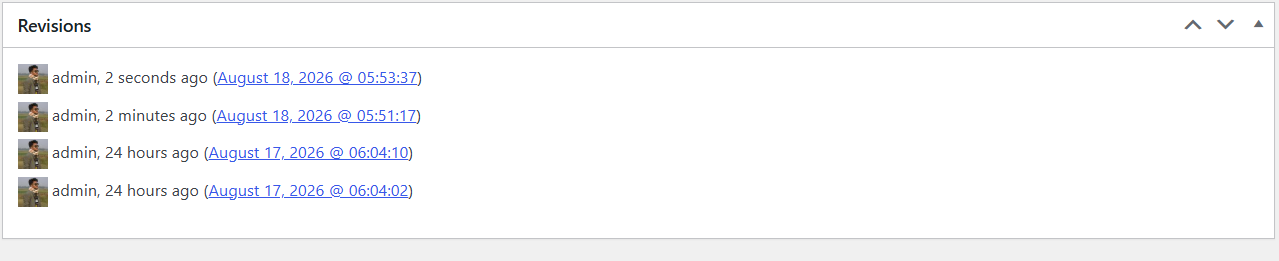
Every gallery is its own WordPress post behind the scenes (a sab_photo_gallery), so it gets its own title, its own admin list screen, standard WordPress edit/delete permissions, and native WordPress revisions — the Compare Revisions screen shows a readable, line-by-line diff of the gallery’s images and settings, not just the title.
Gallery types in this version:
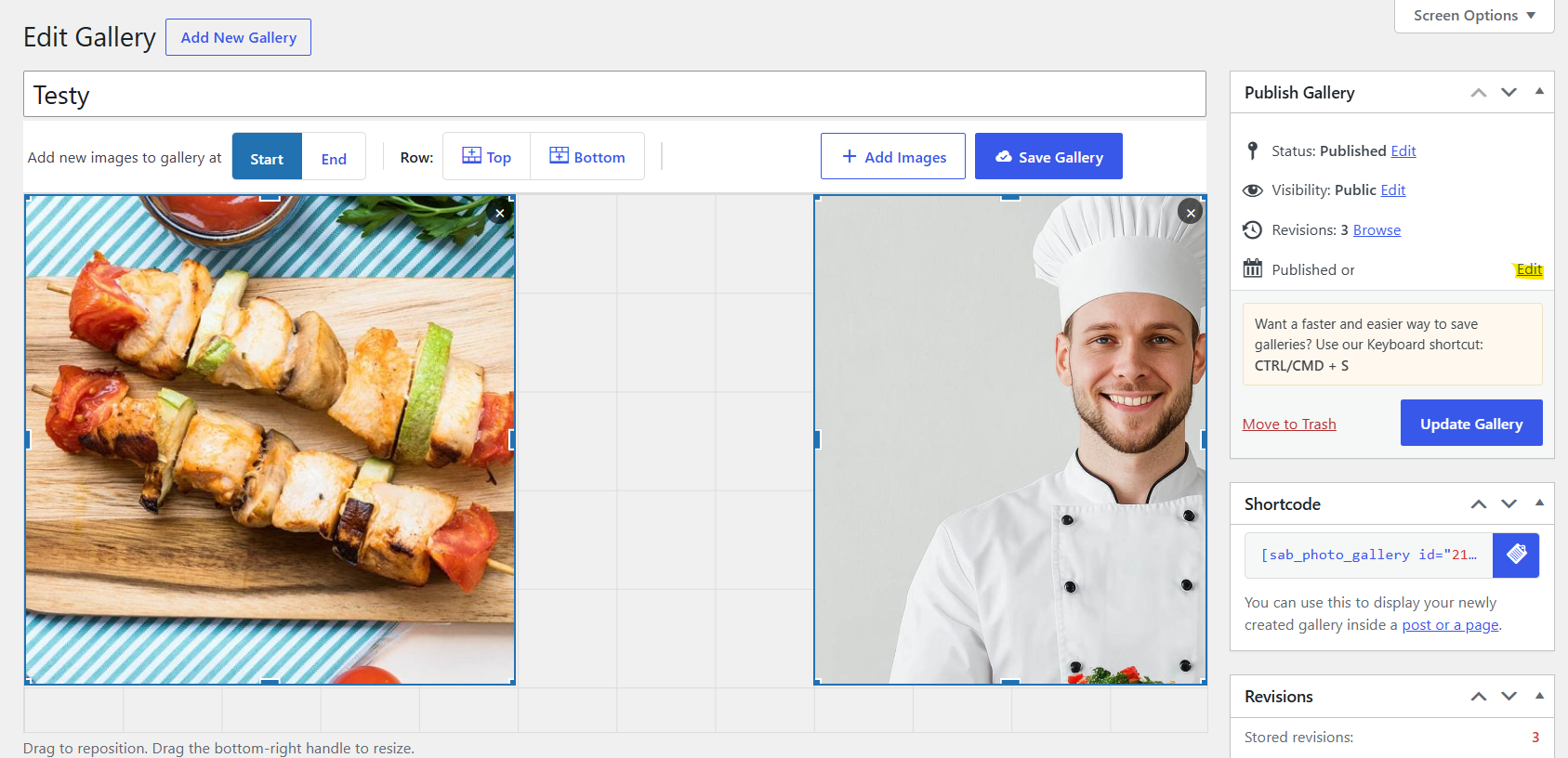
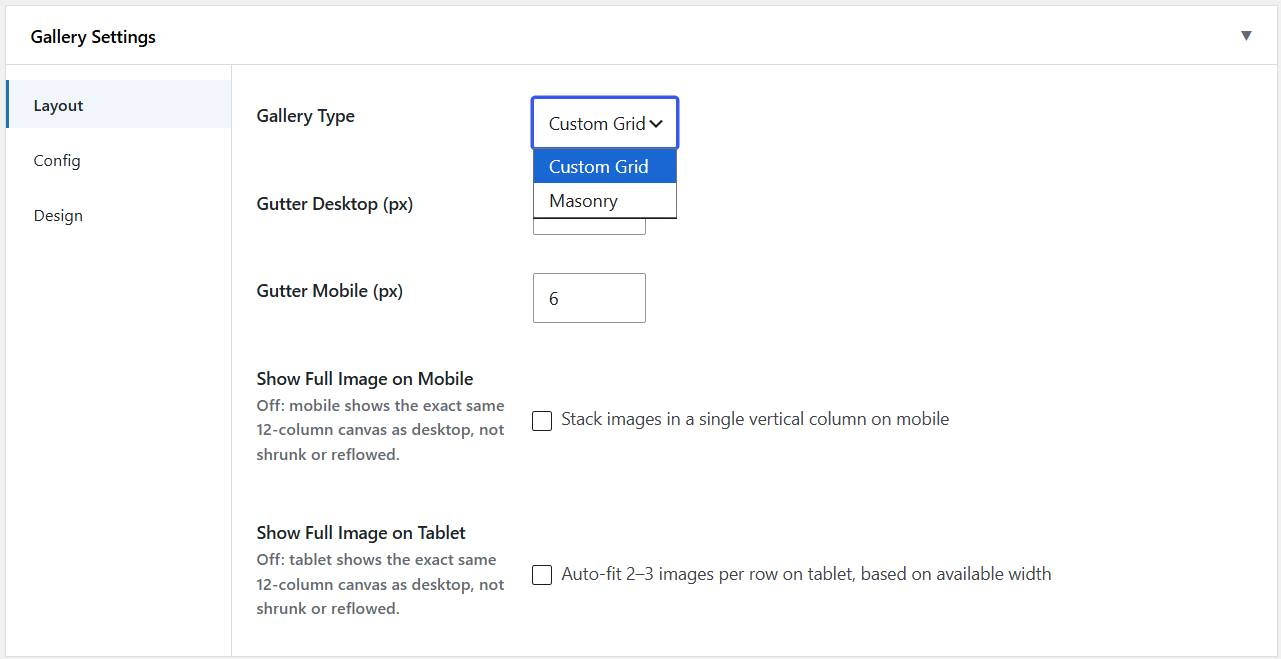
- Custom Grid — drag to reposition, drag a corner handle to resize. Snaps to a fixed 12-column grid.
- Masonry — auto-flowing columns, no manual positioning. Choose a Classic (CSS columns) flow or a Bento preset with a repeating mixed-tile-size pattern.
Features
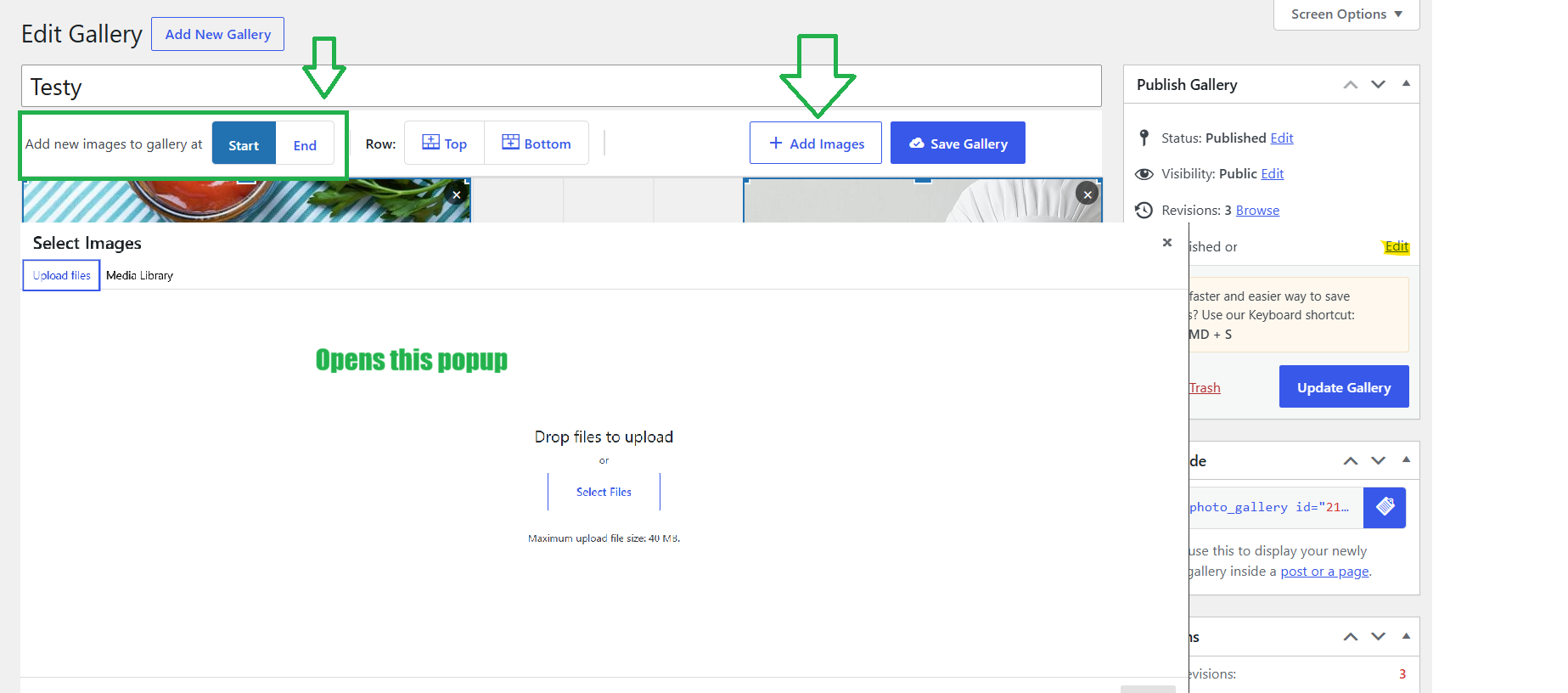
- Visual drag-and-drop builder: add images from the native Media Library, drag to reposition, resize by dragging a corner handle
- New images are auto-placed below existing content — nothing overlaps by default
- Save with a click, or with the Ctrl/Cmd + S keyboard shortcut, from anywhere on the builder screen
- One-click copy of the gallery’s
[sab_photo_gallery id="X"]shortcode, from the builder sidebar or the All Galleries list - Every gallery save creates a WordPress revision, with a real content diff (not just title) on the Compare Revisions screen
- Publish/Update buttons and admin notices (publish, update, trash, restore, etc.) are worded for galleries, not generic WordPress „posts”
- One rendering engine behind both the
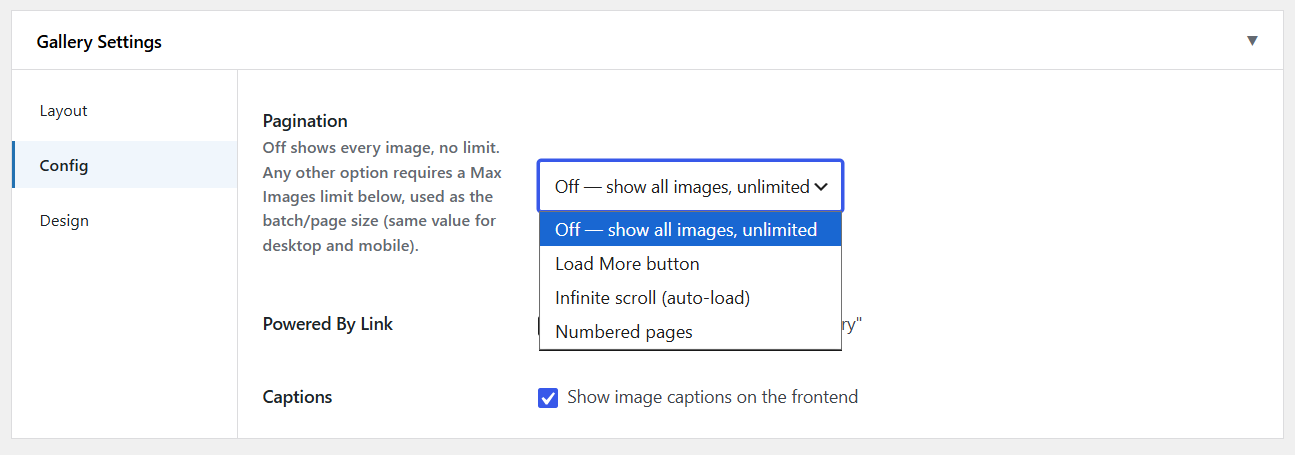
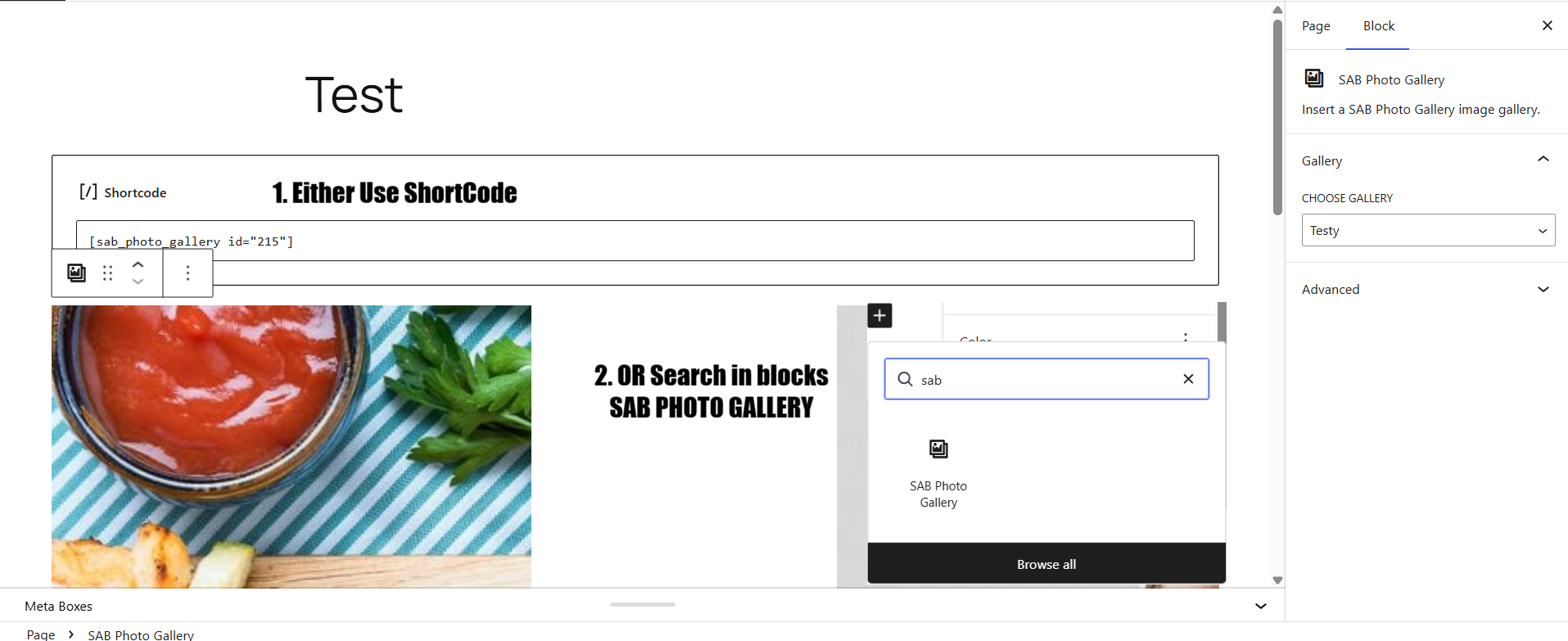
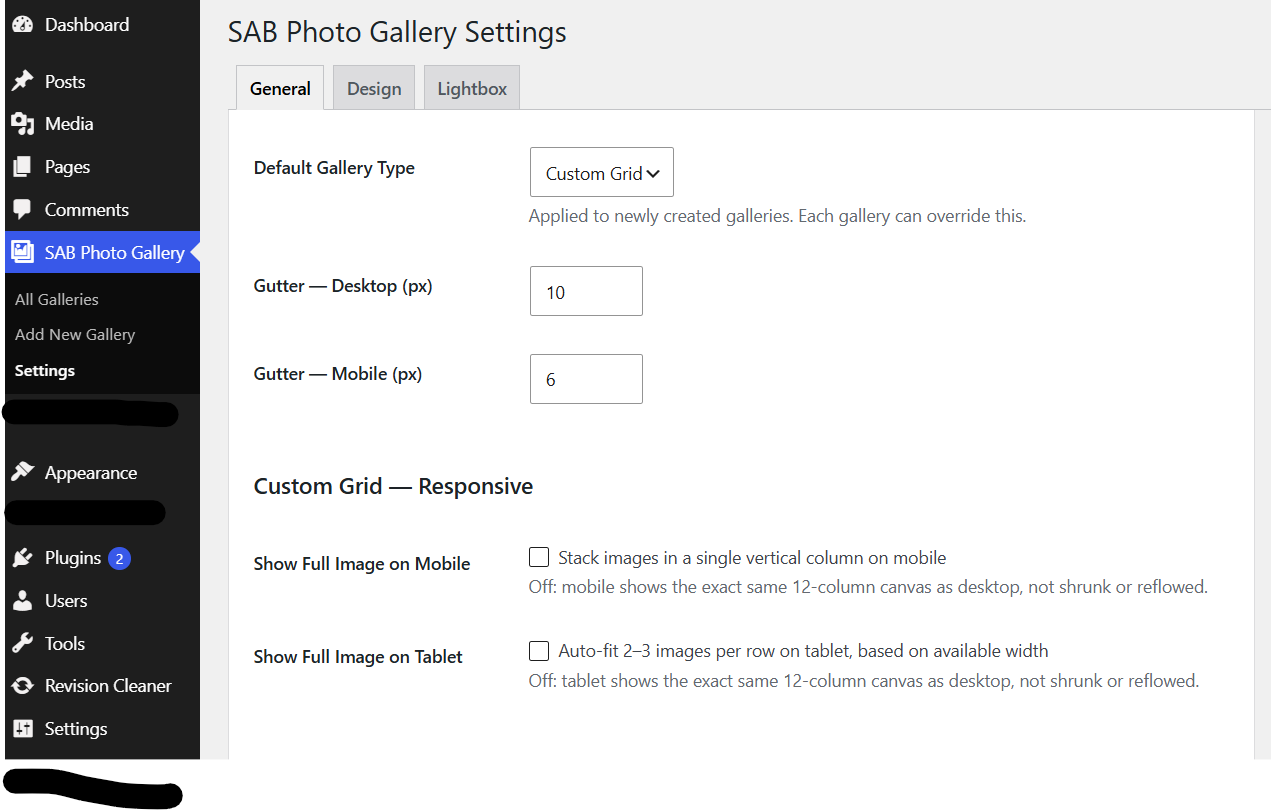
[sab_photo_gallery id="X"]shortcode and the SAB Photo Gallery Gutenberg block (with a live preview in the editor), so output never drifts between the two - Sitewide General Settings (gallery type, gutter, Custom Grid responsive behavior, Masonry columns/style, pagination, captions, powered-by link), each overridable per gallery from the builder’s Gallery Settings panel
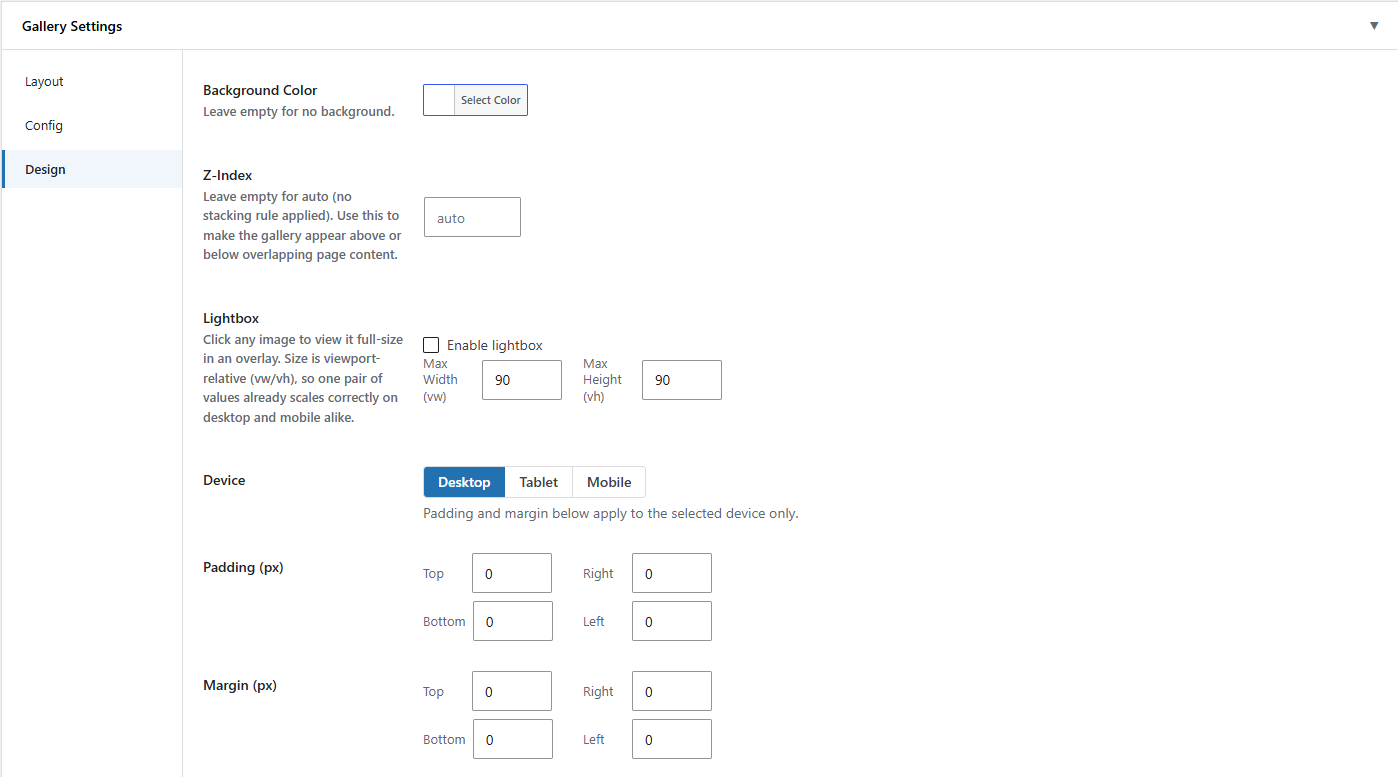
- Per-gallery Design controls: padding/margin per side and per breakpoint, background color, z-index
- Optional per-gallery lightbox, sized in viewport units so it scales correctly on any screen
- Configurable pagination — „Load more” button, infinite scroll, or numbered pages — once a gallery has more images than the configured batch size
- Multiple galleries on one page are fully isolated — each gets a unique ID and its own scoped CSS
- No frontend footprint unless a gallery is actually embedded on a page
- All plugin code (PHP classes/functions, CSS classes, JS globals, AJAX actions, postmeta keys) is namespaced under
sab-photo-gallery/sab_photo_galleryto avoid conflicts with other plugins
Zrzuty ekranu

Bloki
Wtyczka dodaje 1 blok.
- SAB Photo Gallery
Instalacja
- Upload the
sab-photo-galleryfolder to/wp-content/plugins/. - Activate through the „Plugins” menu in WordPress.
- Go to SAB Photo Gallery > Add New to build your first gallery.
- Go to SAB Photo Gallery > Settings to set sitewide defaults.
- Insert it on any page via the SAB Photo Gallery block, or
[sab_photo_gallery id="X"].
Najczęściej zadawane pytania
-
Does this plugin transmit any data externally?
-
Only reads and writes only your own site’s database.
-
Can I change settings for just one gallery, without affecting the others?
-
Yes. Every sitewide setting — gutter, gallery type, masonry columns/style, pagination, captions, powered-by link, design spacing, lightbox — can be overridden per gallery from the builder’s Gallery Settings panel. A gallery that hasn’t overridden a setting still follows whatever the sitewide default is, so changing a sitewide default keeps applying to it.
-
Does the Settings page cover Design and Lightbox too, or only per-gallery?
-
Both. The Settings screen has dedicated Design and Lightbox tabs (padding/margin per side and breakpoint, background color, z-index, and the lightbox toggle/size) that set the sitewide defaults, in addition to the same controls already available per gallery in the builder.
-
How many columns does the Custom Grid use?
-
The Custom Grid builder snaps to a fixed 12-column layout.
-
Does the plugin add a „Powered by” link?
-
No, not unless you turn it on. It’s off by default; you can opt in sitewide or per gallery if you’d like to show a small „Powered by SAB Photo Gallery” credit under a gallery.
-
Can I see what changed between gallery revisions?
-
Yes. Because gallery content lives in postmeta rather than post content, this plugin adds a synthetic „Gallery Content” field to WordPress’s native Compare Revisions screen, listing each image’s position/span and any per-gallery setting overrides, so a swapped or moved image shows up as a real diff.
-
Where’s the lightbox?
-
It ships in as an optional per-gallery toggle — enable it in the builder’s Gallery Settings panel and set its width/height in viewport units.
Recenzje
Wtyczka nie ma jeszcze żadnej recenzji.
Kontrybutorzy i deweloperzy
„SAB Photo Gallery” jest oprogramowaniem open source. Poniższe osoby miały wkład w rozwój wtyczki.
Zaangażowani
Przetłumacz wtyczkę “SAB Photo Gallery” na swój język.
Interesuje cię rozwój wtyczki?
Przeglądaj kod, sprawdź repozytorium SVN lub czytaj dziennik rozwoju przez RSS.
Rejestr zmian
1.1.0
- Fix minor issue: the SAB Photo Gallery block’s editor canvas preview could render Custom Grid images stretched with large gaps, out of sync with the actual frontend/admin output — the preview’s row height now stays in sync with the live column width instead of getting stuck on its initial fallback.
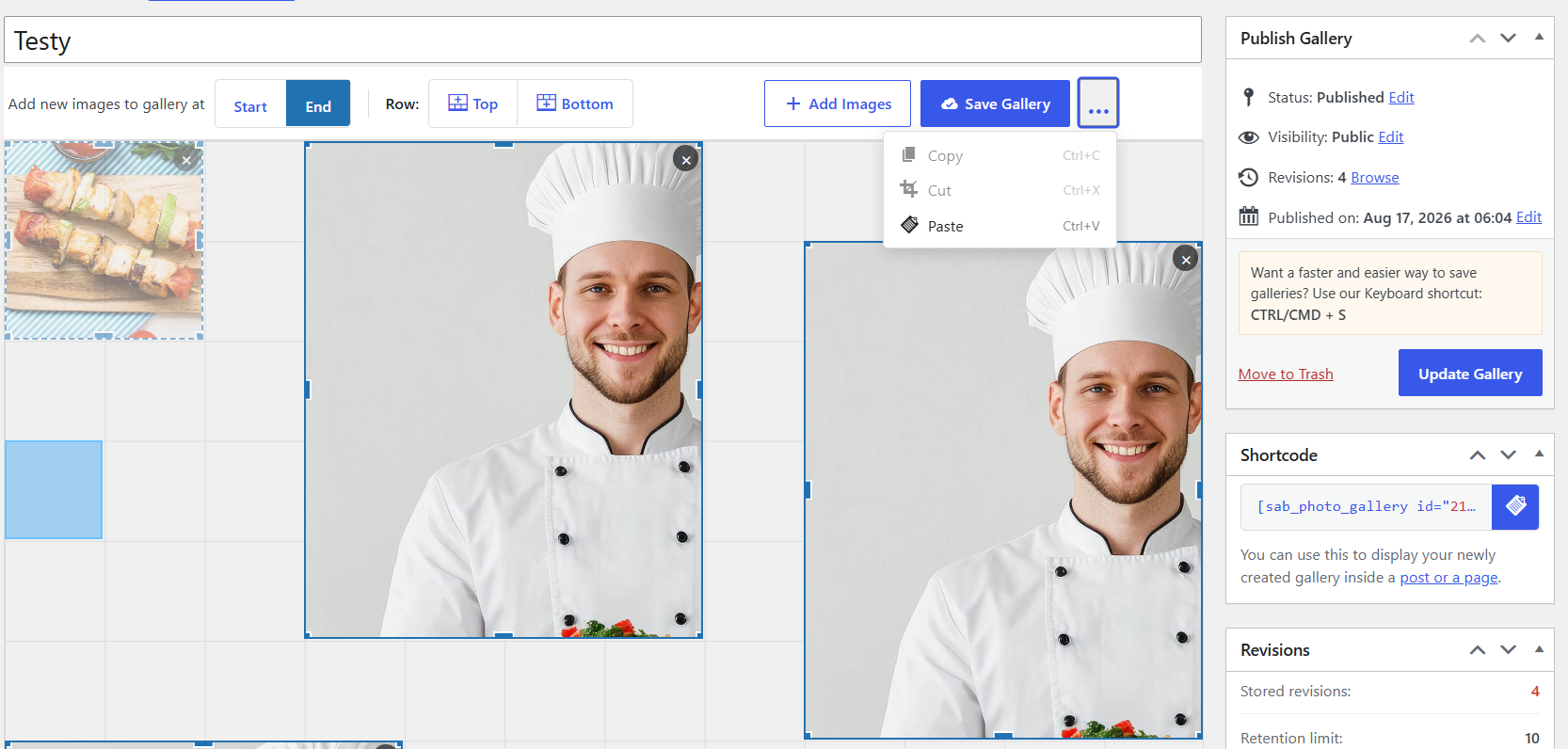
- New: Copy, Cut, and Paste for images in the Custom Grid builder. Click an image to select it , then use the new Actions menu (the „…” button next to Save Gallery) or the keyboard — Ctrl/Cmd+C to copy, Ctrl/Cmd+X to cut, Ctrl/Cmd+V to paste — to place it beside the selected image (right, then left, then the first free row underneath); a Cut image is only removed once the paste actually lands somewhere.
- Fix: clicking an image in the Custom Grid builder to select it (for Copy/Cut/Paste) was unreliable — ordinary mouse jitter between mousedown and mouseup was being misread as a drag, so selection often silently failed to register. Selection now works consistently on a normal click.
- Fix: selecting a grid image gave almost no visible feedback — the sky-blue selection fill was too faint (18% opacity) to read as „selected.” Selection now shows a clearly deeper sky-blue fill, and hovering an unselected image shows a distinct, lighter sky-blue preview so the target is obvious before you click.
1.0.0
- Initial release: Custom Grid and Masonry (Classic + Bento) gallery types.
- Drag-and-drop, resizable grid builder with auto-placement and Media Library integration.
- Native WordPress revisions for every gallery save, with a readable content diff.
[sab_photo_gallery id="X"]shortcode and Gutenberg block, sharing one rendering engine.- General settings tab with sitewide defaults and per-gallery overrides.
- Per-gallery Design (padding/margin/background/z-index) and optional Lightbox.
- Configurable „Load more” / infinite scroll / numbered-pages pagination and „Powered by” credit link.