

Opis
ProformancePlus is a powerful, beginner-friendly WordPress contact form builder with a drag & drop visual designer, smart delivery system, and a full suite of tools to manage, analyze, and protect your form submissions.
Visual Form Builder
Build professional contact forms in minutes using the intuitive drag & drop interface — no coding required. Choose from a wide variety of field types and pre-built form templates to get started quickly.
Conditional Fields
Create smart, dynamic forms with conditional logic. Show or hide fields based on user input to deliver a personalized, streamlined experience.
Reliable Email Delivery
ProformancePlus uses a dual-method delivery system to maximize deliverability:
- SMTP/wp_mail Centralized Server — tries SMTP/wp_mail first, falls back to the Centralized Server
- Centralized Server SMTP/wp_mail — tries the Centralized Server first, falls back to SMTP/wp_mail
- If both methods fail, the plugin automatically falls back to native wp_mail as a last resort
Anti-Spam Protection
Multiple reCAPTCHA integrations keep bots and spam at bay, ensuring only real users can submit your forms.
Submission Logs
Every form submission is recorded in a detailed log. Review, search, and export submission history directly from the WordPress admin panel.
Submission Statistics
Track the performance of your forms with built-in submission statistics. Monitor submission trends over time and stay informed with optional weekly email reports.
Blacklist
Block unwanted users by email, IP address, or keyword. Submissions matching blacklist rules are automatically rejected before they reach your inbox.
Key Features
- Drag & drop visual form builder
- Pre-built form templates
- Conditional (dynamic) fields
- Multiple reCAPTCHA options
- Dual-method email delivery with automatic fallback
- Submission logs
- Submission statistics with weekly email reports
- Blacklist (email, IP, keyword filtering)
We look forward to seeing where you’ll take us!
Third-Party Libraries
This plugin includes the following third-party resources:
- Ace Editor
- Name: Ace (Ajax.org Cloud9 Editor)
- Website: https://ace.c9.io/
- Source Code: https://github.com/ajaxorg/ace
- License: BSD License
- File included: assets/js/ace.min.js
- Description: Ace is an embeddable code editor written in JavaScript. It is used to provide code editing functionality within the plugin
- Chart.js
- Name: Chart.js
- Website: https://www.chartjs.org/
- Source Code: https://github.com/chartjs/Chart.js
- License: MIT
- File included: assets/js/chart.js
- Description: Chart.js is used to render charts and statistics in the plugin.
Important Notes:
- The Turnstile script is loaded directly from the official Cloudflare CDN:
https://challenges.cloudflare.com/turnstile/v0/api.js - This script must not be bundled, proxied, or cached locally, as required by Cloudflare.
- The Ace Editor library is included in minified form. Its full source code is publicly available at the official GitHub repository linked above.
External services
This plugin connects to the following external services to provide its functionality:
- ProformancePlus API
This plugin connects to a centralized API provided by ProformancePlus to synchronize data and process certain features such as blacklist management, form submissions, and configuration settings.
* What the service is used for:
The service is used to manage IP blacklists, store and process form submissions, and synchronize site configuration settings (such as SMTP and base path).
-
What data is sent:
Depending on enabled features, the plugin may send:- IP addresses (for blacklist synchronization)
- Website base URL
- Form submission data (user-entered data)
- SMTP configuration data
- API key used for authentication
-
When data is sent:
Data is sent when:- A form is submitted
- Blacklist data is synchronized
- Plugin settings are saved or updated
- Configuration data is synchronized with the remote service
-
Service endpoint:
https://proformanceplus.com/api/ -
Terms of Service:
https://proformanceplus.com/landing/terms-of-service/ -
Privacy Policy:
https://proformanceplus.com/landing/privacy-policy/
- Google reCAPTCHA
This plugin can use Google reCAPTCHA (v2 or v3) to protect forms from spam and automated abuse.
* What the service is used for:
Detecting and preventing automated submissions (bots).
-
What data is sent:
Google may collect:- User interaction data
- Browser and device information
- IP address
- Generated reCAPTCHA token
-
When data is sent:
- When the page with reCAPTCHA is loaded
- When the user interacts with the reCAPTCHA widget
- When a form is submitted and verification is performed
-
Service URLs:
https://www.google.com/recaptcha/
https://www.google.com/recaptcha/api/siteverify -
Terms of Service:
https://policies.google.com/terms -
Privacy Policy:
https://policies.google.com/privacy
- Cloudflare Turnstile
This plugin can use Cloudflare Turnstile as an alternative CAPTCHA service.
-
What the service is used for:
Protecting forms from spam and abuse without requiring user interaction in most cases. -
What data is sent:
Cloudflare may process:- User interaction signals
- Browser and device information
- IP address
- Generated Turnstile token
-
When data is sent:
- When the Turnstile widget is loaded
- When a challenge is executed
- When the token is validated on form submission
-
Service URLs:
https://challenges.cloudflare.com/turnstile/
https://challenges.cloudflare.com/turnstile/v0/siteverify -
Terms of Service:
https://www.cloudflare.com/terms/ -
Privacy Policy:
https://www.cloudflare.com/privacypolicy/
Zrzuty ekranu
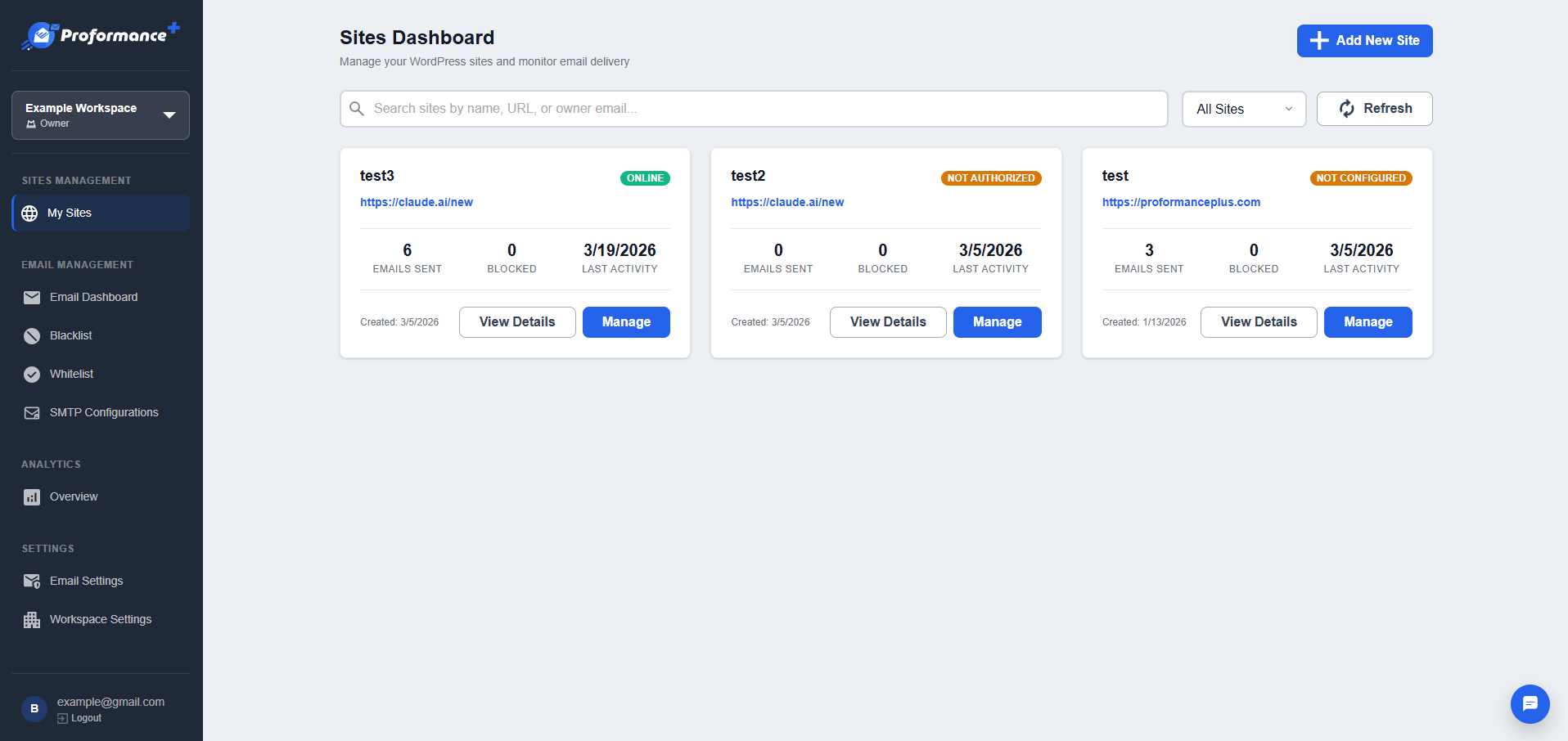
Centralized Server 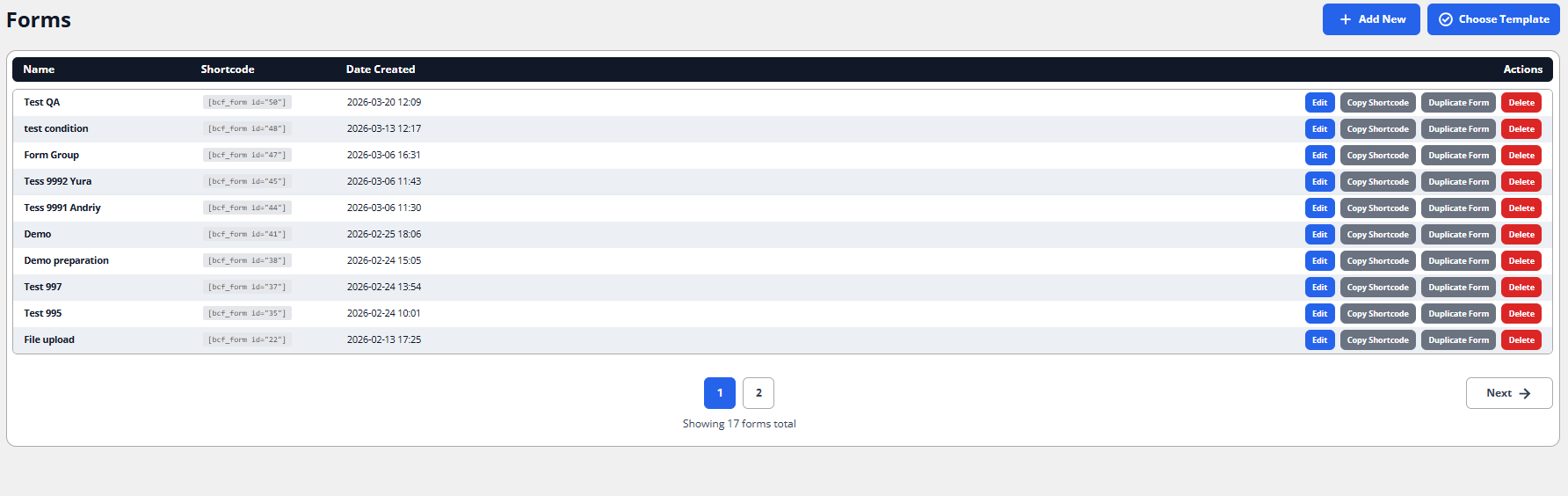
List of all created forms 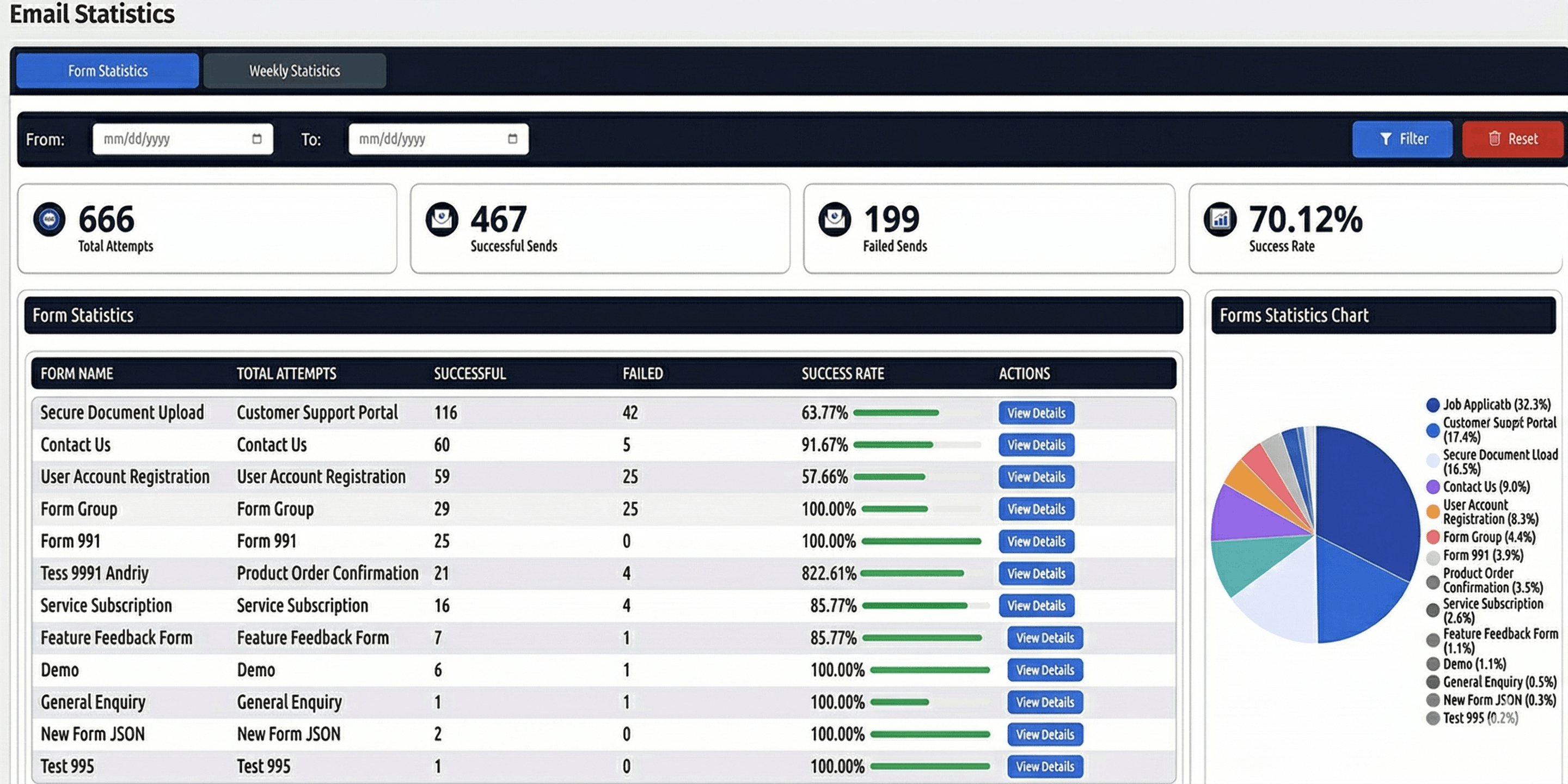
Form submission statistics 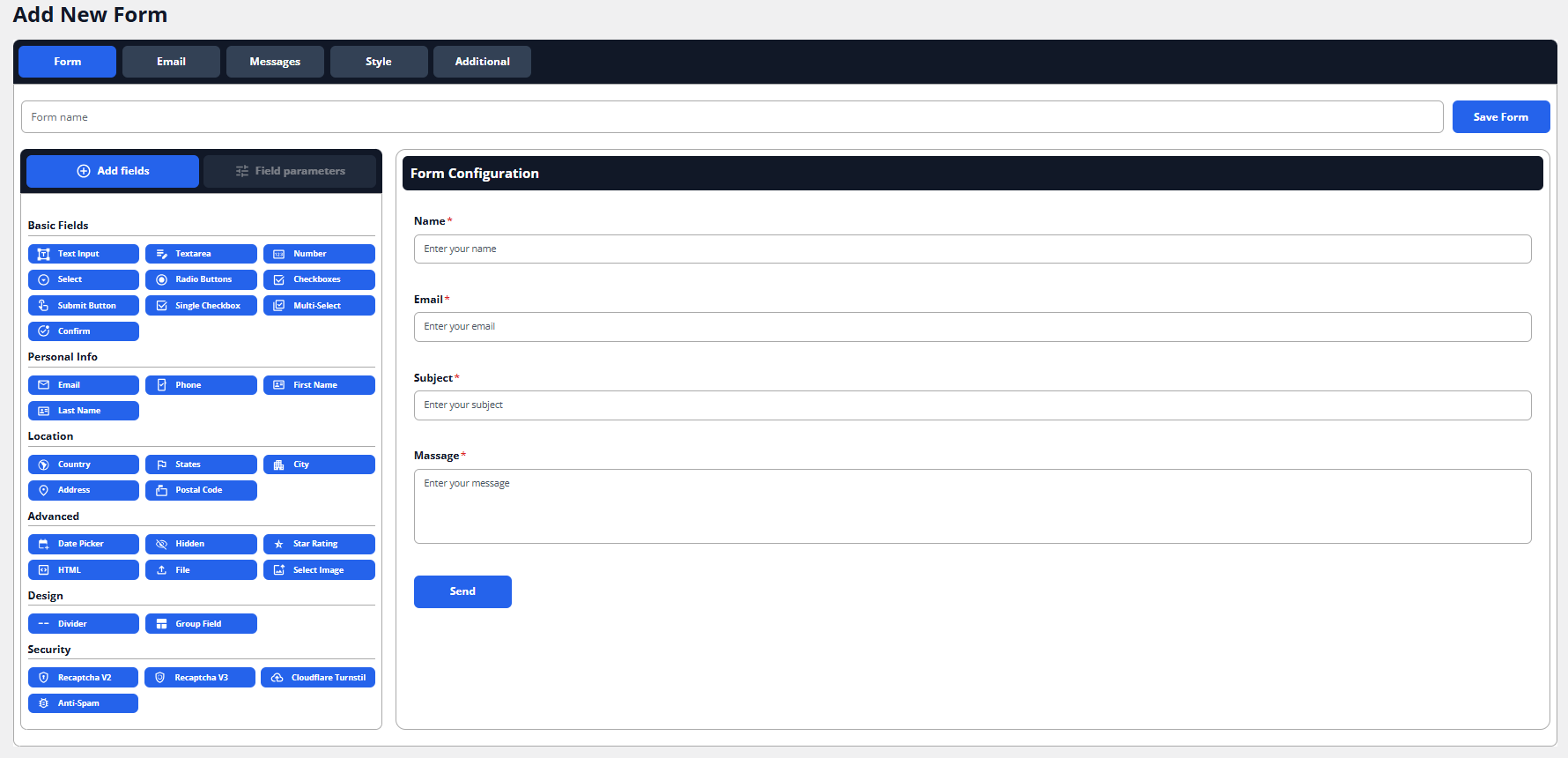
Detailed form page
Instalacja
From your WordPress dashboard
- Visit 'Plugins > Add New’
- Search for 'ProformancePlus’
- Activate 'ProformancePlus’ from your Plugins page. (You will be greeted with a Welcome page.)
From WordPress.org
- Download 'ProformancePlus’.
- Upload the 'ProformancePlus’ directory to your '/wp-content/plugins/’ directory, using your favorite method (ftp, sftp, scp, etc…)
- Activate 'ProformancePlus’ from your Plugins page. (You will be greeted with a Welcome page.)
Recenzje

Kontrybutorzy i deweloperzy
„ProformancePlus” jest oprogramowaniem open source. Poniższe osoby miały wkład w rozwój wtyczki.
Zaangażowani
Przetłumacz wtyczkę “ProformancePlus” na swój język.
Interesuje cię rozwój wtyczki?
Przeglądaj kod, sprawdź repozytorium SVN lub czytaj dziennik rozwoju przez RSS.
Rejestr zmian
1.1.0
- Ability to share your forms with other plugin users
- Ability to download other users’ forms from the central server