

Opis
Wtyczka galerii WordPress
Galeria NextGEN jest standardową w branży wtyczką do galerii WordPress od 2007 roku i stale otrzymuje ponad 1,5 miliona nowych pobrań rocznie. Jest łatwa w obsłudze dla prostych galerii zdjęć, ale wystarczająco wydajna dla najbardziej wymagających fotografów, artystów wizualnych i profesjonalistów zajmujących się obróbką obrazu, którzy potrzebują kompleksowego rozwiązania do tworzenia galerii zdjęć.
Galeria NextGEN oferuje kompletne zarządzanie galeriami WordPress z możliwością grupowego przesyłania zdjęć, importowania metadanych, łatwego dodawania, usuwania i zmiany kolejności zdjęć oraz tworzenia nieograniczonej liczby galerii. Możesz nawet po prostu przesłać plik ZIP lub wybrać katalog do przesłania zdjęć.
Ale nasza wtyczka do galerii zdjęć na tym się nie kończy!
NextGEN Pro
Ta wtyczka to uproszczona wersja wtyczki Galerii NextGEN, która oferuje wszystkie potrzebne funkcje galerii, takie jak albumy ze zdjęciami, lightboxy, kopie zapasowe, wyszukiwanie, udostępnianie, filtrowanie, realizacja wydruków, handel elektroniczny, animacje i wiele innych. Kliknij tutaj, aby kupić najlepszą wtyczkę do galerii zdjęć dla WordPressa już teraz!
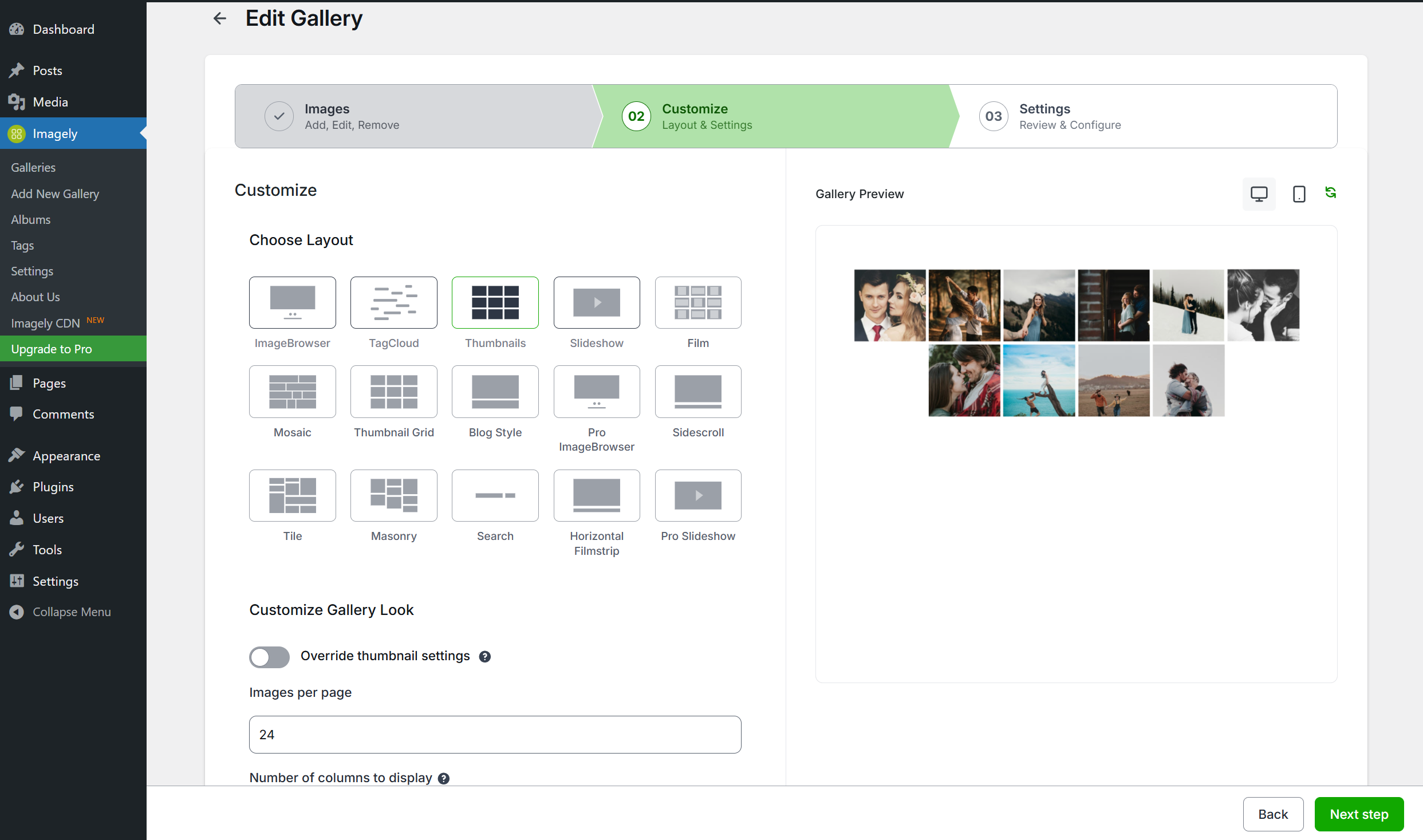
Darmowa wersja galerii NextGEN oferuje trzy główne style galerii (pokaz slajdów, miniaturki i galeria w przeglądarce obrazków) oraz dwa style albumów (kompaktowy i rozszerzony). Wszystkie z nich oferują szeroki wachlarz opcji kontrolowania rozmiaru, stylu, synchronizacji, przejść, elementów sterujących, efektów lightbox i nie tylko. Dowiedz się więcej o funkcjach wtyczki Galeria NextGEN WordPress.
Najlepsze staje się jeszcze lepsze dzięki pełnemu wsparciu dla edytora bloków Gutenberga. Teraz możesz dodać galerię zdjęć lub album w dowolnym miejscu na swojej stronie, z łatwością, jak w kreatorze stron, bezpośrednio w edytorze WordPress. Naprawdę ułatwiamy tworzenie, budowanie i edycję galerii.
Lista funkcji
Stworzyliśmy Galerię NextGEN tak, aby była niezwykle wydajna i bogata w funkcje.
- Albumy Organizuj wiele galerii zdjęć w albumach, aby ułatwić sortowanie i przeglądanie
- Znaczniki Grupuj wiele obrazków razem za pomocą znaczników, z łatwą aktualizacją, zmianą nazw i zarządzaniem
- Handel elektroniczny Sprzedawaj obrazki ze swojej galerii zdjęć lub całe galerie dzięki naszemu wbudowanemu systemowi płatności. Działa ze Stripe i PayPal.
- Pokazy slajdów Automatycznie wyświetlaj w swoich galeriach serię obrazków
- Motywy Uzyskaj dostęp do ponad 84 różnych rodzajów motywów, aby zaprezentować swoje galerie
- Animacje Twórz wizualne atrakcje dzięki ponad 25 różnym rodzajom animacji dla każdej galerii
- Znaki wodne Chroń swoją pracę za pomocą znaków wodnych w postaci obrazków i tekstu.
- Uprawnienia Dostosuj, kto może czytać, edytować i publikować galerie, korzystając z udoskonalonych kontroli uprawnień
- Korekta obrazka Pozwól swoim klientom wybrać zdjęcia, które chcą kupić, i usprawnij swój proces pracy.
- Realizacja wydruków Sprzedawaj swoje zdjęcia i wysyłaj odbitki bezpośrednio do klientów dzięki automatycznej realizacji w laboratorium druku i zerowym prowizjom
- Automatyczne obliczanie podatków Automatycznie obliczaj podatek od sprzedaży, gdy jest on wymagany dla Twoich klientów.
- Kupony Oferuj zniżki i zachęty, aby zwiększyć sprzedaż w swojej galerii
- Integracja z programem Lightroom Automatyczna synchronizacja i tworzenie galerii zdjęć z programu Adobe Lightroom w galerii NextGEN bez konieczności aktualizowania witryny internetowej.
- Udostępnianie społecznościowe Twórz wirusowe możliwości w mediach społecznościowych, optymalizując swoje obrazki pod kątem Open Graph i X
- Komentowanie obrazka * Dodaj głębokie zaangażowanie do swoich obrazków w lightboxie, aby zwiększyć zaangażowanie galerii
- Głębokie linkowanie Bezpośredni odnośnik do konkretnego obrazka z jednej ze swoich galerii
- Wyszukiwanie front-end * Dodaj zaawansowane filtrowanie dla swojej galerii na podstawie znaczników
- Podpisy po najechaniu * Dodaj udostępnianie społecznościowe, kafelki i opisy dla każdego obrazka
- Pobieranie cyfrowe Oferuj bezpłatne pobieranie cyfrowych plików swoich zdjęć lub pobieraj za nie opłaty dzięki naszej wtyczce do galerii handlu elektronicznego
- Wyłącz prawy przycisk myszy zapobiega pobieraniu obrazków z galerii dzięki łatwemu kliknięciu prawym przyciskiem myszy i ochronie przed przeciąganiem i upuszczaniem.
- Personalizacja * Wbudowaliśmy wiele indywidualnych dostosowań dla każdej z naszych funkcji, dzięki czemu możesz idealnie dostosować Galerię NextGEN do swoich potrzeb
Jak widać, stworzyliśmy wtyczkę do galerii zdjęć, która przypadnie do gustu każdemu! Potrzebujesz konkretnej lub brakującej funkcji? Daj nam znać.
DEMO GALERII NEXTGEN
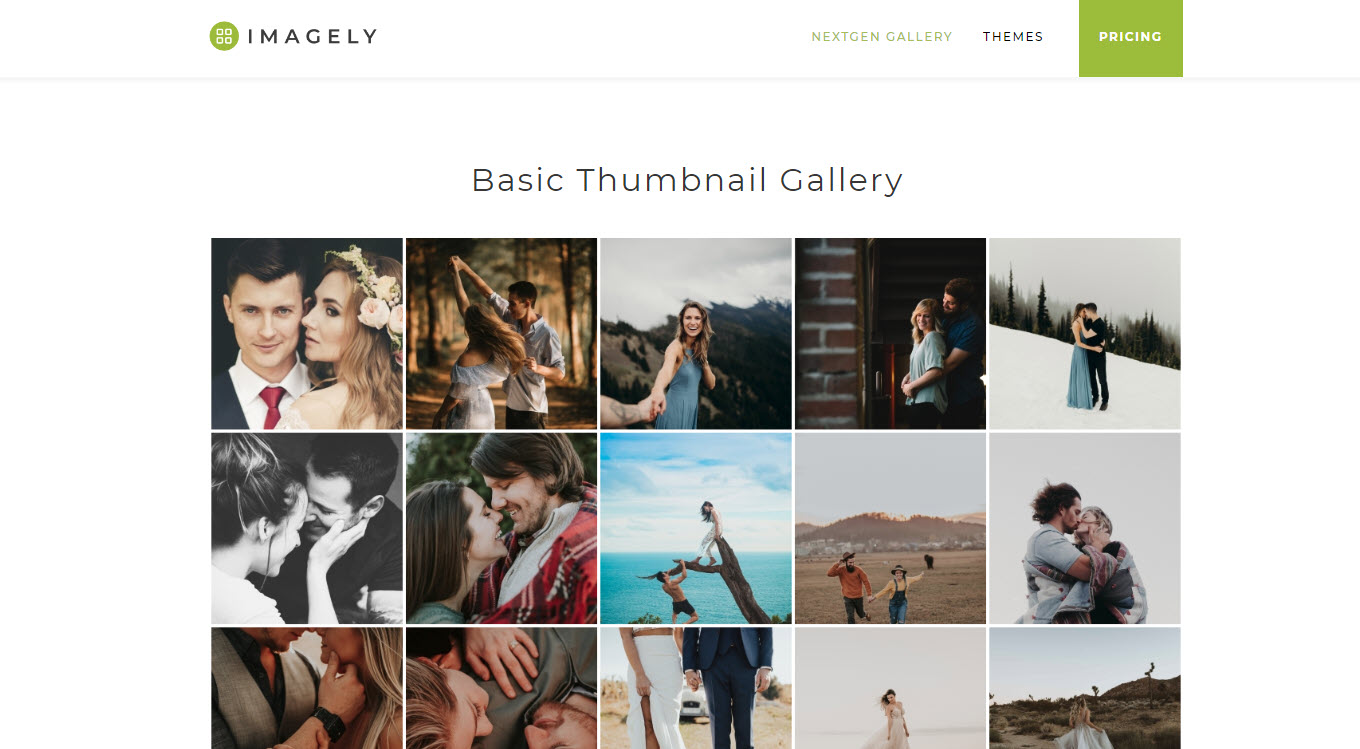
*Podstawowa galeria miniaturek
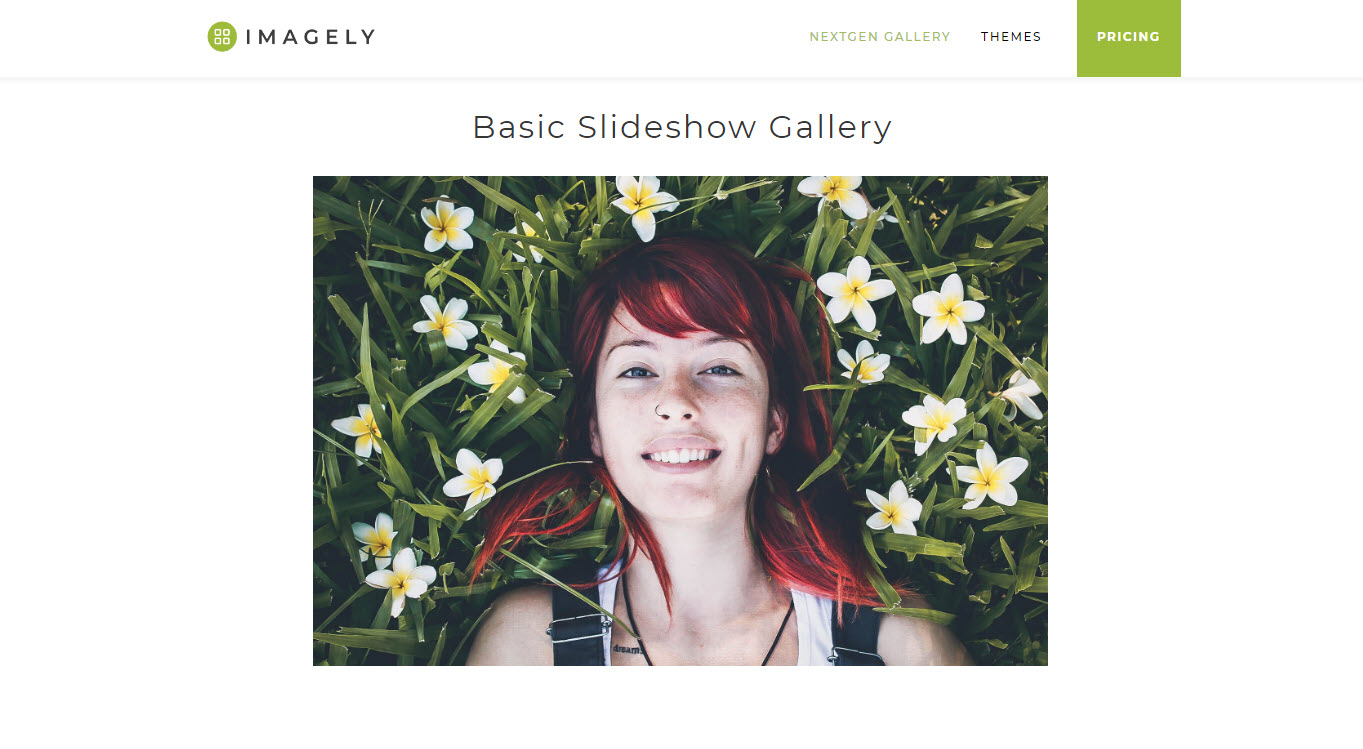
*Podstawowa galeria pokazów slajdów
*Podstawowa galeria przeglądarki obrazków
*Podstawowy album kompaktowy
*Podstawowy album listy
DEMONSTRACJE NEXTGEN PRO
*Sprzedaż odbitek fotograficznych
*Korekta fotograficzna
*Pobieranie plików cyfrowych
*Galeria Mozaika Pro
*Galeria Cegiełka Pro
*Galeria Kafelki Pro
*Galeria Taśma filmowa Pro
*Pro Lightbox
O Imagely
Galeria NextGEN to wtyczka do galerii WordPress, obsługiwana przez Imagely. Jesteśmy ekspertami w dziedzinie fotografii w WordPressie. Oprócz Galerii NextGEN, NextGEN Plus i NextGEN Pro, tworzymy również motywy WordPress dla fotografów, oferując im piękne, gotowe do użycia strony internetowe.
Dowiedz się więcej lub skontaktuj się z nami:
*Strona internetowa Imagely
*Motywy WordPress dla fotografów
*Gotowe strony fotograficzne
*Dokumentacja galerii NextGEN
Autorzy
Prawa autorskie: Imagely 2016-2024
Krótkie kody
Galeria NextGEN oferuje łatwe w użyciu okno wstawiania galerii, dzięki któremu nie musisz już używać krótkich kodów podczas wstawiania i zarządzania galeriami – jeśli sobie tego nie życzysz.
Jeśli chcesz pracować z krótkimi kodami, dostępny jest rozbudowany system krótkich kodów, jakiego można oczekiwać od popularnej wtyczki galerii WordPress. Dowiedz się więcej o krótkich kodach galerii NextGEN.
Aby uzyskać więcej informacji, odwiedź oficjalną stronę internetową Galerii NextGEN wtyczki Galerii WordPress.
Zrzuty ekranu

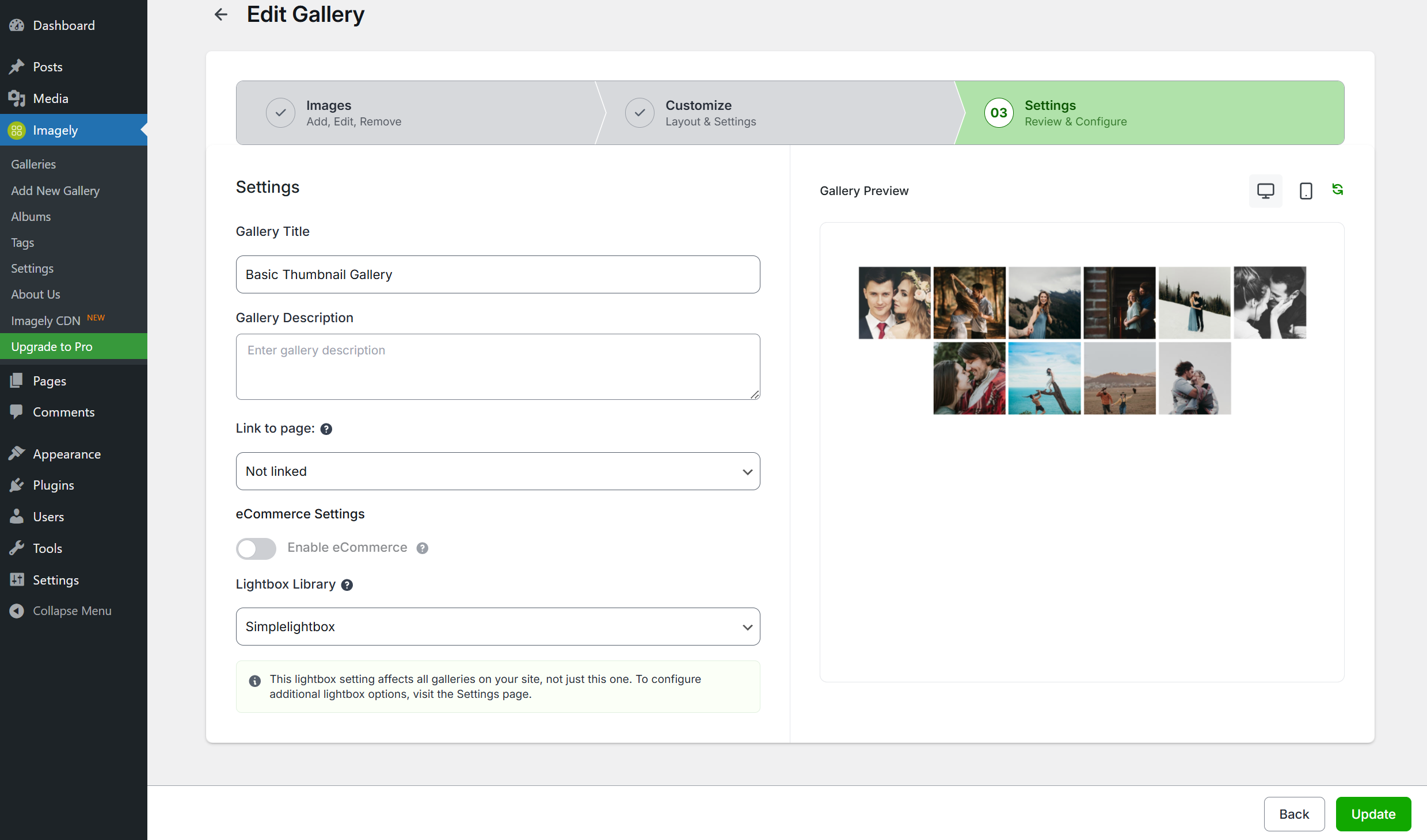
Bloki
Wtyczka dodaje 2 bloki.
- Imagely Main Block
- Imagely Nextgen Gallery
Instalacja
INSTALACJA: Najprostszym sposobem na rozpoczęcie przesyłania zdjęć jest zalogowanie się do kokpitu WordPress, przejście do sekcji Wtyczki > Dodaj nową, wyszukanie NextGEN Gallery i kliknięcie, aby zainstalować wtyczkę. Możesz również pobrać plik ZIP wtyczki z tej strony i przesłać go za pomocą strony Wtyczki > Dodaj nową > Prześlij.
SPOSÓB UŻYCIA: Wystarczy przejść do strony lub wpisu i dodać blok Galerii NextGEN. W bloku kliknij przycisk „Dodaj galerię”, aby otworzyć okno „Wstaw galerię”, w którym możesz tworzyć, zarządzać, dostosowywać i wyświetlać galerie zdjęć WordPress. Możesz również zarządzać galeriami zdjęć i ustawieniami galerii z centralnego obszaru opcji w karcie „Galeria” w menu kokpit.
DOKUMENTACJA: Zobacz Dokumentację Galerii NextGEN.
To wszystko… baw się dobrze! Aby uzyskać więcej informacji, odwiedź oficjalną stronę Galerii NextGENwtyczki Galerii WordPress.
Najczęściej zadawane pytania
-
Dlaczego moje galerie zdjęć nie otwierają się w oknie lightbox po przeniesieniu witryny?
-
Często wynika to z faktu, że ścieżki adresu URL do plików CSS i JavaScript używanych przez efekty Lightbox nie są zmieniane na adresy odpowiednie dla nowej witryny. W takim przypadku ten artykuł pomoże rozwiązać ten problem: Dlaczego moje galerie nie otwierają się w lightboxie?.
-
Czy masz dokumentację lub poradniki?
-
Tak. Zobacz dokumentację Galerii NextGEN.
-
Czy ta wtyczka galerii będzie działać z moim motywem?
-
Tak, NextGEN to popularna i uznana wtyczka do galerii WordPress, obecna na rynku od dawna. Będzie dobrze współpracować z większością innych motywów i wtyczek w ekosystemie WordPress.
-
Czy galerie zdjęć są oparte na technologii Flash?
-
Nie, nie używamy elementów Flash.
-
Czy galerie są dostosowane do urządzeń mobilnych?
-
Tak, włożyliśmy w to dużo pracy, a Galerie NextGEN są kompatybilne z telefonami i tabletami, w tym z systemami Android i iOS. Wszystkie galerie zdjęć są również responsywne, dzięki czemu dobrze wyglądają na ekranach o różnych rozmiarach. NextGEN Pro zawiera również pełnoekranowy, responsywny Pro Lightbox z obsługą gestów mobilnych. Świetnie nadaje się do przeglądania zdjęć na urządzeniach mobilnych.
-
Jaka jest różnica pomiędzy galerią a albumem?
-
Mówiąc najprościej, albumy to zbiory galerii. Galerie zawierają Twoje zdjęcia, a albumy zawierają Twoje galerie. Albumy pełnią funkcję odnośników i symboli zastępczych, umożliwiając szybką i łatwą nawigację po galeriach. Galerie faktycznie wyświetlają Twoje zdjęcia.
-
Czy mogę przesłać wiele obrazków jednocześnie?
-
Tak, możesz przesyłać partiami całe galerie zdjęć na raz, a nawet dołączać katalogi zip.
-
Czy mogę zabezpieczyć galerie hasłem?
-
Tak, WordPress domyślnie umożliwia ochronę stron hasłem – dotyczy to wszystkich galerii zdjęć i treści na całej stronie. Ochronę hasłem można włączać i wyłączać w dowolnym momencie, za pomocą kilku kliknięć.
-
Czy mogę dodać znak wodny do moich zdjęć?
-
Tak, do zdjęć w galerii możesz dodać tekst lub znaki wodne.
-
Czy mogę przycinać miniaturki zdjęć?
-
Tak, każdą miniaturkę można dostosować indywidualnie do swoich potrzeb.
-
Czy galerie zdjęć mają podział na strony?
-
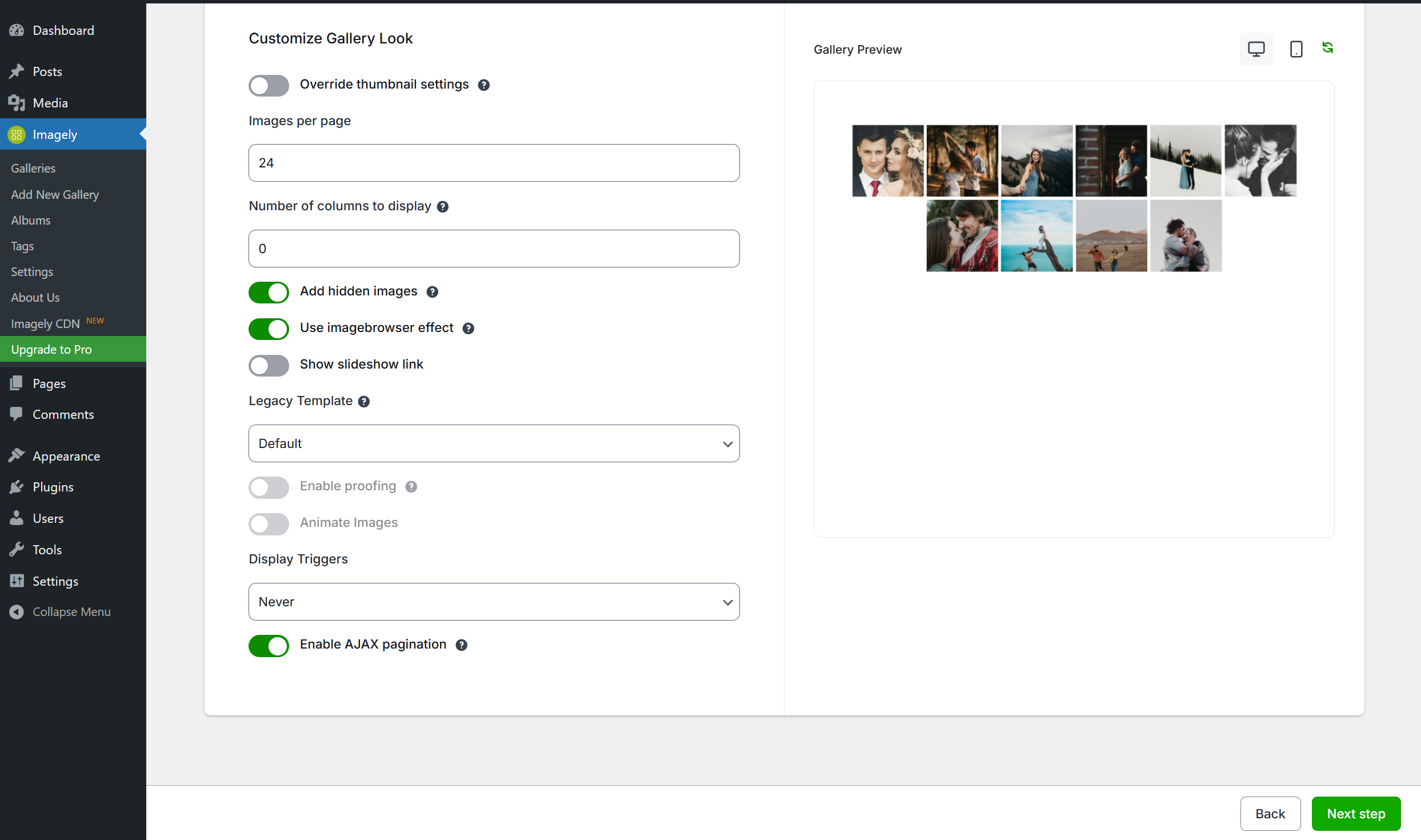
Tak, możesz użyć paginacji podczas wyświetlania galerii miniaturek. W dowolnym momencie możesz dostosować liczbę zdjęć wyświetlanych na stronie.
-
Czy mogę dostosować lightbox?
-
Tak, lightbox można skonfigurować z wieloma opcjami bezpośrednio z kokpitu. Dostępnych jest również wiele stylów CSS, które można stosować i modyfikować. Jeśli potrzebujesz jeszcze więcej opcji, rozważ aktualizację do NextGEN Pro i korzystanie z lightboxa NextGEN Pro.
-
Czy mogę dodać kod HTML do podpisów pod zdjęciami?
-
Tak, obszary napisów są w pełni kompatybilne ze standardem HTML.
-
Czy mogę dodać odnośniki zewnętrzne do galerii?
-
Ponieważ podpisy są w pełni kompatybilne z HTML, możesz dodawać odnośniki zewnętrzne i wszelkie inne rodzaje znaczników.
-
Czy Galeria NextGEN jest dostępna w językach obcych?
-
Tak, nasza wtyczka galerii WordPress została przetłumaczona na dziesiątki języków – kliknij tutaj, aby dowiedzieć się więcej.
-
Więcej informacji
-
Aby uzyskać więcej informacji, odwiedź oficjalną stronę internetową Galerii NextGEN wtyczki Galerii WordPress.
Recenzje


Kontrybutorzy i deweloperzy
„Galeria zdjęć, pokazy slajdów, korekta i motywy – Galeria NextGEN” jest oprogramowaniem open source. Poniższe osoby miały wkład w rozwój wtyczki.
Zaangażowani


Wtyczka „Galeria zdjęć, pokazy slajdów, korekta i motywy – Galeria NextGEN” została przetłumaczona na 28 języków. Podziękuj tłumaczom za ich wkład.
Interesuje cię rozwój wtyczki?
Przeglądaj kod, sprawdź repozytorium SVN lub czytaj dziennik rozwoju przez RSS.
Rejestr zmian
4.5.2 – 10.01.2026
- Fixed: Security hardening on ZIP imports, so an archive can no longer write files outside the gallery folder on servers that use the fallback unzip method. We recommend updating.
- Fixed: Security hardening on the REST API, so a gallery’s folder location and ownership can no longer be changed by users who should only be able to edit its content and settings. We recommend updating.
- Fixed: Saving a gallery through the REST API reported success even when part of the request was rejected. Rejected fields are now reported back.
- Fixed: Image uploads and Media Library imports failed when the gallery permalink slug was set to a common word such as „images”.
- Fixed: Clearing the gallery permalink slug broke the Imagely admin screens and the site’s REST API. The slug now falls back to its default instead of being saved empty.
- Fixed: WordPress’s own REST endpoints could stop working depending on the gallery permalink slug.
- Fixed: Gallery links and pagination broke when the site’s domain or a page’s slug contained the gallery permalink slug.
- Fixed: Galleries inserted with the [imagely] shortcode no longer disappear from posts saved in the Classic editor, and editing one no longer loses the gallery it pointed at.
- Fixed: A gallery shortcode written with single quotes no longer deletes the rest of the post’s content when the page is opened in the Visual tab.
- Improved: The [imagely] shortcode now appears in the Classic editor’s Visual tab as a NextGEN Gallery placeholder with Edit and Remove buttons, matching [ngg].
- Fixed: Images added to a gallery after a manual sort was saved on a page now appear in the gallery’s order instead of being stranded at the end.
- Added: The legacy gallery block’s sort tab now says when a manual image order is in force, with a one-click option to go back to following the gallery.
- Added: A filter for sites that have moved to the Imagely block to hide the legacy gallery block from the block inserter.
- Fixed: Importing from the Media Library now stores your full-resolution image instead of the smaller copy WordPress creates for large uploads, so digital download options above 2560 pixels no longer disappear.
- Fixed: Lightroom desktop client’s FTP/SFTP path discovery no longer fails on PHP 8.
4.5.1 – 09.18.2026
- Fixed: Security hardening on Lightroom publishing. We recommend updating.
- Fixed: A failed Lightroom publish now explains why, instead of showing the same message for every cause.
- Fixed: Re-publishing an image that is already in the gallery no longer fails the publish.
- Note: A Lightroom publish already in progress when you update needs to be published again.
4.5.0 – 09.16.2026
- Added: Set up payments from one guided Payments hub. Requires NextGEN Pro.
- Added: Connect your own Stripe account in one click to start taking payments. Requires NextGEN Pro.
- Added: A CSS class on gallery images so lazy-load and image-optimization plugins can be told to skip NextGEN galleries.
- Added: A filter for developers to add lazy-load opt-out attributes to gallery images.
- Fixed: Security hardening on gallery editing, image operations and settings, so accounts with limited gallery permissions can no longer reach galleries, images or site-wide settings outside their own scope. We recommend updating.
- Fixed: Security hardening on ZIP imports, uploaded filenames and image serving, to better protect your site’s files. We recommend updating.
- Fixed: Galleries in password-protected posts are no longer loaded for visitors who have not entered the password.
- Fixed: A ZIP import that skips files now tells you which files were skipped, instead of reporting a clean import.
- Fixed: An image size that cannot be generated now shows a placeholder image instead of a permanently broken image with no explanation.
- Fixed: NextGEN no longer interferes with other plugins that bundle the same HTML sanitization library. On sites running CiviCRM this was filling the PHP error log with warnings on every page view.
- Fixed: Other plugins’ cached sanitizer data is no longer written inside NextGEN’s own folder, where it was erased each time NextGEN updated.
- Fixed: The „Move Images” and „Add Items to Album” dialogs no longer time out on sites with a large number of galleries or albums.
- Fixed: Sorting images now reliably updates the grid and shows a clear message when some images could not be sorted, instead of a misleading error.
- Fixed: The attach-to-post dialog no longer hangs when used inside the block editor’s iframed canvas.
- Fixed: Post and page editing no longer triggers a critical error on servers that disable the PHP readfile function.
- Fixed: Newly uploaded images no longer disappear from, or duplicate across, the pages of a gallery that was already sorted.
- Fixed: Galleries could stay permanently empty on some database configurations because the images table could not be created, with uploads failing on a message that wrongly blamed the image’s filename length.
- Fixed: A missing images table is now reported in the admin, with the database’s own explanation, instead of failing quietly.
- Fixed: The warning about the duplicate-image cleanup no longer appears blank — it now names the database error behind it, and no longer blames the cleanup when the real problem is a missing table.
- Fixed: The duplicate-image cleanup now tidies up after itself, and says so if it gives up, instead of leaving a temporary index on the images table without reporting anything.
- Fixed: Database problems that persist are reported again after a plugin update, instead of going unreported once the first notice was dismissed.
- Fixed: Database error details in admin notices are now shown only to users who can act on them.
- Fixed: A database error that could appear in the error log when loading WordPress admin pages after updating.
- Fixed: Gallery and album display settings could be left uncleaned when a database error interrupted the update, with no further attempt made.
- Fixed: Alt Text and image links are kept when you replace an existing image — a Lightroom republish no longer resets Alt Text to the filename or changes the image’s link.
- Fixed: Image links and XML sitemap entries no longer carry a changing cache-busting parameter, which was adding image URLs to Google Search Console as 404 errors and cluttering your sitemap.
- Fixed: Album cover tiles, the image browser, slideshows, single pictures and the Sort Images screen now show the updated picture straight after you rotate or crop an image.
- Fixed: Sites using the Envira Image CDN no longer get a cache-busting parameter appended to their CDN image URLs.
- Fixed: The block’s gallery and album picker no longer stops at 999 items, so galleries created after the first 999 can be found and inserted.
- Fixed: Typing a name in the block picker now searches your whole library instead of only the part already loaded.
- Fixed: Searching for a gallery or album whose name contains the word „title” or „name”, or the characters % or _, now returns results instead of nothing.
- Fixed: A failed load in the block picker now shows an error instead of appearing as an empty library.
- Fixed: The legacy NextGEN Gallery block’s gallery picker opened as a blank window on some editor screens, including the Widgets screen and third-party page builders.
- Fixed: An album’s „Display gallery descriptions” setting is now respected when the album is added with the classic [ngg] shortcode or the legacy NextGEN Gallery block, not only with the current Imagely block.
- Fixed: Number columns such as Count on the Tags screen now sort numerically across your whole list, instead of alphabetically within the page you are looking at.
- Fixed: Names containing numbers now sort naturally, so „Gallery 2” comes before „Gallery 10”.
- Fixed: Creating a thumbnail no longer uses memory in proportion to the size of the original photo, so galleries of large images no longer run out of memory part way through.
- Fixed: Retina and HiDPI thumbnails are no longer silently skipped on sites with large original images.
- Fixed: Image tags are now registered with WordPress correctly, so site audit tools no longer flag them against a content type that does not exist.
- Fixed: Galleries configured in the new gallery editor now start by displaying the intended number of images instead of a lower default. Requires NextGEN Pro.
- Improved: Gallery and album pickers now load in pages with search, so they stay fast regardless of how many galleries or albums exist.
- Improved: The block picker loads results in pages of 50, so large libraries open quickly.
- Improved: If the gallery picker cannot be opened, the block now explains why instead of showing an empty window.
- Improved: The picker’s loading spinner no longer hides an already-loaded gallery picker.
- Improved: New uploads are added to the end of a sorted gallery instead of jumping to the front.
- Improved: Photocrati-store customers are now directed to their own account portal from the admin help and support links.
- Improved: Clearer eCommerce upgrade page for Lite users.
- Changed: Updated the bundled HTML sanitization library to 4.19.0, which officially supports PHP 8.4.
4.4.1 – 09.03.2026
- Fixed: Sites no longer break when a gallery contains an image with damaged size information.
- Fixed: Albums can be saved again when their preview image has been deleted or is missing.
- Fixed: Broken album and gallery links no longer fill the error log with database errors.
- Fixed: Tag-based galleries now respect the image limit you set for them.
- Fixed: The Sort and Exclude tab now lists only the images that belong to a tag-based gallery, instead of every image in the library.
- Fixed: The lightbox now follows your global lightbox setting on pages that don’t contain a gallery.
- Fixed: Removed stray markup in the image browser that could break the layout of the surrounding page.
- Fixed: Settings in the gallery Customize tab no longer snap back to their previous values while you’re editing.
4.4.0 – 08.21.2026
- Fixed: Updating no longer slows the site down or throws errors while duplicate images are cleaned up, on sites with very large galleries.
- Fixed: If that cleanup does fail during an update, you now get a notice explaining why instead of it failing quietly.
- Fixed: The duplicate-image cleanup now finishes on sites using the older MyISAM database format, where it previously had to be skipped and the duplicates were left behind.
- Added: The Orders screen shows each order’s live print lab status, with a „Resubmit to lab” button when a submission fails. Requires NextGEN Pro.
- Fixed: Print products you had already picked stay selected when you reopen a pricelist item. Requires NextGEN Pro.
- Fixed: Editing a pricelist no longer retries a failed save over and over when the print catalog is down — it now shows the real reason and keeps your edits. Requires NextGEN Pro.
- Changed: Print lab payment setup now follows the plugin’s own test-mode setting instead of guessing from the site address, so the right Stripe keys are always used. Requires NextGEN Pro.
4.3.1 – 08.18.2026
- Fixed: Thumbnails are visible again on the legacy Sort Gallery screen (Manage Galleries open a gallery Sort images), so images can be reordered visually.
- Fixed: The „Add new album” field and the Add, Delete and Edit Album controls are back on the legacy Manage Albums screen for administrators, after disappearing in 4.2.1.
- Fixed: „Scan Folder for new images” no longer creates duplicate images when it is clicked more than once, and duplicates left behind by this bug are cleaned up when you update. The button now also disables itself while a scan is running.
- Fixed: Album breadcrumbs now appear for sub-albums nested two or more levels deep, instead of vanishing past the first sub-album level.
- Fixed: The Selected Items list in Edit Album now shows each gallery’s current image count instead of a stale „0 images”.
- Fixed: Uploading an image your server cannot process now reports the real reason and lists the formats the server actually supports, instead of a misleading WebP message. Server-side upload errors also surface in the admin instead of failing silently.
- Fixed: Stage aspect ratio choices such as 3:2, 4:3 and 16:9 no longer revert to „1:1 (Square)” when display settings are saved. Requires NextGEN Pro.
- Fixed: The admin order detail view now shows the current name of a renamed pricelist item, matching the customer’s confirmation page. Requires NextGEN Pro.
- Fixed: The legacy NextGEN Gallery block now behaves correctly inside the block editor’s iframed canvas — the gallery picker modal, its loading spinner and its close button all work — keeping it compatible with upcoming WordPress releases.
- Changed: NextGEN Gallery now requires PHP 7.4 or newer and will not activate on older versions, matching the requirement already listed for the plugin.
4.3.0 – 08.10.2026
- Added: Instagram integration admin screens — connect an Instagram account and configure how its images build a gallery (caption, link, image size and caching), plus a control to clear cached Instagram data. Importing from Instagram requires NextGEN Pro.
- Added: Display Triggers setting is now available in Pro Tile gallery settings, so share, comment and cart icons can be enabled on Tile galleries. Requires NextGEN Pro.
- Fixed: Security hardening on image and gallery deletion to better protect your site’s files. We recommend updating.
- Fixed: Clicking a gallery source for an add-on that isn’t activated yet no longer causes a white screen.
- Fixed: Alt text, titles and descriptions are no longer mangled on save or display — words such as „description”, „manuscript”, „medieval” and „retrieval” are preserved.
- Fixed: The „Set NGG Image as Featured” gallery picker no longer hangs or times out on sites with thousands of galleries.
- Fixed: Image EXIF/IPTC metadata stored in non-UTF-8 encodings is now converted correctly instead of appearing garbled.
- Fixed: Galleries you create, edit or delete now appear immediately on sites using a persistent object cache (Redis, Memcached) instead of after a delay of up to 30 minutes.
- Fixed: The album preview in Edit Album no longer shows a rendering error for albums migrated from older NextGEN versions.
- Fixed: „Sort Images” (by filename, date, ID or invert) now produces a consistent, correct order on large galleries instead of a random one.
- Fixed: Per-gallery display settings are no longer silently discarded when the matching global display settings are changed.
- Fixed: Simple ImageBrowser navigation now works when more than one gallery appears on the same page.
- Fixed: Galleries inserted with the legacy „Attach to Post” tool are detected again, so gallery assets load on those pages — including NextGEN Pro’s lightbox, cart and image protection.
- Fixed: Thumbnail generation no longer fails with a fatal error on PHP 8.4+ for large, heavily compressed JPEGs.
- Fixed: A JavaScript error on every wp-admin page of a fresh install with no galleries, which broke the admin menu tooltip and other admin scripts.
- Fixed: The album editor’s „Add Items to Album” modal no longer shows „No galleries available to add” on sites with 50+ galleries, and loading an album’s galleries is much faster.
- Fixed: Alt Text on metadata import now uses the IPTC accessibility alt-text field when present, instead of falling back to the image filename.
- Fixed: Multiple album shortcodes on one page now navigate independently — opening a sub-album no longer changes every album on the page, and breadcrumbs stay within their own section.
- Fixed: A fatal PHP 8 error when saving theme page settings with some third-party themes (for example Gantry 5).
- Fixed: The nextgen_load_assets_on_page filter again forces NextGEN’s core frontend scripts on pages where the gallery is rendered by a third party.
- Fixed: Saving settings from the new admin now notifies add-ons of the change, so NextGEN Pro can re-register its Stripe checkout webhook when the API keys are saved. The eCommerce Payment Setup screen also warns when Stripe is enabled without a registered webhook. Requires NextGEN Pro.
- Changed: The POPE framework library is now bundled with the plugin instead of being pulled in as an external dependency — no functional change, but installs and updates no longer depend on an outside package source.
- Changed: Gallery folder paths are validated more strictly when saved — a shared directory such as wp-content/uploads can no longer be set as a gallery’s path.
4.2.4 – 07.30.2026
- Fixed: Security hardening on gallery tag pages to better protect your site. We recommend updating.
- Fixed: Gallery tag pages for tags containing non-Latin characters (Cyrillic, Greek, CJK, and similar) now resolve to the correct tag instead of showing an empty page.
- Fixed: The „Images tagged …” heading on a tag page now shows the tag’s name as it is saved in your gallery tags.
4.2.3 – 06.30.2026
- Added: Drag gallery images to a different page within the same gallery — a floating page strip appears while dragging; hover a page chip to navigate, then drop to reorder.
- Added: Album items (galleries and sub-albums) can also be dragged across pages for easier organization.
- Fixed: Pro Lightbox settings toggles (Display Cart, Display Comments, and others) now correctly stay OFF after being saved as off — they no longer revert to ON on page reload.
- Fixed: Pro Slideshow and Pro Horizontal Filmstrip display settings (crop, pan, aspect ratio, width, transition, etc.) now apply correctly on the frontend after being saved in the gallery editor.
- Fixed: The „Manage gallery” link after importing a folder now opens the correct gallery instead of showing a broken URL.
- Fixed: Pro Mosaic galleries now display images correctly on sites using Imagely CDN when original files are no longer stored locally.
- Fixed: Album image count („X Photos”) now shows correctly on galleries inserted with the block-based album layouts (Basic Extended and Basic Compact).
- Fixed: Bulk „Generate Thumbnails” and „Set Watermark” no longer fail with a server error when an image’s embedded metadata is incomplete.
- Fixed: Thumbnails now correctly hide off-page images when „show all in lightbox” is enabled alongside „images per page”.
- Fixed: PHP code no longer leaks into WordPress admin HTML (which triggered some security firewalls); the gallery insert button also no longer loads on unrelated admin pages.
- Improved: NextGEN Gallery no longer loads CSS, JavaScript, or icon files on pages that contain no galleries, reducing page weight for visitors.
- Improved: Gallery data is now stored in the WordPress object cache (Redis, Memcached) between page loads, significantly reducing database queries on high-traffic sites.
- Improved: Display type lookups are cached, eliminating repeated database scans on every page load.
4.2.2 – 05.27.2026
- Added: Google Photos integration — import images directly from your Google Photos account into NextGEN galleries.
- Added: Dropbox integration — import images from Dropbox into NextGEN galleries.
4.2.1 – 05.15.2026
- Fixed: Security hardening across the plugin to better protect site data and reinforce permission checks. We recommend updating.
- Fixed: Edit Image crop tool now uses the correct aspect ratio from your gallery’s thumbnail settings and no longer briefly flickers when opening crop mode.
- Fixed: Additional PHP 8.2+ deprecation notices on admin screens.
4.2.0 – 04.23.2026
- Fixed: Publishing galleries and albums from the Imagely Lightroom plugin could fail with a generic processing error after a recent update
- Fixed: Albums created by Imagely Lightroom could appear empty on the front end with missing thumbnails and broken links
- Fixed: Newly created galleries and albums sometimes did not appear in the admin list until cached data expired
- Fixed: Upload error messages from the Imagely Lightroom plugin now include the underlying reason when a publish fails
- Fixed: Edited images now refresh immediately in the admin without needing a manual page reload
- Fixed: PHP warnings and notices no longer appear on the Albums edit screen related to display types
- Fixed: PHP 8.2+ deprecation notices on admin pages and when gallery models are loaded
4.1.3 – 04.03.2026
- Fixed: Imagely admin no longer hammered the REST API with repeated settings requests when browsing Galleries and Albums (column visibility auto-save).
4.1.2 – 04.02.2026
- Added: Duplicate pricelists individually or in bulk from the Ecommerce tab with confirmation modal
- Added: Column visibility on „Manage Galleries” and „Manage Albums” tables is now saved and restored when returning to the page
- Added: Automatic EXIF-based JPEG rotation using ImageMagick/Imagick when available to keep uploads correctly oriented
- Fixed: Multisite — subsite site administrators see Path to galleries as read-only in Imagely so uploads are not pointed at another site’s directory; the main site and network super administrators can still edit the path.
- Fixed: Multisite — network Enable import function correctly turns off Import Folder for subsites (Imagely UI and REST).
- Fixed: Gallery image counts now display correctly in the Albums edit page
- Fixed: Image list in „Add Media > NextGEN Gallery” modal now displays with consistent row heights instead of overflowing thumbnails
- Fixed: Block editor no longer reverts the preview to the saved gallery when choosing a different gallery with „Change” before inserting
- Fixed: Block editor validation errors when Bluehost’s WonderBlocks feature is enabled
- Fixed: Pro Masonry „Maximum image width” and „Image padding” settings now save and apply correctly
- Fixed: Display type settings in the Customize tab could appear stuck or out of sync after changing layout or saving settings
- Fixed: Shutter Reloaded lightbox showing double the image count on Mosaic/Masonry and in the admin live preview
- Fixed: PHP 8.4 deprecation notices for implicit nullable parameters and dynamic properties
- Fixed: Image slug not regenerating when alt text is updated in the manage gallery screen
- Fixed: Rapid price edits in pricelists sometimes not saving
- Fixed: „Display link to license terms?” and „Allow free downloads from cart sidebar” checkboxes reverting after save
- Fixed: Pricelist name and item fields sometimes not showing on load
- Fixed: Order links in the eCommerce Orders admin view now point to the configured thank-you page instead of always using /thanks/
- Fixed: Album pages crashing on PHP 8.x when a sub-album has no images
- Fixed: Cases where JPEG uploads with EXIF rotation could appear as failed even though files were created successfully
- Fixed: Multi-word tag search now works correctly by preserving full phrases before sanitization
- Improved: Gallery path validation is shared between REST and classic Image Options (safer relative paths).
- Improved: JPEG upload handling to be more memory-aware on hosts with older GD libraries
4.1.1 – 03.13.2026
- Fixed: PNG and WEBP watermarks no longer lose transparency when applied to images
- Fixed: Fatal error when using NextGen Gallery with older Pro add-on versions that reference the legacy C_NextGen_Settings class
- Fixed: SinglePicture display no longer crashes when width/height settings are not configured
- Fixed: Imagebrowser now opens to the correct image when viewing images within albums (Thumbnails display type)
4.1.0 – 03.11.2026
- Added: Features page for discovering and managing available integrations
- Added: CDN menu item in the admin sidebar
- Added: Gallery deletion functionality from the Image Uploader
- Added: Dynamic image size options in gallery settings
- Added: Caching for gallery and album queries for improved performance
- Added: Batch gallery fetching for better admin performance
- Fixed: Gallery images now display correctly in ImageBrowser and Slideshow layouts
- Fixed: REST gallery response cache is now invalidated on image changes
- Fixed: Settings page data saving issue
- Fixed: Basic layout fatal error
- Fixed: Media file import issue
- Fixed: Server error messages are now shown instead of generic fallback messages
- Fixed: Thickbox style issue
- Fixed: Undefined array key notice
- Fixed: Gallery image count now refreshes correctly after preview loads
- Fixed: EXIF rotation guard restored — images with non-rotation orientations no longer trigger unnecessary re-processing
- Fixed: Metadata methods (get_IPTC, get_XMP) now correctly return the full array when called without arguments
- Fixed: Gallery list cache is now per-user, preventing incorrect permission display across different user roles
- Improved: Upgrade links now include utm_content tracking for analytics
- Improved: Extensive PHPCS code quality fixes across the entire codebase (security, sanitization, escaping, naming * conventions)
- Improved: Image uploader UI styling and layout
- Improved: Error handling for gallery deletion and image operations
4.0.5 – 02.12.2026
- Fixed: Unresolved template.
- Added: Convert WordPress galleries to Imagely — convert a single gallery from the block editor („Convert to Imagely Gallery” in the sidebar) or bulk convert from Imagely Settings Convert Galleries; supports classic [gallery] shortcodes and Gutenberg Gallery blocks; preserves image metadata and backs up original content before conversion.
- Fixed: Legacy Template dropdown no longer shows internal template files; only valid legacy templates appear in the list.
- Fixed: Imagely Widget displays correctly again after legacy template dropdown improvements.
- Improved: PHP 8.1+ compatibility; resolved deprecation warnings when previewing galleries or using legacy templates with empty image or gallery descriptions.
v4.0.3 – 12.18.2025
• Added: REST endpoint to scan a gallery folder and import newly added images, and a client hook to trigger it.
• Added: legacy template selector and exposed available legacy templates to the admin app.
• Added: shared Pagination component and applied it across admin list screens (galleries, albums, tags, orders).
• Added: Image ID field to the image metadata modal.
• Added: Digital Downloads section in order details with a direct download link.
• Fixed: 403 rate-limiting issues by debouncing display/settings saves (longer debounce) in gallery/album customize flows.
• Fixed: legacy template loading security by blocking traversal attempts and only allowing templates from approved directories
• Fixed: Upgrade menu item and related admin styles/targeting to show only for Lite installs.
• Fixed: duplicate-column errors when adding DB columns by checking column existence directly
• Fixed: order resubmission-to-lab flow (improved success/error handling) and improved order item file details display.
• Fixed: missing UTM parameters in upgrade links.
V4.0.2 – 12.15.2025
- Fixed: Missing thumbnails on the gallery edit page for some users
- Fixed: Creating galleries from server subfolders
- Fixed: User and capabilities page showing for all users
V4.0.1 – 12.10.2025
- Fixed: Edit gallery user permissions
V4.0.0 – 12.09.2025
- Improved: Admin area user interface
V3.59.12 – 04.23.2025
- Fixed: Lightbox allowed html discrepancy
V3.59.11 – 04.17.2025
- Fixed: SQL formatting error on plugin activation
- Fixed: Translation warning in some admin pages
V3.59.10 – 01.28.2025
- Fixed: Frontend search not working in some cases
V3.59.9 – 01.16.2025
- Fixed: Title and caption allowed html tags.
V3.59.8 – 01.06.2025
- Fixed: Apostrophes not being added to image title
- Improved: Fields sanitization
V3.59.7 – 12.05.2024
- Fixed: Links and styles on about page
- Fixed: Readme update
V3.59.6 – 11.05.2024
- Fixed: Title and captions escaping
- Added: Onboarding wizard
- Added: Optional usage tracking
- Fixed: Blurry images on cropping
V3.59.5 – 09.24.2024
- Fixed: Improved security
V3.59.4 – 07.18.2024
- Fixed: Warning on WP import file
- Added: Create gallery nudge
- Added: Notifications count to the navbar menu
- Fixed: Duplicated gallery name in the Gutenberg block
- Fixed: Gutenberg block not working when adding into the page template
- Added: Link on the header section logo and make it clickable
- Fixed: Duplicate thumbnail in basic thumbnails carousel
V3.59.3 – 05.29.2024
- Fixed: Improved transient registration.
- Fixed: Rendering shortcodes on rest endpoints.
- Fixed: Album name sanitization.
- Removed: Deprecated admin notices.
- Fixed: PHP 8.2 warnings
V3.59.2 – 04.10.2024
- Fixed: Various bugs and improved UI/UX in various places.
V3.59.1 – 04.03.2024
- Fixed: Warning when saving settings.
- Fixed: Show ordered filenames on order details page.
V3.59 – 03.14.2024
- Fixed: URI too long prevents „Sort or exclude images” from loading images.
- Fixed: Correcting Lightroom clients being unable to sync image .
- Fixed: Prevent PHP warning / error when watermarking.
- Fixed: Sorting images from a Classic Editor launched IGW.
- Fixed: Shutter lightbox randomly failing to load the captions.
- Fixed: PHP notices and warnings.
- Fixed: Addressed a bug reported by Dmitrii Ignatyev of Cleantalk.
V3.58 – 02.08.2024
- Fixed: A potential fatal DivisionByZeroError caused by image files being deleted outside of NextGEN.
- Fixed: A potential fatal error in the XML-RPC controller.
- Fixed: An issue with classic (non-block) themes could break Pro’s „Open album children in the Pro Lightbox” feature.
- Fixed: Assorted potential PHP notices and warnings.
- Fixed: Manage Galleries’ „Images per Page” feature was not working.
- Fixed: Passing 'gallery_width=”auto”’ to a Slideshow shortcode could result in a fatal error.
V3.57 – 01.10.2024
- Fixed: Albums were generating an incorrect URL to their child galleries.
- Fixed: Albums could generate a fatal error when viewing a sub-album.
- Fixed: Do not call opcache_reset() if it does not exist.
V3.56 – 01.09.2024
- Fixed: „Open album children in Pro Lightbox” feature was only working with block based themes.
- Fixed: Adding more than one Pro display to one page caused galleries after the first to be unstyled.
- Fixed: Albums with very a large number of children may have broken gallery displays if it relies on the dynamic-css feature.
- Fixed: Continued fixing recently introduced incompatibilies with 3rd party extensions.
- Fixed: Creating a new gallery from the Manage …