

Opis
Updating your articles is important to keep them fresh and to help maintain their rankings in Google and other search engines. But if you have a large site with hundreds of posts, it may be hard to keep track of all your articles and when they were last updated.
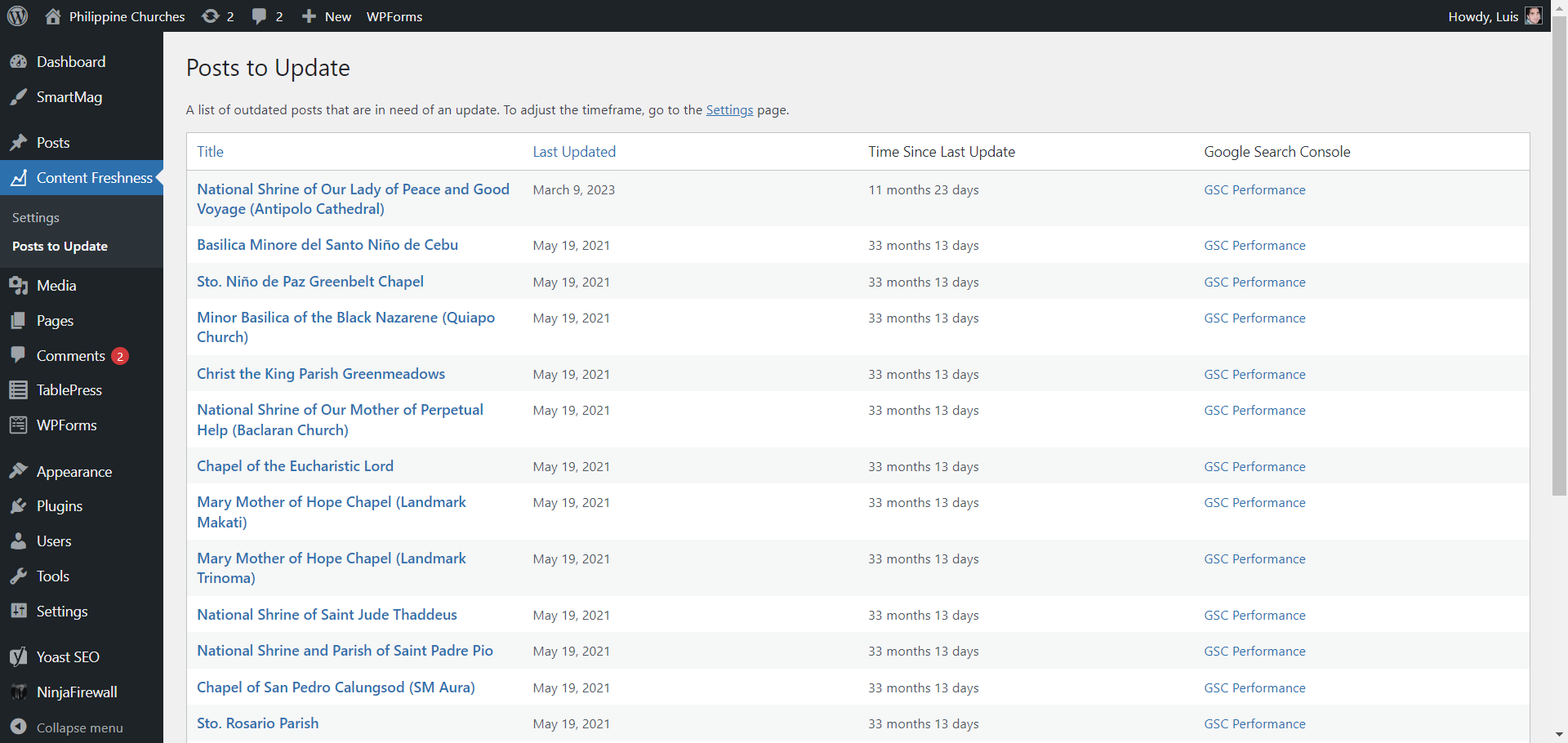
With Content Freshness, you can easily see which articles are in need of an update. You will see the dates when they were last modified, so that you can update them accordingly. You can select the timeframe for content updating – whether 3 months, 6 months, or 1 year (the default is 6 months).
If your website is already added to Google Search Console, you can choose to activate the GSC Performance option. Use it to check your individual post’s search results performance in Google Search Console before you update your articles.
Zrzuty ekranu

Instalacja
- Unzip the download file if necessary and upload the 'wp-freshness’ folder and all its contents to your '/wp-content/plugins/’ directory.
- Activate the plugin through the 'Plugins’ menu in your WordPress admin.
- Click the 'Content Freshness’ menu in your WordPress admin.
- Select the timeframe and enable GSC Performance (if applicable).
- Click the Save Changes button to apply.
- Click 'View Posts’ under the 'Content Freshness’ menu to see posts that are in need of an update.
Recenzje
Wtyczka nie ma jeszcze żadnej recenzji.
Kontrybutorzy i deweloperzy
„Content Freshness” jest oprogramowaniem open source. Poniższe osoby miały wkład w rozwój wtyczki.
Zaangażowani
Przetłumacz wtyczkę “Content Freshness” na swój język.
Interesuje cię rozwój wtyczki?
Przeglądaj kod, sprawdź repozytorium SVN lub czytaj dziennik rozwoju przez RSS.
Rejestr zmian
1.1
- Added „Updated Posts” page
- Added statistics page
1.0.0
- Initial version.