
Opis
KaosH&F builds the header and the footer of your site in two ways: pick an emotional preset and customize it, or design the layout yourself in Elementor and let the plugin add the scroll effects.
Headers
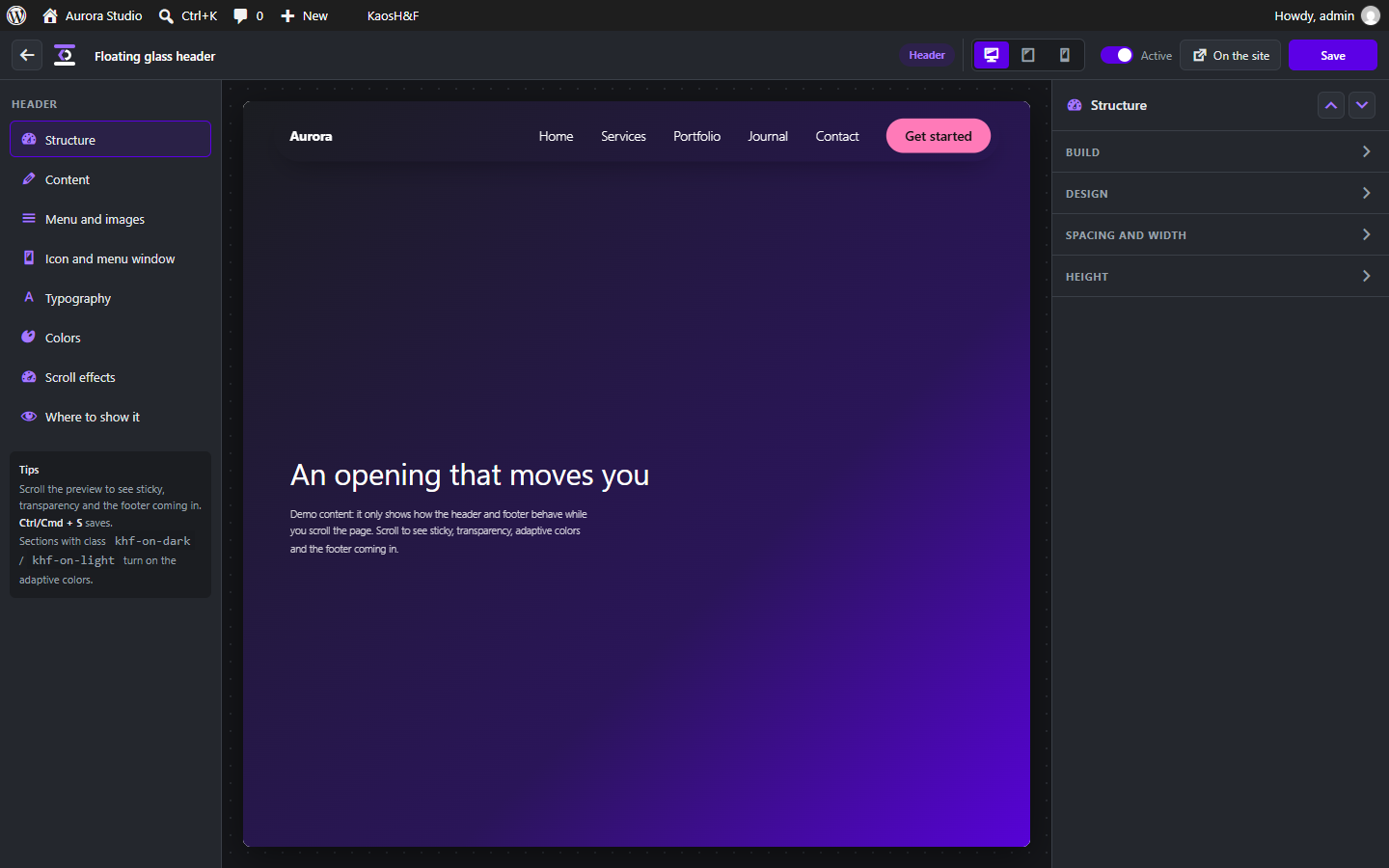
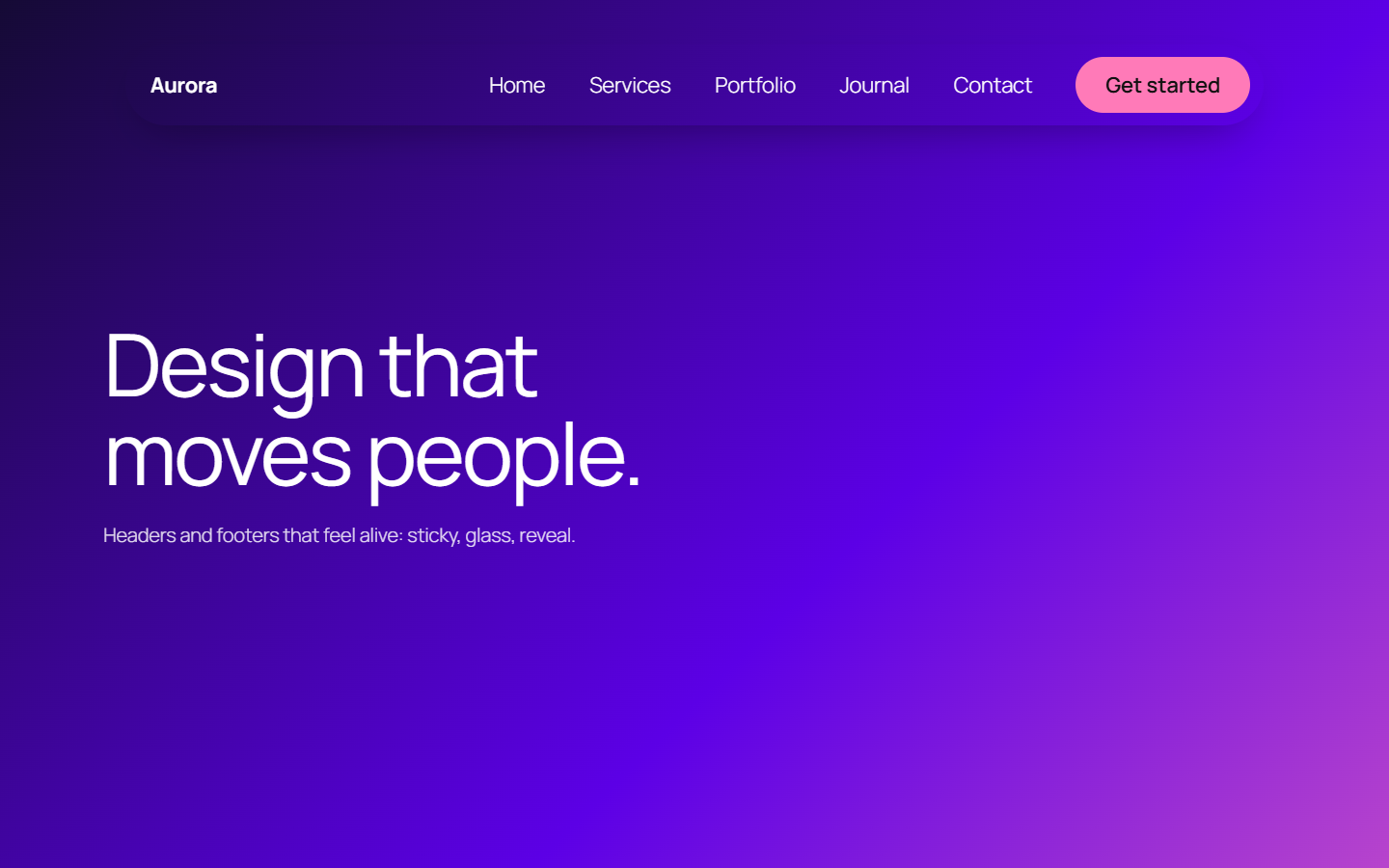
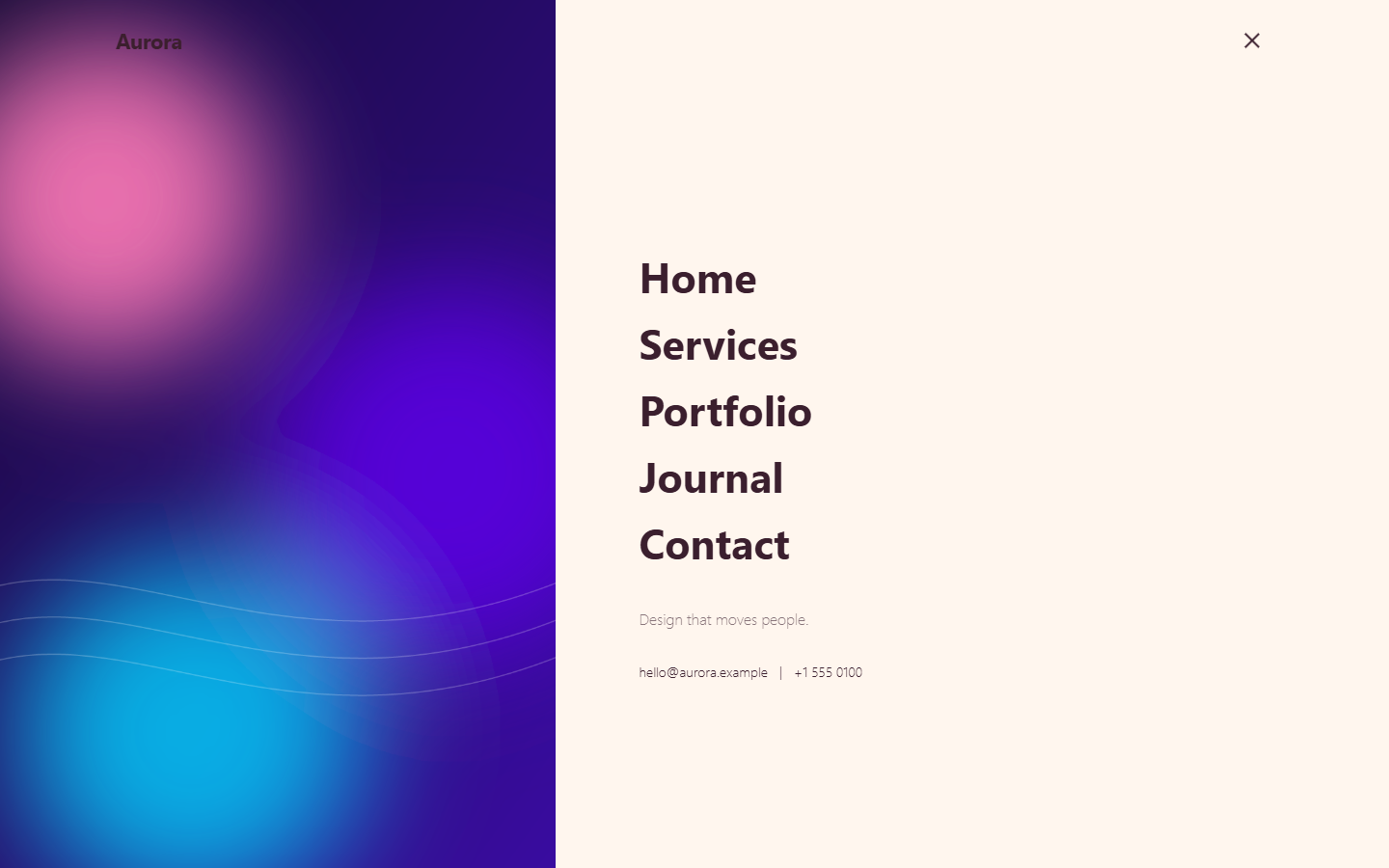
- Six layouts: classic, split (menu, centered logo, menu), custom arrangement, centered, minimal (burger + full-screen menu) and a floating glass pill.
- Over 20 moods that set background, text and accent in one click, or your own colors and multi-color gradients.
- Scroll effects: fixed or smart sticky (hides when you scroll down), transparent over the hero, shrinking, a different logo after the scroll, colors that adapt to the section underneath, liquid glass, a reading progress bar and animated entrances and exits.
- More than a dozen hover effects for the menu, a mega menu, dropdown styles, separators and 7 burger icon styles.
- A full-screen menu you can size and place, with images or short videos that change as you hover the items, plus contacts, social links and a legal link.
- Text alignment and background image for the full-screen menu on smartphones.
Footers
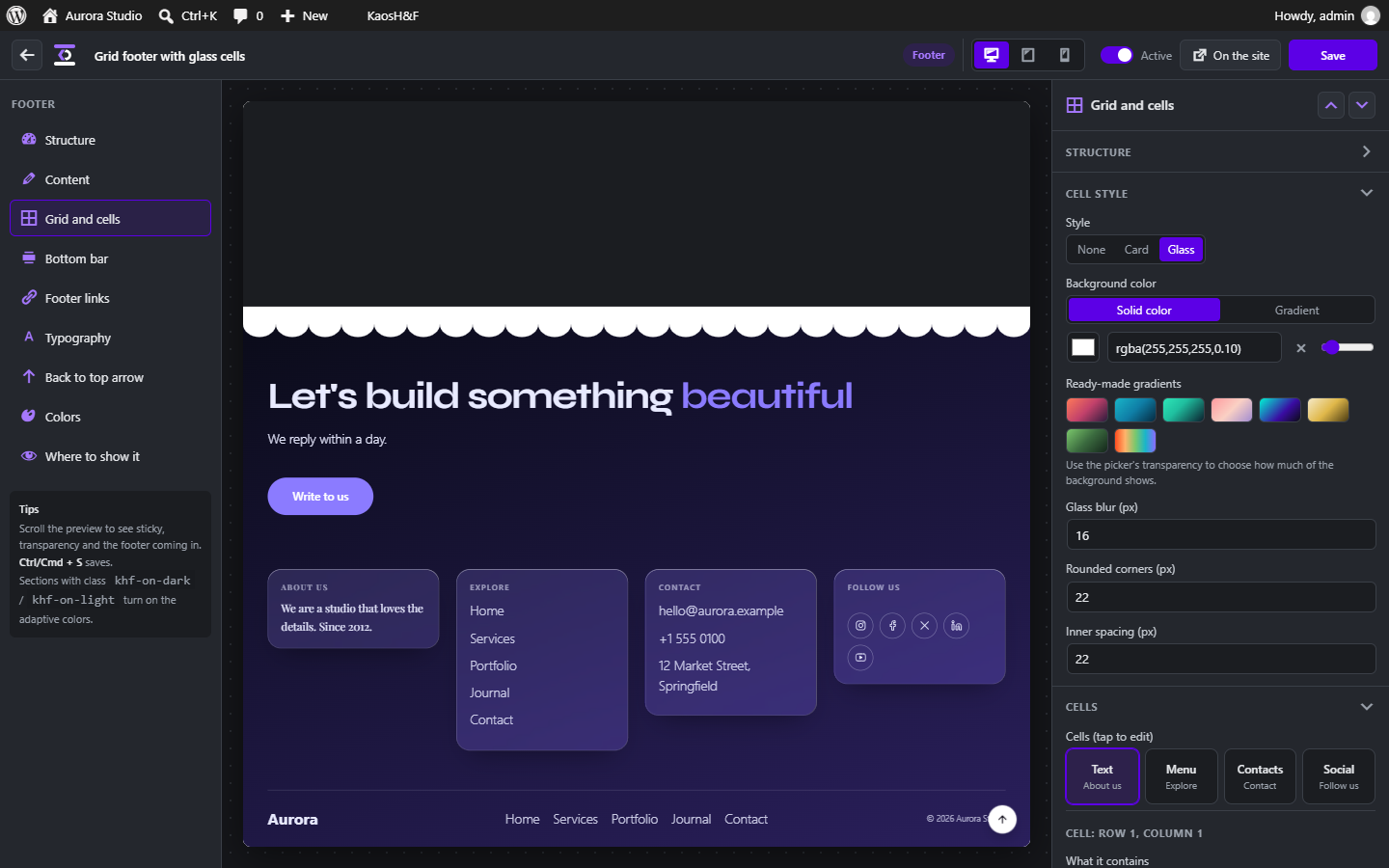
- Layouts: columns, big emotional call to action, minimal one-liner and a custom grid where you choose rows and columns and what each cell contains (text, menu, contacts, social links, image, logo or button).
- Nine top divider shapes with adjustable height, color and transparency.
- A bottom bar with logo, menus, social links and copyright arranged in zones.
- Entrance modes: normal, reveal (the content slides away and uncovers the footer) and reveal with parallax, plus zoom and fade entrance effects.
- A „back to top” arrow you can place, restyle or hide for each footer.
- Clickable address: on a phone it asks whether to open it with Maps or Google Maps.
Everywhere
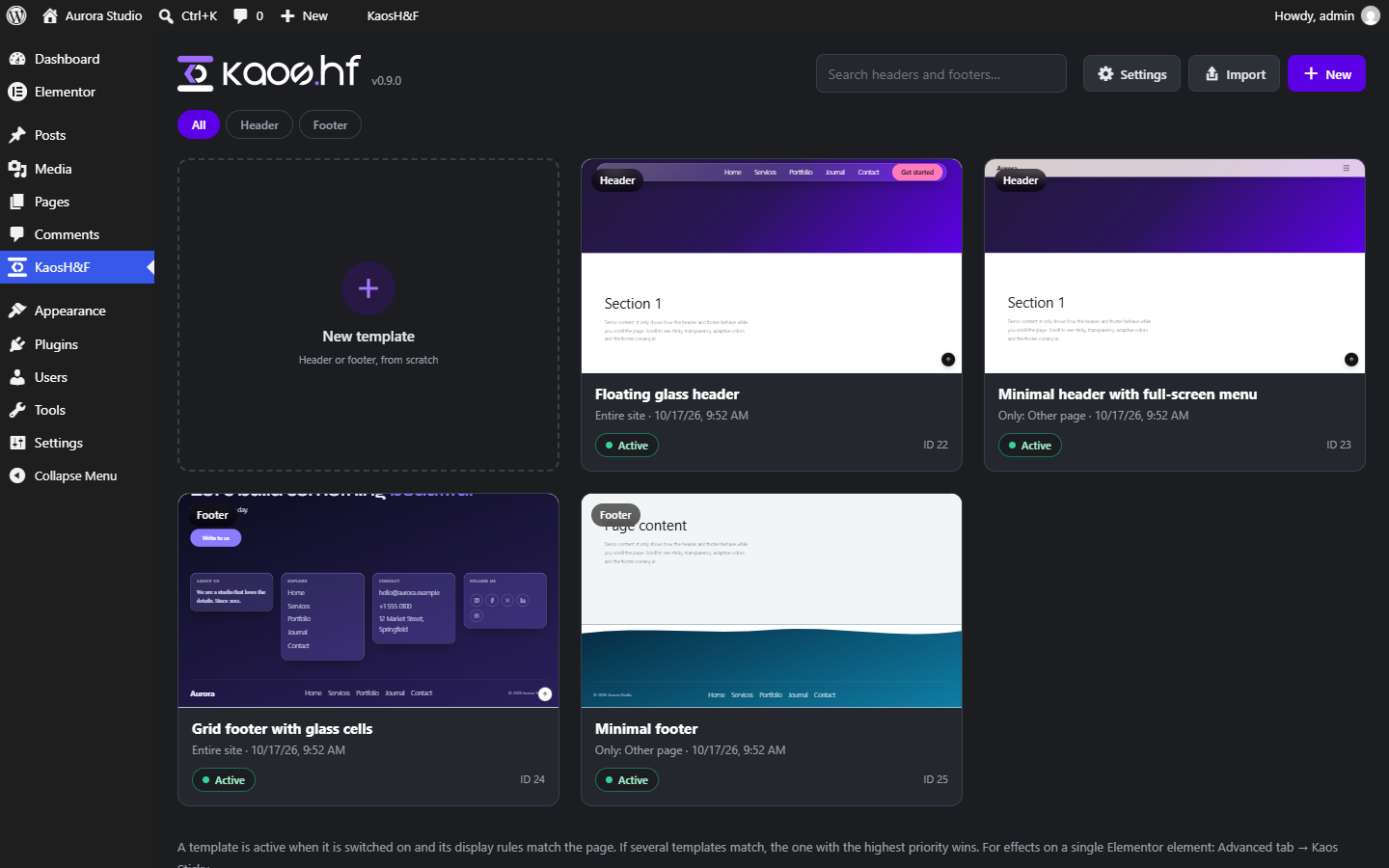
- Show a template on the entire site, only on some pages, or everywhere except some pages. Switch it off on a single page from the editor screen.
- Choose among 24 fonts, hosted on your own site by default (nothing is loaded from third parties).
- A „KaosH&F” shortcut in the admin bar leads straight to the header and footer active on the page you are viewing.
- Export and import templates as JSON.
- A „Kaos Sticky” panel in the Advanced tab of Elementor sections and containers, to add the scroll effects to any single element.
- Works with the theme you already use: it hides the theme header and footer automatically (Hello Elementor, Astra, GeneratePress, Kadence, OceanWP, Blocksy and block themes).
- Light: plain JavaScript with no dependencies, loaded only where an effect needs it.
- The interface is in English with a complete Italian translation, and it can be translated into other languages.
External services
By default the plugin makes no requests to third parties from your visitors’ browsers. The services below are used only as described:
- Google Fonts (fonts.googleapis.com, fonts.gstatic.com): with the default „Hosted on this site” font mode, the font files you choose are downloaded once to your server when you save a template, and visitors never contact Google. With the „Google Fonts” mode the stylesheet is loaded directly from Google. Privacy policy: https://policies.google.com/privacy
- Bunny Fonts (fonts.bunny.net): only when selected in the plugin settings, and to preview fonts in the editor before they are downloaded. Privacy policy: https://bunny.net/privacy
- Apple Maps and Google Maps (maps.apple.com, www.google.com/maps): the address in a footer or menu can be a link. Nothing is loaded in advance: the map app opens only if the visitor taps the address, and only then are the address and the visitor’s device exposed to the service they choose. You can turn the link off for each template. Privacy policies: https://www.apple.com/legal/privacy/ and https://policies.google.com/privacy
Zrzuty ekranu
Instalacja
- Install and activate Elementor (free version).
- Upload the
kaos-header-footerfolder to/wp-content/plugins/, or install the zip from Plugins Add New. - Activate the plugin.
- Open the KaosH&F menu, press „New”, and choose a header or a footer.
Najczęściej zadawane pytania
-
Do I need Elementor?
-
Yes, the plugin requires Elementor (free version) to be installed and active. You can build a header or footer from the emotional presets without touching Elementor, or design the layout in Elementor and use the plugin for the display rules and the scroll effects.
-
The plugin hides the header and footer of the most common themes. If yours is not recognized, open KaosH&F Settings and type the CSS selector of your theme header or footer. When a page shows no header, the „KaosH&F” menu in the admin bar tells you whether the template is switched off or excluded by its display rules.
-
The „reveal” mode needs to know the container of your page content. If the effect does not work with your theme, set the container selector in KaosH&F Settings.
-
Does it work with page caching?
-
Yes. The output only depends on the page being viewed, and the fonts are static files on your site.
-
Is anything sent to a third party?
-
See the External services section above. With the default settings, nothing is loaded from third parties on the front end.
-
Can I translate it?
-
Yes. The interface is in English with a complete Italian translation, and the strings use the
kaos-header-footertext domain.
Recenzje
Wtyczka nie ma jeszcze żadnej recenzji.
Kontrybutorzy i deweloperzy
„KaosH&F” jest oprogramowaniem open source. Poniższe osoby miały wkład w rozwój wtyczki.
Zaangażowani
Przetłumacz wtyczkę “KaosH&F” na swój język.
Interesuje cię rozwój wtyczki?
Przeglądaj kod, sprawdź repozytorium SVN lub czytaj dziennik rozwoju przez RSS.
Rejestr zmian
0.9.4
- Styles and scripts are now added through the WordPress enqueue functions instead of being printed directly in the page.
0.9.3
- Footer cells with the glass style: the frosted glass is now drawn on its own layer, so hovering the links inside no longer causes dark bands or flicker on some browsers and graphics cards.
0.9.2
- The editor preview now updates reliably when you change the layout or any setting: the draft is sent straight to the preview page instead of being stored first, which could be skipped by some hosts and caches.
0.9.1
- The menu button no longer takes the look of the theme’s own buttons: with some themes it could turn blue when tapped, or show up on desktop.
- The „reveal” footer no longer shows at the sides of the content with themes that have a narrow content column, such as Hello Elementor.
- GeneratePress: the theme footer is now hidden when a KaosH&F footer is active.
- If the font download fails, it is retried at most every 30 minutes instead of on every page view.
0.9.0
- Fonts are now hosted on your own site by default, so visitors never contact a third party. Bunny Fonts and Google Fonts remain available in the settings.
- The interface is now in English with a complete Italian translation.
- The footer has entrance effects: zoom in, zoom out, zoom from the top, bottom, left or right, and fade up.
- Footer text alignment on smartphones, a clickable address that opens the maps, and a big headline with its own font and alignment.
- Gradients are available for backgrounds throughout the plugin.
- The full-screen menu shows its image as a background on smartphones, with the text aligned as you choose.
- A new „Entire site” choice in the display rules, and a message in the admin bar that explains why a header or footer is not shown on a page.
0.7.0
- Footer parity with the header: custom grid, top dividers, bottom bar, link effects, back-to-top arrow and an admin bar shortcut.