

Opis
WooCommerce product translation checks for Polylang. Find missing translations, stale content, and catalog inconsistencies before customers encounter them.
Use it for a multilingual product audit after catalog updates or before reviewing a translated storefront. Scans inspect catalog consistency; they do not translate products or judge linguistic quality. Polylang is required for scanning.
Check your multilingual catalog
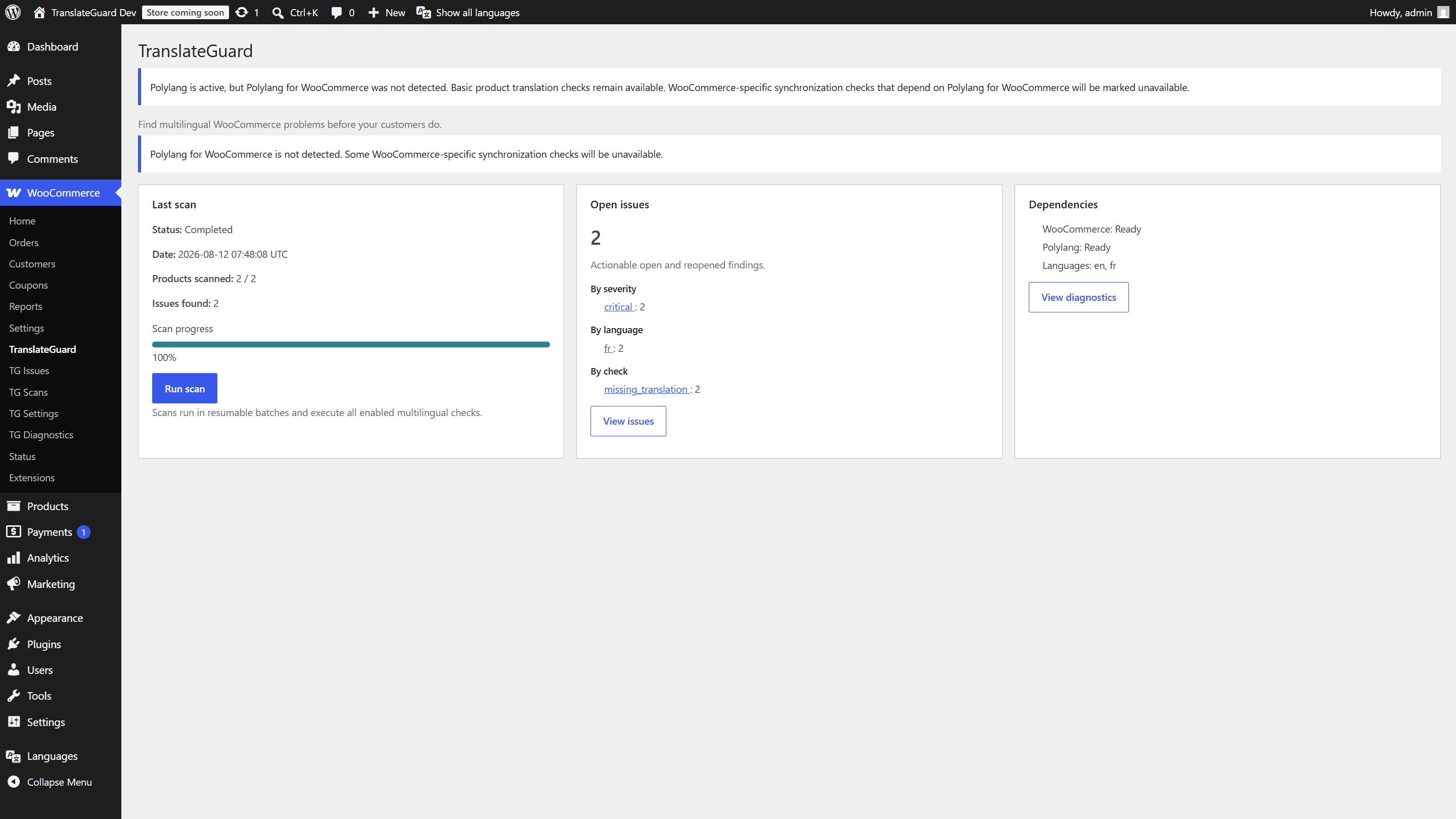
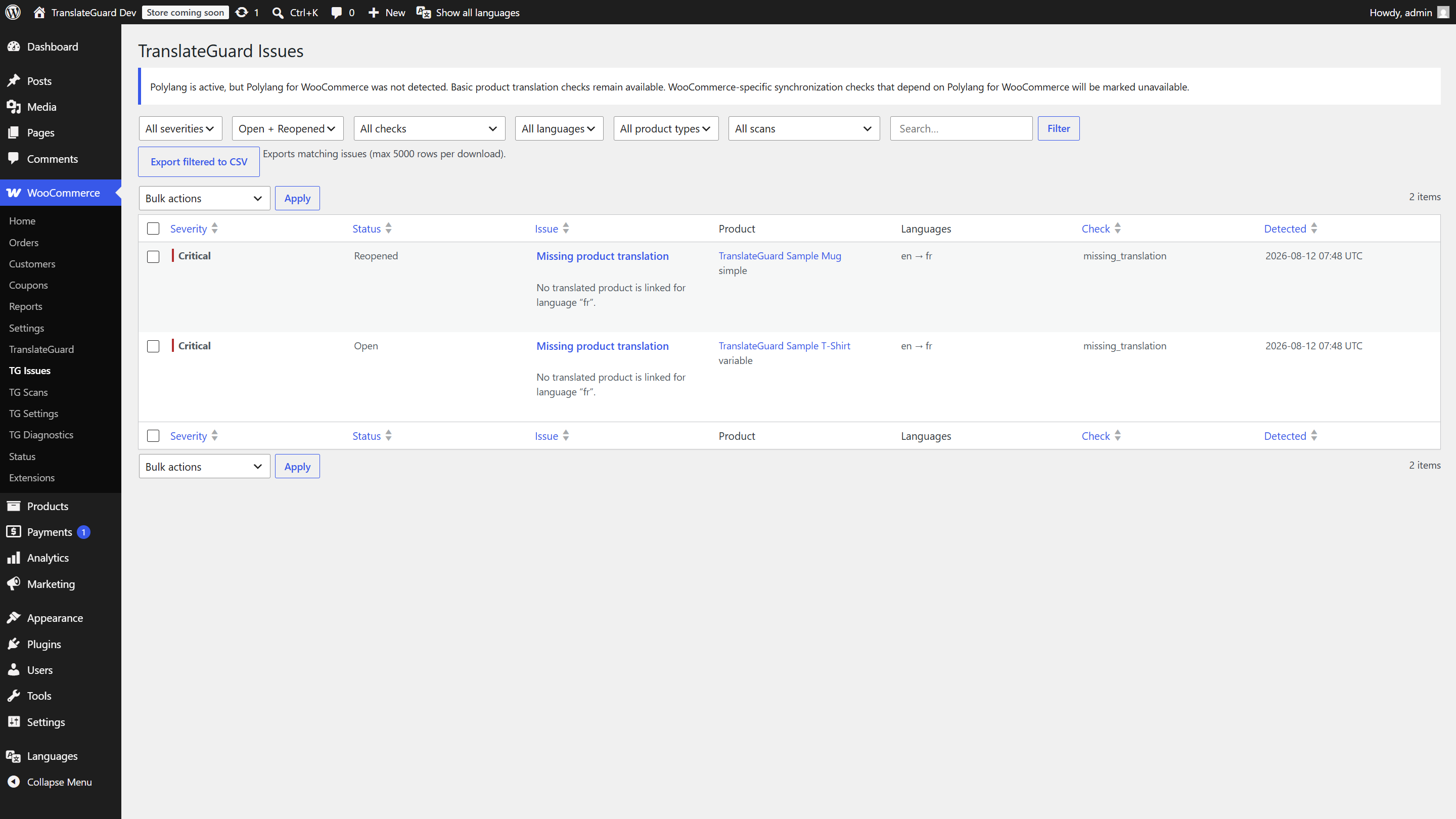
Run a scan from WooCommerce TranslateGuard, review the findings, and open affected products to investigate. Filter issues and export a CSV to organize follow-up work.
TranslateGuard requires Polylang for scanning. Polylang for WooCommerce is optional; some synchronization checks are limited without it. Scans do not modify products or translations.
Video overview
Documentation: https://cobaltbranchlabs.com/plugins/translateguard-for-woocommerce
Contact: hello@cobaltbranchlabs.com
Features
- Manual, resumable batched product scans
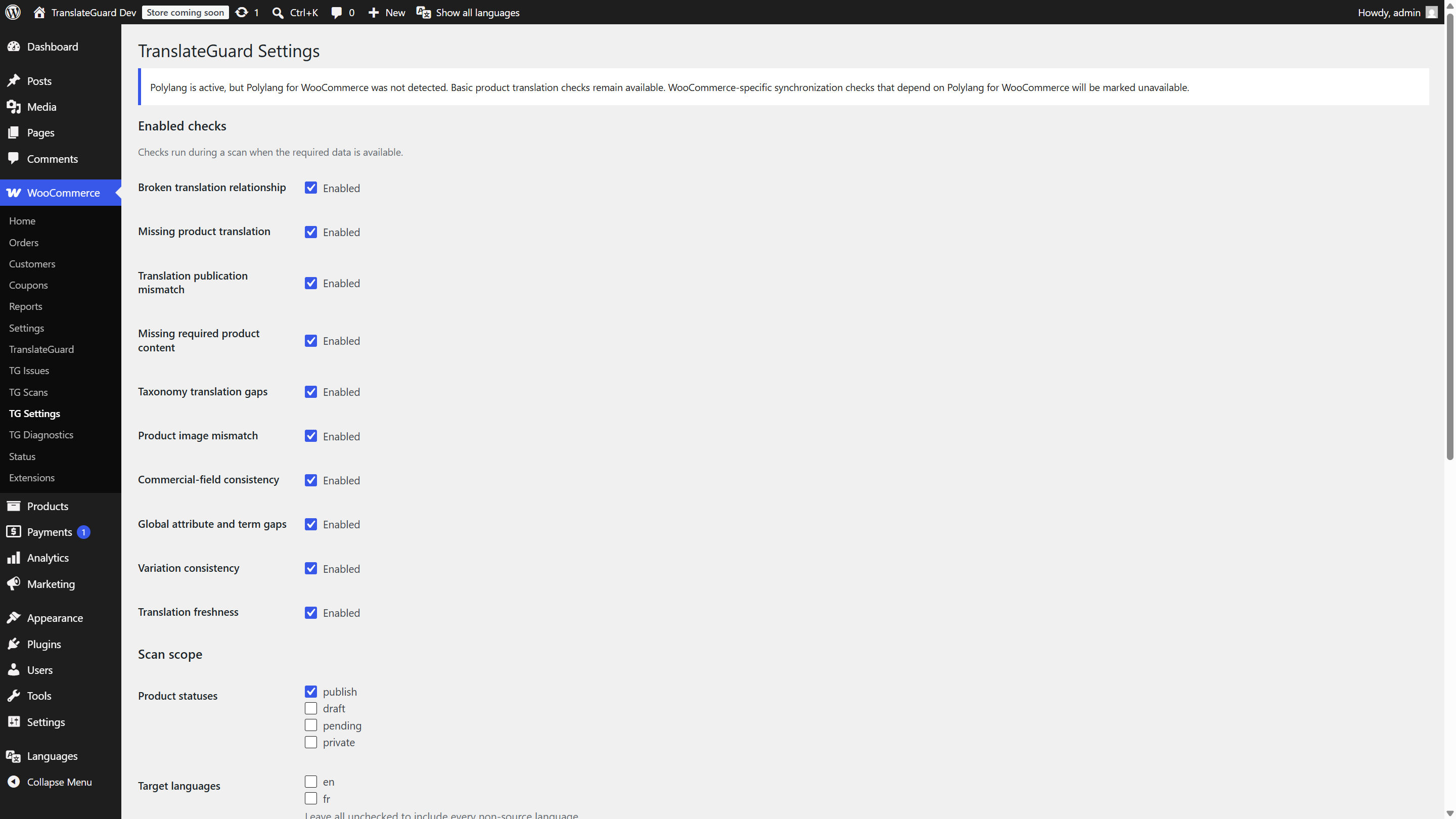
- Ten multilingual checks (relationships, missing translations, content, taxonomies, images, commercial fields, attributes, variations, freshness, and more)
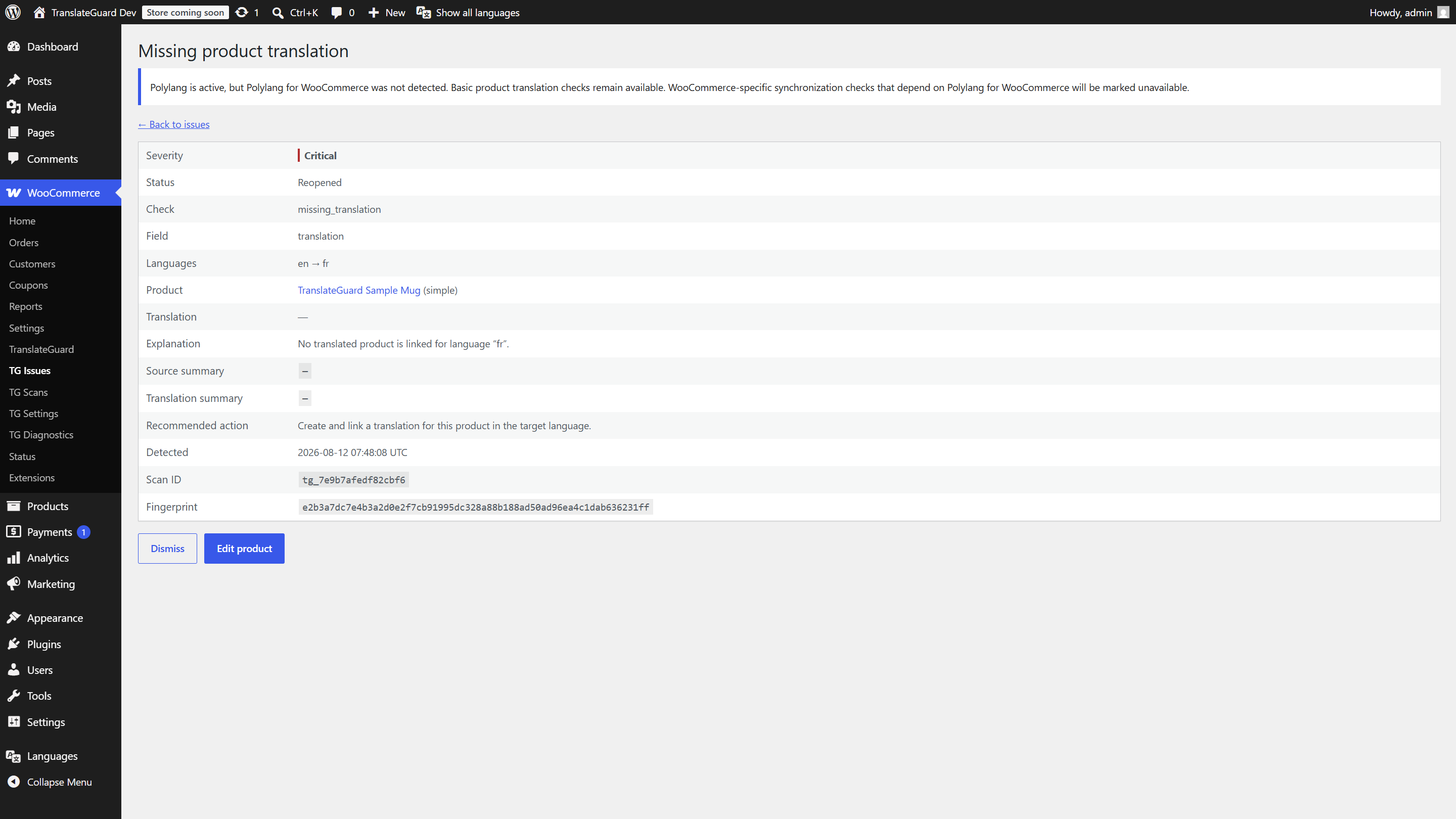
- Issue list with search, sort, filters, detail view, dismiss/reopen, and CSV export
- Scan history with progress and cancel
- Settings for checks, batch size, languages, retention, and uninstall cleanup
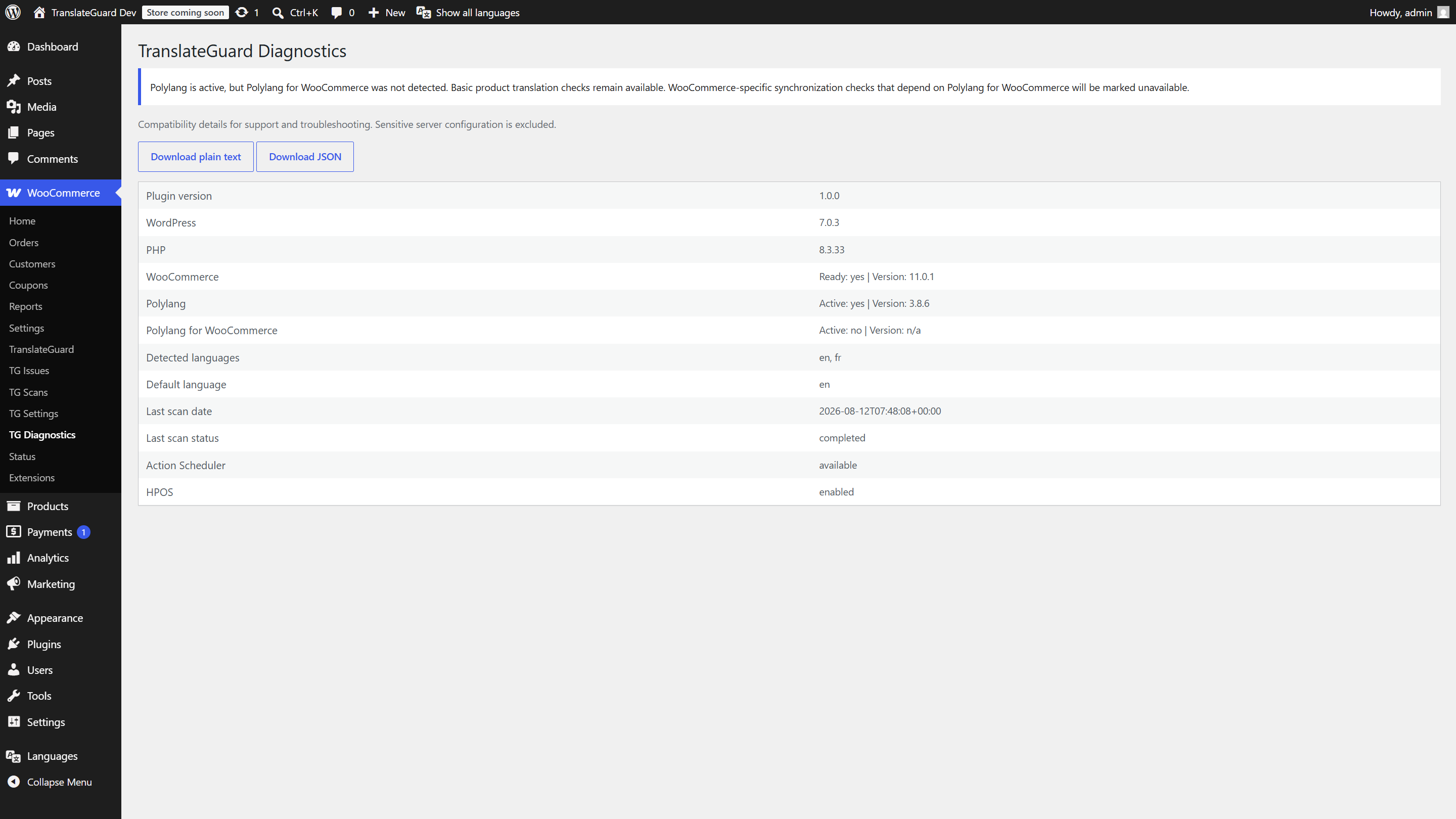
- Diagnostics report download
- Daily retention cleanup for aged scan/issue records
- Dedicated capability:
manage_translateguard
Privacy
Scans run on your WordPress site. Product data is not sent to TranslateGuard or third parties. Findings are stored in your database. Administrators control retention and deletion. There is no telemetry.
Requirements
- WordPress 6.5+
- PHP 8.1+
- WooCommerce 8.5+
- Polylang (for scanning)
Polylang for WooCommerce is optional. Some WooCommerce-specific sync expectations soft-degrade when it is not installed.
Zrzuty ekranu
Instalacja
- Upload the
translateguard-for-woocommercefolder to/wp-content/plugins/, or install the zip via Plugins Add New Upload Plugin. - Activate the plugin through the Plugins screen.
- Ensure WooCommerce and Polylang are active.
- Open WooCommerce TranslateGuard to run a scan.
Najczęściej zadawane pytania
-
Does this translate my products?
-
No. TranslateGuard checks catalog consistency and requires Polylang for scanning. Create and edit translations in your translation workflow; TranslateGuard does not translate text or judge its linguistic quality.
-
Is Polylang for WooCommerce required?
-
No. Basic Polylang product checks work without it. Some WooCommerce-specific synchronization checks are limited without Polylang for WooCommerce.
-
Will a scan change my catalog?
-
No. Scans are read-only against products and translations. They only write TranslateGuard scan/issue records.
-
Does the plugin send data externally?
-
No. Scanning and storage stay on your WordPress site.
-
Who can manage TranslateGuard?
-
Users with the
manage_translateguardcapability (granted to administrators and, by default, shop managers). -
How do I get support?
-
Use the WordPress.org support forum for this plugin. You can also email hello@cobaltbranchlabs.com.
Recenzje
Wtyczka nie ma jeszcze żadnej recenzji.
Kontrybutorzy i deweloperzy
„TranslateGuard for WooCommerce” jest oprogramowaniem open source. Poniższe osoby miały wkład w rozwój wtyczki.
Zaangażowani
Przetłumacz wtyczkę “TranslateGuard for WooCommerce” na swój język.
Interesuje cię rozwój wtyczki?
Przeglądaj kod, sprawdź repozytorium SVN lub czytaj dziennik rozwoju przez RSS.
Rejestr zmian
1.0.7
- Restricted commercial-field checks to explicitly approved, no-argument product getters.
- Improved scheduled scan cleanup during plugin deactivation.
- Added versioned capability installation and authorized capability repair.
- Corrected per-site data deletion behavior on WordPress multisite.
- Improved CSV compatibility with PHP 8.4 and standards-compliant escaping.
- Expanded WordPress 7.1 and WooCommerce 11.1 compatibility coverage.
1.0.6
- Restore Plugin URI to the Cobalt Branch Labs product page.
- Exclude developer README from the WordPress.org package.
1.0.5
- Declare WooCommerce 11.1 compatibility (WC tested up to: 11.1).
1.0.4
- Use prepared SQL for legacy post meta key migration (Plugin Check compliance).
- Set plugin author to Cobalt Branch Labs in the plugin header.
1.0.3
- Declare WordPress 7.1 compatibility (Tested up to: 7.1).
- Improve issues list table row headers for WordPress 7.1 screen-reader accessibility.
1.0.2
- Rename scan/issue CPT identifiers to translateguard_scan / translateguard_issue.
- Migrate legacy tg_* post types and meta keys on upgrade.
1.0.1
- Limit admin dependency notices to TranslateGuard screens (Guideline 11).
- Keep optional Polylang for WooCommerce guidance on plugin UI only.
1.0.0
- First stable release for WordPress.org.
- Polylang-backed multilingual product QA for WooCommerce.
- Batched scans with lock/cancel, ten checks, admin UI, CSV export, and retention cleanup.