
Opis
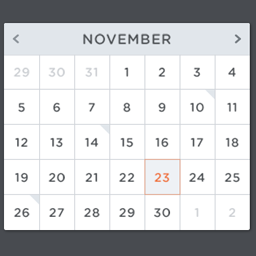
Super Simple Events is an events plugin for WordPress, built to be easy to use and manage.
Features include:
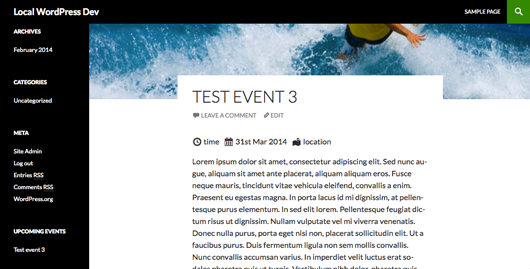
- Add events, set start / end dates, time and location.
- Show event date before content in front end.
- Assign event into event types
- Hide past events
- Widget to show upcoming events
- Admin panel to configure settings
- Shortcodes to display event meta
It is built using the WordPress coding standards, is designed to be very lite weight on system resources.
If you wish to follow the development of this plugin, view the code on
GitHub or the official plugin website.
Zrzuty ekranu


Instalacja
This section describes how to install the plugin and get it working.
Using The WordPress Dashboard
- Navigate to the 'Add New’ in the plugins dashboard
- Search for 'super-simple-events’
- Click 'Install Now’
- Activate the plugin on the Plugin dashboard
Uploading in WordPress Dashboard
- Navigate to the 'Add New’ in the plugins dashboard
- Navigate to the 'Upload’ area
- Select
super-simple-events.zipfrom your computer - Click 'Install Now’
- Activate the plugin in the Plugin dashboard
Using FTP
- Download
super-simple-events.zip - Extract the
super-simple-eventsdirectory to your computer - Upload the
super-simple-eventsdirectory to the/wp-content/plugins/directory - Activate the plugin in the Plugin dashboard
Najczęściej zadawane pytania
- I can’t see the settings panel, where is it?
-
The plugin requires admin account to change the settings for this plugin. Please contact administrator.
- I do not wish to display the event meta before the post content?
-
There is a setting in the admin panel that will remove the event details inserted before content.
- Is there anyway of displaying event details within the content of the post?
-
Super simple events has a 4 shortcodes that can be inserted into content of post to display events details. These shortcodes are
[sse_start_date], [sse_end_date] , [sse_location], [sse_time] - I am getting 404 pages when I go to a event page, how do I fix this?
-
This is an issue with WordPress code and registering custom post types. The url rewrite engine doesn’t recognise the url. A work around is to go to Settings > permalinks and press save changes. Just by saving changes, it will flush the rewrite rules and events should display.

Kontrybutorzy i deweloperzy
„Super Simple Events” jest oprogramowaniem open source. Poniższe osoby miały wkład w rozwój wtyczki.
Zaangażowani
Przetłumacz wtyczkę “Super Simple Events” na swój język.
Interesuje cię rozwój wtyczki?
Przeglądaj kod, sprawdź repozytorium SVN lub czytaj dziennik rozwoju przez RSS.
Rejestr zmian
1.0.4
- Translation for brazilian.
1.0.3
- Bug fixes
1.0.2
- Fix for taxonomy page being ordered by event date
- Fix for international date format
1.0.1
- Updated to plugin that stops people getting 404 pages when going to events pages.
1.0.0
- First Release