
Opis
Just a simple WordPress plugin that adds a lightweight, responsive bellhop button that allows any visitors to your site to contact the front desk easily and in several ways.
Zrzuty ekranu


Instalacja
Download the plugin from the official WordPress repo and click \’Activate\’ when the plugin has finished downloading or download a zip file of the plugin and install it manually.
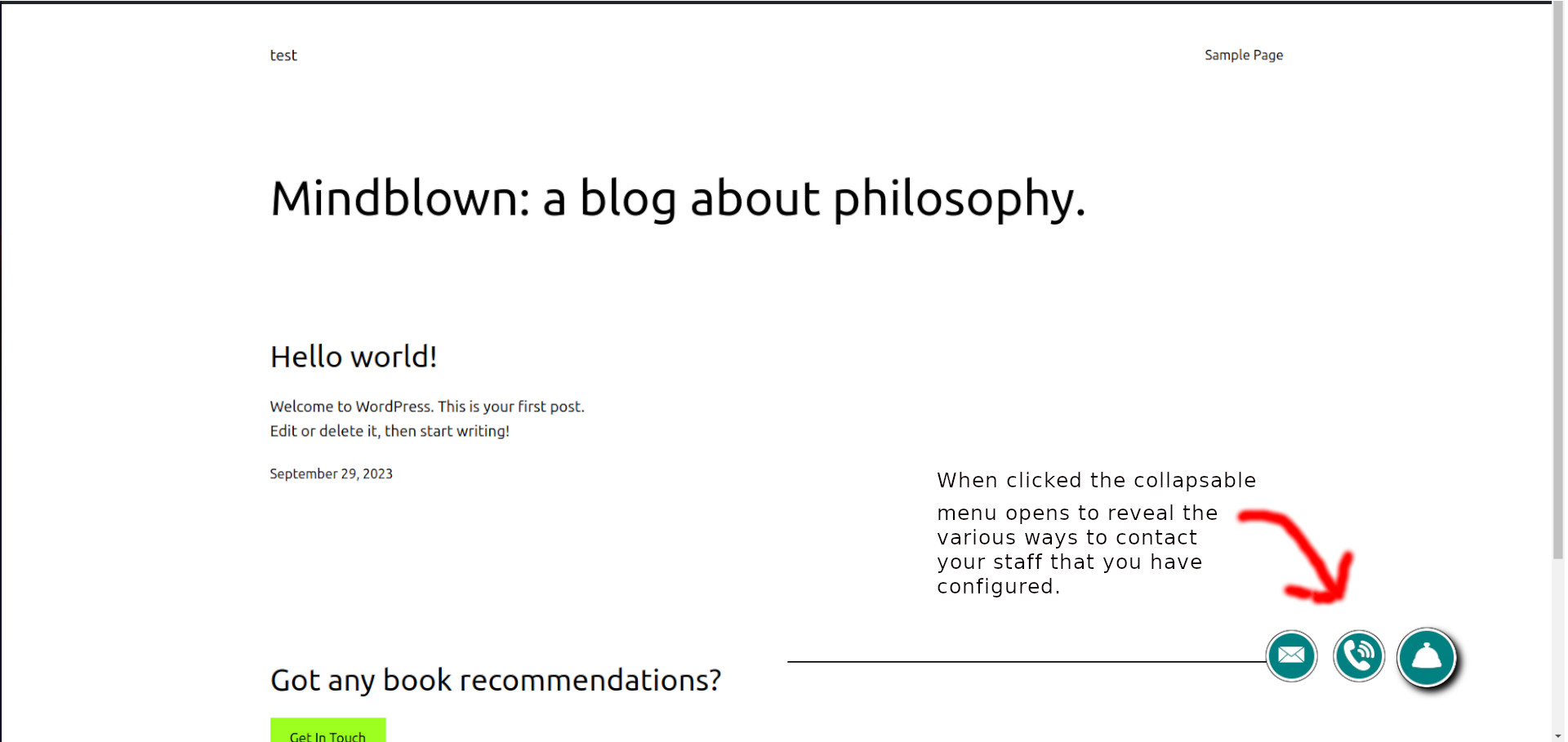
Upon activation, this plugin adds a simple contact menu for phone or email to the bottom of every page, and a 'Bellhop’ button to the dashboard to allow you to easily customize the new contact menu. The information displayed by the menu can be set from the WordPress dashboard on the Bellhop settings page. When a user clicks the Bellhop button, additional buttons for email and phone pop out to the left.
Najczęściej zadawane pytania
Will the menu appear on every page?
Yes, the menu appears near the bottom, right side of every front-facing page of the website.
How can I customize the email address and phone number?
Bellhop adds a menu to the dashboard where you can change or adjust the settings for the email and phone number.
One or both of my buttons are not showing. What do I do?
If you have not filled out a telephone number on the settings page then the phone button will not be displayed. The email button will not be displayed if no email address has been filled out on the settings page. To get to the settings page, check the WordPress dashboard and look for a new button called 'Bellhop’.
Changelog:
-
1.0.0
-
- A plugin is born!
-
1.0.1
-
- Misc bug Fixes
-
1.0.2
-
- Localization bug fixed.
-
1.0.3
-
- Conditionally display buttons if settings on the settings page are filled out for a particular button.
Recenzje
Wtyczka nie ma jeszcze żadnej recenzji.
Kontrybutorzy i deweloperzy
„Bellhop” jest oprogramowaniem open source. Poniższe osoby miały wkład w rozwój wtyczki.
Zaangażowani
Przetłumacz wtyczkę “Bellhop” na swój język.
Interesuje cię rozwój wtyczki?
Przeglądaj kod, sprawdź repozytorium SVN lub czytaj dziennik rozwoju przez RSS.