
Opis
Show WooCommerce Reviews on Your WordPress Site in Minutes.
This plugin syncs your existing WooCommerce product reviews and stores them in your WordPress database on your own server. Your site serves those reviews locally for fast loading and a smooth visitor experience — no external API calls on every page view.
Create a summary review slider or grid that showcases customer feedback across your store. Each review can include the product image and link back to the product page. When a new WooCommerce review is approved, it can be synced into your review list.
Perfect for building trust on your homepage, landing pages, and product pages. Use a shortcode or widget to place reviews anywhere. On a single product page, filter the template to show only reviews for that product.
Feature List:
- Lightweight plugin code designed for speed.
- Sync WooCommerce reviews and store them locally on your server.
- Display reviews in a slider, grid, or rows.
- Automatically sync when new WooCommerce reviews are added.
- Show all store reviews or only reviews for the current product page.
- Mobile-friendly responsive design.
- Use as a widget or shortcode.
- Create unlimited review templates for different areas of your site.
- Customize colors, border radius, show/hide stars and dates, and custom CSS per template.
- Show only reviews that include text.
- Sort reviews randomly or by newest.
I personally support all of my plugins and appreciate every customer. If you have any questions, don’t hesitate to ask!
Check out our other free versions!
Facebook
Google
Yelp
TripAdvisor
Thumbtack
Airbnb
Upgrade to Pro for More Features:
- Download reviews from Google, Facebook, Yelp, TripAdvisor, and 85+ other sites.
- 10+ review template styles, badges, floats, and pop-ins.
- Advanced slider controls: autoplay, arrows, dots, height, and animation options.
- Hide certain reviews, filter by rating, date, keywords, and more.
- Manually add reviews or export to CSV.
- Google schema review snippet markup.
- Priority support from the developer.
- Access to all new features added in the future.
Zrzuty ekranu
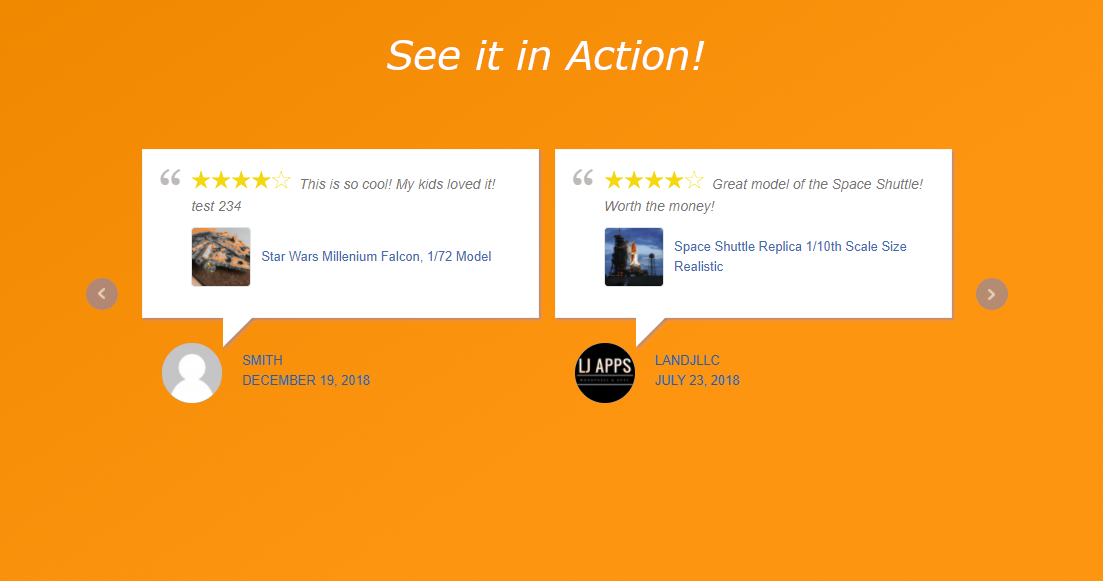
Create a beautiful review slider on your posts or pages! 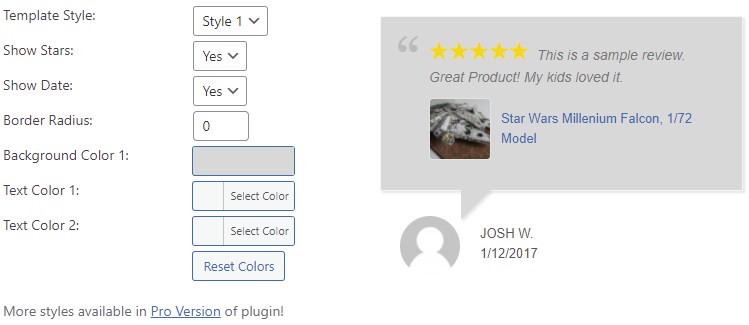
Lots of customizable options. Even input CSS if you want. 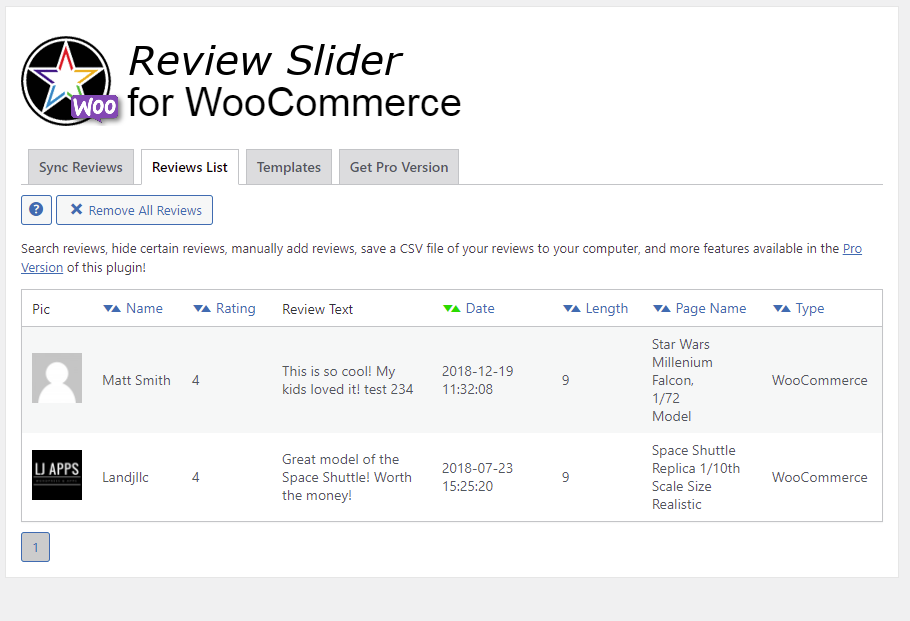
All your reviews show up in a list. 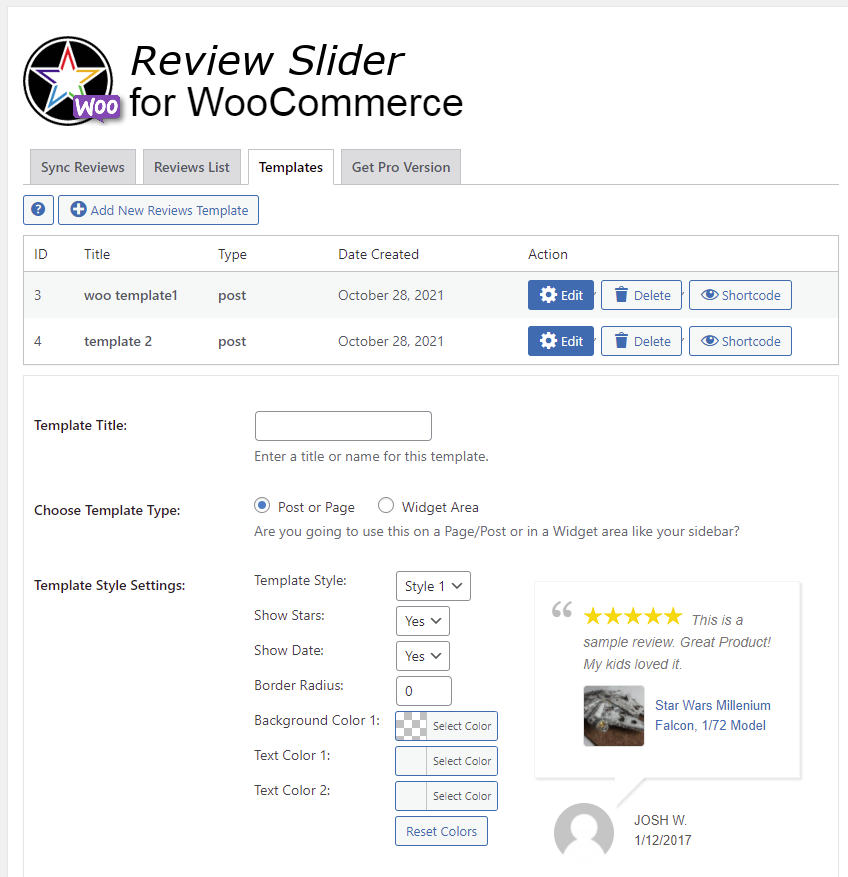
Even use it on your sidebar!
Instalacja
- Upload the
review-slider-for-woocommercefolder to the/wp-content/plugins/directory. - Activate the plugin through the Plugins menu in WordPress.
- Open Review Slider in your admin menu.
- Go to Sync Reviews to import your WooCommerce reviews.
- Visit Review List to confirm reviews were imported.
- Create a template on the Templates page and add the shortcode to a post or page.
Najczęściej zadawane pytania
-
Are reviews stored on my server?
-
Yes. When you sync, WooCommerce reviews are saved in your WordPress database and loaded from your site — not pulled from WooCommerce on every page view.
-
Do I need WooCommerce installed?
-
Yes. This plugin displays reviews from your WooCommerce store. WooCommerce must be installed and active.
-
Can I show only reviews for one product?
-
Yes. Use the post filter option on your template when placing it on a product page so only that product’s reviews display.
-
How do I request a new feature?
-
Post on the support forum or contact us on the WP Review Slider website.
Recenzje


Kontrybutorzy i deweloperzy
„Review Slider for WooCommerce” jest oprogramowaniem open source. Poniższe osoby miały wkład w rozwój wtyczki.
Zaangażowani
Przetłumacz wtyczkę “Review Slider for WooCommerce” na swój język.
Interesuje cię rozwój wtyczki?
Przeglądaj kod, sprawdź repozytorium SVN lub czytaj dziennik rozwoju przez RSS.
Rejestr zmian
1.6
- Admin UI updated to match other WP Review Slider plugins (Welcome page, W3 tab bar, content panels).
- WordPress 7.0 admin styling updates.
- Improved Sync Reviews settings page and fixed settings saved messages.
1.5
- PHP 8.2 warning notice fixed.
1.4
- Updated color picker js.
1.3
- Small bug fixes.
1.2
- Small css changes.
1.1
- Small bug fixes.
1.0
- First Version.