

Opis
SMNTCS Adobe Typekit Fonts loads your Adobe Fonts web project on every page of your site. Paste the embed code from Adobe Fonts into the Customizer, add the CSS rules that use your fonts, and you are done.
Features
- Paste the Adobe Fonts embed code in the Customizer
- Add custom CSS for your font rules in the same place
- No theme changes needed
Zrzuty ekranu
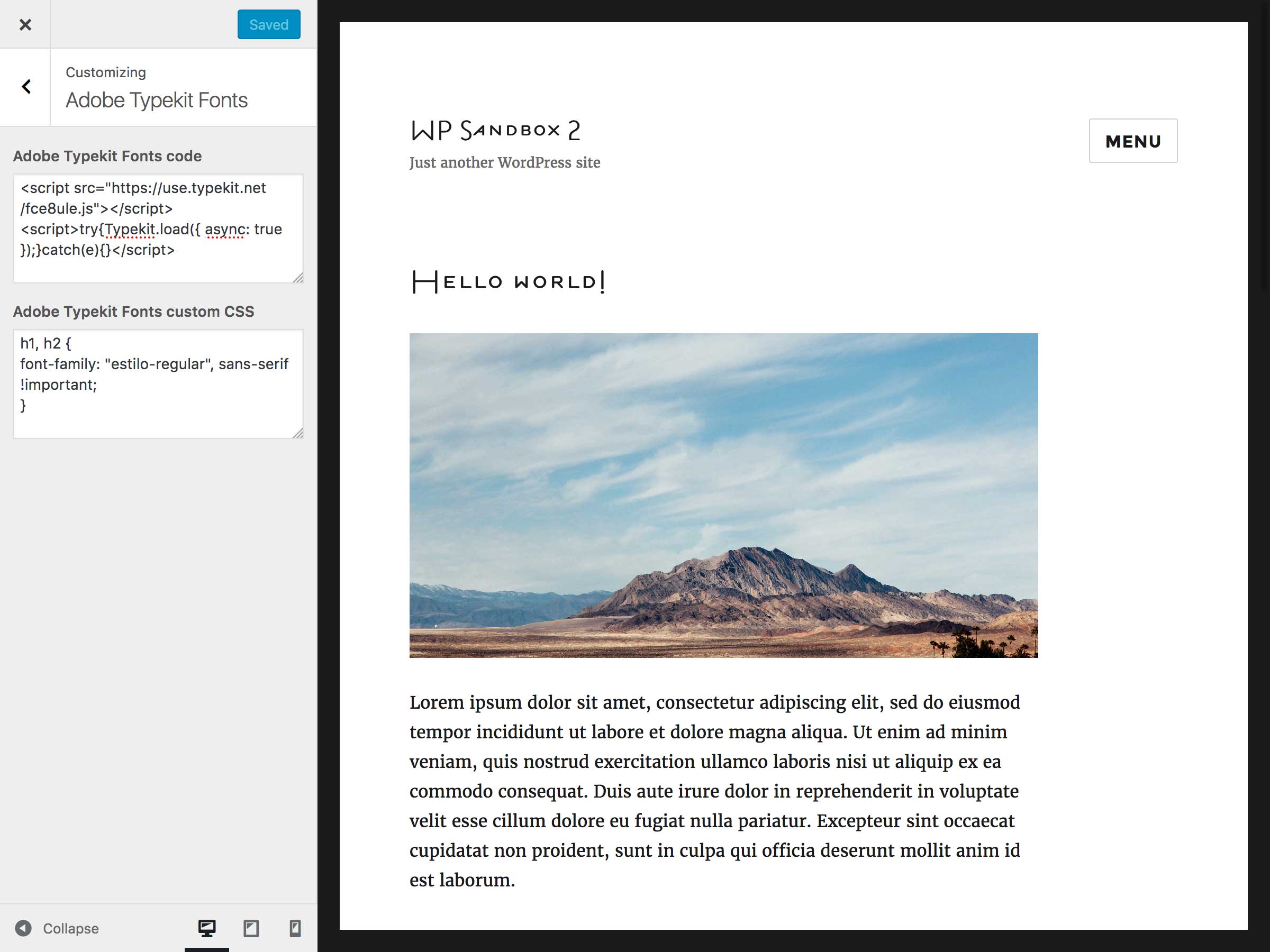
Instalacja
- Upload
smntcs-adobe-typekit-fontsto the/wp-content/plugins/directory. - Activate the plugin through the
Pluginsmenu in WordPress. - Go to
Appearance»Customize. - Provide your Adobe Typekit Fonts code.
- Customize the CSS according to your needs.
Najczęściej zadawane pytania
-
Why am I not able to save the Adobe Typekit Fonts code?
-
This issue might be caused by a security plugin. If you use a security plugin, e.g. Wordfence, then disable it to save your Adobe Typekit Fonts code and activate it once you’re done.
Recenzje
Wtyczka nie ma jeszcze żadnej recenzji.
Kontrybutorzy i deweloperzy
„SMNTCS Adobe Typekit Fonts” jest oprogramowaniem open source. Poniższe osoby miały wkład w rozwój wtyczki.
Zaangażowani
Wtyczka „SMNTCS Adobe Typekit Fonts” została przetłumaczona na 5 języków. Podziękuj tłumaczom za ich wkład.
Przetłumacz wtyczkę “SMNTCS Adobe Typekit Fonts” na swój język.
Interesuje cię rozwój wtyczki?
Przeglądaj kod, sprawdź repozytorium SVN lub czytaj dziennik rozwoju przez RSS.
Rejestr zmian
2.1 (2026.09.26)
- Test up to WordPress 7.1
- Update development dependencies and GitHub Actions
- Fix the number of arguments passed to hook callbacks
2.0 (2025.03.22)
- Tested up to WordPress 6.8
1.9 (2024.07.24)
- Tested up to WordPress 6.6
1.8 (2023.10.15)
- Tested up to WordPress 6.4
1.7 (2022.12.03)
- Tested up to WordPress 6.1
1.6 (2022.10.02)
- Adjust GitHub Actions trigger
1.5 (2019.05.12)
- Tested up to WordPress 5.2
1.4 (2019.04.05)
- Refactored based on PHPCS and WPCS
1.3 (2019.02.20)
- Tested up to WordPress 5.1
1.2 (2018.03.18)
- Added README.md
1.1 (2016.12.24)
- Added FAQ
1.0 (2016.10.16)
- Initial release