
Opis
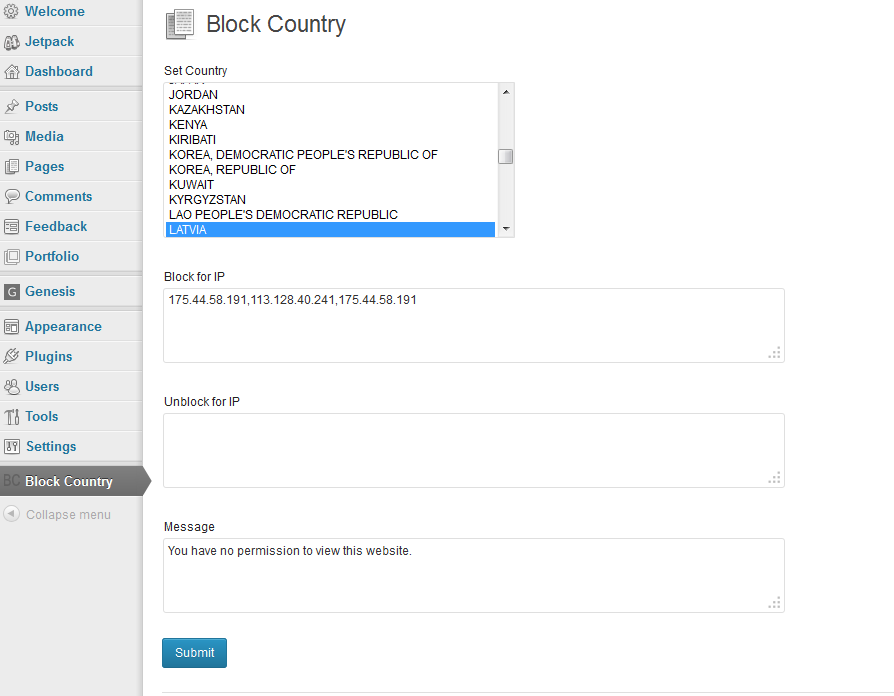
Set country and IP to block your website. You can also set IP address to unblock for any special IP Address.
Zrzuty ekranu
Instalacja
- Upload 'block-country’ to the '/wp-content/plugins/’ directory
- Activate the plugin through the 'Plugins’ menu in WordPress
- Click on the Block Country
- You can choose your country, IP address to block and enter your message. You can aslo set IP address to unblock for blocked country.
- Click on „Submit” button.
Recenzje

2016-09-03
work like a charm. Installation in a blink of an eye and choice of country
I have setup the country i wanted to block
I have turn on a VPN with connection from that country
A gray screen appears instead of website.
Very simple to use. Dropdown menu with all countries.
Big surprise, the back end is not blocked. It is so clever! I can still work on the website even if i am located in the country i wanted to block. On the other hand, the users from that same country can't see the front end.
SO COOL
I hope it will also support IPv6 someday

2016-09-03
Made no difference in the number of Russian sites attacking my site (about 10-20 per day). Only tried to block Russia so I cannot make the comment more widespread.
Kontrybutorzy i deweloperzy
„Block Country” jest oprogramowaniem open source. Poniższe osoby miały wkład w rozwój wtyczki.
Zaangażowani
Przetłumacz wtyczkę “Block Country” na swój język.
Interesuje cię rozwój wtyczki?
Przeglądaj kod, sprawdź repozytorium SVN lub czytaj dziennik rozwoju przez RSS.